

Windows 10 wants a password to open
9 years ago
Featured Answer
Sort by:Oldest
Comments (11)
 9 years ago
 9 years ago
Related Discussions
UPDATE: WoW Thanks! I wanted That! # 10
Comments (150)"Shake and Bake" refers to the nickname given to the state of California, which it is not only named for, but it is the state flower for :) California is often referred to as "Shake and Bake, USA WELL DUH!...lol, FANNA WHO IS Hysterical laughing at herself for FORGETTING THIS FACT about Callie! See I am afraid to TRY any Poppy for breadseed because what if someone sends one they THINK is safe and it isn't? JASMINE, I ACCIDENTLY TYPED THE WRONG NUMBER! All is WELL it WAS Margos I was working on and since I believe I meanted the gift she gave me it was clear it was just a slip of the finger or brainwave or something along those lines..... Lisa I stayed up last night til 5:00 am or would that be stayed up this morning til? Oh well, which ever that is what I did. It is just a matter of me bring ODC and can't stop until I feel HAPPY with the results....lol!!! WOW you all are sending in some REALLY REALLY good stuff!!! Wendy, thanks for my GIFT...I will be on a CHOCOLATE high tonight, haha! That was so sweet of you to think of me, thanks again. I am actaully taking a breather at this minute to eat supper then I will get back to the seeds. :) Fran I will go ahead and post #11 thread!...See MoreIE10 open window in max size
Comments (3)welcome - its actually out there somewhere on some support page that I probably searched for days for it, only to stumble upon it by accident....See MoreWindows 10 Password
Comments (4)When you made your login originally windows 10 asks for your email account and password. From what you have said, I assume that's what you use to login to your desktop. Well you didn't have to use your email, you could have read the fine print and just made your login a name with optional password, no email account necessary..... this is called a Local Account - which you can change to and sounds like it might be a good idea for you if you don't want to use a password. To change to a local account, in the contana search feature type in Accounts, then look at the settings category for 'your account picture and profile settings' Under your name there you will see change to a local account. It will want proof you are you with your password and when you put in your new name, just don't enter a password. ..... you can also find your account by clicking; Action Menu icon, All Settings, Accounts....See MorePassword Manager and Multiple Tabs
Comments (11)I generally agree with the direction of the responses though not necessarily the overall tone of the conversation. For me, internet users have way too much paranoia and not nearly enough common sense. For the average person, access to your passwords (as if someone were busting their gut to get them, which isn't the case) will do what? Allow them to use your subscription to the NY Times, resume saved games you've played, see your sister's photos on Facebook? Yeah, really. Keep it in context. The risks are more imagined than real. Now, past that, nothing is better for keeping passwords than a piece of paper and a pen. That's what I set up for my 95 year old relative to use, it works fine for her. If you use your PC away from home, make it a text file high up on the folder tree on the hard drive so it's easy to find immediately. Even in its own top level folder. Take deep breaths, move on. Password containing apps or programs are really not necessary....See More- 9 years ago
- 9 years ago
- 9 years ago
- 9 years ago
- 9 years ago
 9 years ago

Related Stories
REMODELING GUIDESHouse Planning: When You Want to Open Up a Space
With a pro's help, you may be able remove a load-bearing wall to turn two small rooms into one bigger one
Full Story
WORKING WITH PROS10 Things Architects Want You to Know About What They Do
Learn about costs, considerations and surprising things architects do — plus the quick route to pinning down their style
Full Story
DECORATING GUIDES10 Easy Fixes for That Nearly Perfect House You Want to Buy
Find out the common flaws that shouldn’t be deal-breakers — and a few that should give you pause
Full Story
FUN HOUZZ10 Things People Really Don’t Want in Their Homes
No love lost over fluorescent lights? No shocker there. But some of these other hated items may surprise you
Full Story
WORKING WITH PROS10 Things Decorators Want You to Know About What They Do
They do more than pick pretty colors. Here's what decorators can do for you — and how you can help them
Full Story
REMODELING GUIDESContractor Tips: 10 Ways to Get the Remodel You Want for Less
Lighten the load on your remodeling budget without sacrificing your design by heeding this insider advice
Full Story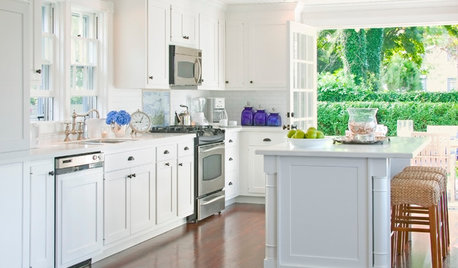
GARDENING AND LANDSCAPING10 Ways to Open a Kitchen to the Outdoors
Have your cooking and your nice weather too, with a kitchen setup that embraces indoor-outdoor flow
Full Story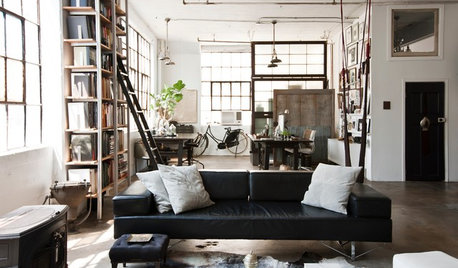
LOFTS10 Open, Industrial Lofts That Feel Like Home
Embracing history but dropping the cold, utilitarian feel, these homeowners have created gorgeously livable lofts
Full Story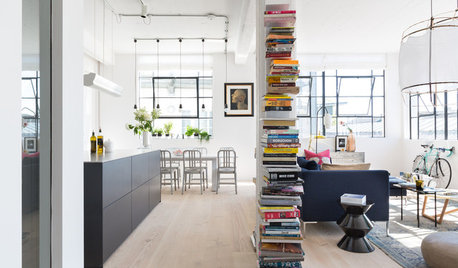
HOMES AROUND THE WORLDHouzz Tour: A Bright and Open London Loft
A converted factory space benefits from abundant windows, a modified open-plan design and eclectic art and decor
Full Story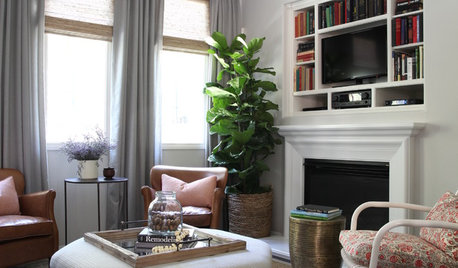
ROOM OF THE DAYRoom of the Day: Right-Scaled Furniture Opens Up a Tight Living Room
Smaller, more proportionally fitting furniture, a cooler paint color and better window treatments help bring life to a limiting layout
Full Story
More Discussions

zep516