

Syncing Microsoft Office Calendar with IPad2
10 years ago
Featured Answer
Sort by:Oldest
Comments (7)
 10 years ago
 10 years agolast modified: 10 years ago
Related Discussions
Are you a pro on your iPad?
Comments (31)cathrugg--my DH is in IT as well. He helped to some degree with set-up, but not all that much. Not only doesn't/hasn't he used Apple devices, he has been super, super busy lately, so I've been figuring out a lot of this on my own (some trial and error, some via internet queries and searches). I might have email set to manual already, have to check. My Push notifications might be on though, so that might override the ability to set email settings? Brightness set to auto, I believe (automatically dims in lower light situations). Have to check maps setting. I have iPad locator "on", but I think my other locator settings are off. Running down the battery, and then fully charging it (leaving it on the charger an add'l 20-30 min past reaching 100%), helped a great deal. Now if it's 100% when I go to bed, it's either still 100% when I get up, or it's only down 1% or 2%. It also stopped dropping by 10% or more by the afternoon when it's sitting unused all day. Made a big difference. I'll take a look at the things you mentioned and report back! I really am enjoying mine. Would love to have the 4G of the newly unveiled iPad (I'm spoiled with the speed of our home Wi-Fi, so using my iPad on 3G when I have to, does seem a little slow to me at times). When I get a 4G phone and use that as my "hot spot" though, it shouldn't really matter. Not sure how much diff the A5X chip/quad core processor will make vs the A5 chip in the iPad 2, though the demo at the big unveiling yesterday supposedly showed a big diff in speed. Would love to compare the screen resolutions (iPad 2 vs new iPad) side-by-side, to see how visible the difference really is to my eyes. Would not be happy with the increase in weight and thickness, so all in all, I don't feel too bad about getting an iPad 2 instead of waiting for the new one. Mine's 32 GB, which won't be available in the iPad 2 with the release of the new one, so I guess mine will be a collector's item soon! LOL...See MoreAre you a 'list' person?
Comments (33)Oakley, Of course! I get a special thrill at this time of year because every store sells cheap, cheap, cheap spiral notebooks for back to school. All in glorious colors and rarely cost more than 25-35 cents each! None too fat that I get bored with them before filling them. I buy stacks of them. Nothing makes me feel that I can handle the days ahead like a brand new notebook that sort of creaks the first time you open it. No hint of the oppression of too many uncompleted projects, too little time or money or energy or indecision about where to start. The starting point is obviously on the first page! I never toss a significant list in the notebooks (toss only little ones like a few things needed from the grocery store type lists -those are invariably scribbled on empty envelopes and then recycled). I think my lists in the spiral books are sort like daytimers for the past (stuff crossed off and dated) or the future, to do items. I write my excuses for not doing things in too, sometimes, i.e. Hurricane Irene blew in or had to go ER because cat bit me, etc., so they sort of function as a diary, too. I used the same notebooks for taking notes (and writing lists of intended questions beforehand) when I went with my DH to his zillions of medical appointments. Now that he is better, the books will revert to being more about my own goals and ideas. L....See MoreIphone vs Droid vs Blackberry
Comments (28)Android Samsung Mesmirize (Fascinate on other carriers) I love it! Got the wife one first as her old phone was dying and even though she is not the most techy (that's my job) she had it all figured out before I even got mine the following week. It looks as sleek as the iPhone, but has several advantages in my book. 1) Has an microSD slot. Comes with a free 16gig card. If I need more, instead of having to buy a new phone, aka iPhone, I can just swap out to the next size of card. 2) Although battery life is great, it is a removable battery, so if you do use it a lot and have battery life issues, you can swap out a spare. I will give the iPhone credit for the front camera, but that only works in wi-fi zones right now, so I don't consider that a deal breaker. Any app you can find for the iPhone, you can find for the Android. Wish I had the Evo, as it has HDMI out, but the coverage in my area for the carrier is not good. I was thinking about the iPhone for a while, but where I live (Iowa) AT&T's 3G coverage only exists in 4 cities, everywhere else is practically dial-up speeds when surfing. That prompted me to stay with USCellular as they switched to 3G to almost the entire state last May. For me, speed and coverage was the biggest factors. If the iPhone would have been available on USCellular last year, I might have changed my mind. Best feature right now is my desk cradle. I have it beside my bed, and have replaced the alarm clock with it. I can wake up and see the current weather as well as the time. Just my 2 cents worth,...See MoreWho has...and do you use or need one??
Comments (26)None of these things is essential to me. There's also such constant marketing of 'newer, better, faster', whatever. But then, I'm so old I remember when IBM touted its PC's by saying I could store my recipes on one. LOL How much do you spend per month on contracts for all your gizmo's? How many devices have you junked? How would your life change if your hand-held devices ceased to function tomorrow? Are any of them 'essential' and why? I might be interested in an e-book with a cell phone feature. I don't want to play games or take pictures. I would like to eliminate the paper and transportation waste of books, magazines and newspapers. It's scary to think of Third World workers being poisoned as they scavenge metals from discarded devices -- and of the mountains of plastic 'remains' buried or dumped in the ocean....See More 10 years ago
- 10 years ago
- 10 years ago
 10 years ago
Related Stories

HOME OFFICESOnline Tools Help Paperless Plunge
Pay bills, catch up on reading and keep track of schedules and dates with these terrific online tools
Full Story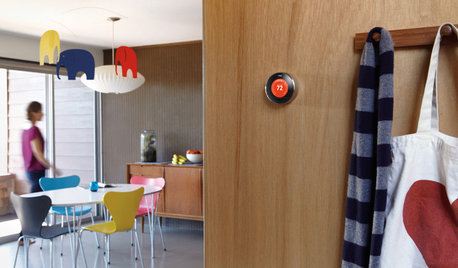
HOME TECHWhy Google Just Paid $3.2 Billion for a Company That Makes Thermostats
Smart home technology just got a new champion — and everyone is speculating about the reasons
Full Story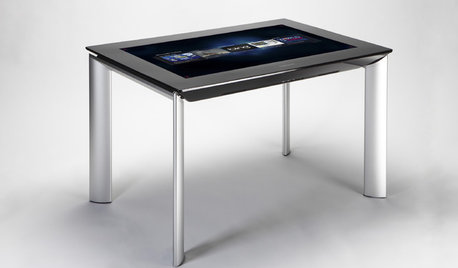
MOST POPULARGet Ready for the Smart Coffee Table
Intelligent tables with touch screens are reaching the consumer market, with all the power of personal computers and more
Full Story
ORGANIZINGWant to Streamline Your Life? Get a System
Reduce stress and free up more time for the things that really matter by establishing specific procedures for everyday tasks
Full Story
HOME TECHHarness the Cloud: 8 Ways to Automate Your Housekeeping
Make life easier by scheduling regular deliveries, managing appliances, simplifying meal planning and more via the web
Full Story
ORGANIZING7-Day Plan: Get a Spotless, Beautifully Organized Kitchen
Our weeklong plan will help you get your kitchen spick-and-span from top to bottom
Full Story
INSIDE HOUZZUsing Houzz: Create a Home To-Do List
See how to use an ideabook to keep track of your home projects this year
Full Story
LIFEA Savvy Shopper's Secrets to Sales
Kelly Hancock knows a good deal when she sees it. Here's how she saves up to 75 percent off everything
Full Story
LIFEHow to Prepare Your House for Emergencies
Knock on wood you won't have any big mishaps at home, but it's important to be ready. Our checklist can help
Full StorySponsored
More Discussions

Martin Woodson