

The Mysterious Blinking Mattress Pad
11 years ago
Featured Answer
Sort by:Oldest
Comments (35)
 11 years ago
 11 years ago
Related Discussions
Remote & keyless entry pad problems
Comments (37)Hi All, I had the same issue recently and here's what I found out (through a LOT of research) and the solution (yes, there is one!): As described by many, when you can't get both the remote and the wireless pad to work together it means your garage door opener can accept both rolling code and billing code technology, BUT not at the same time. When you reset all codes (normally by pressing a button on the opener for a period of time e.g. 6 seconds or more), you erase all codes and remote "pairings". Then when you follow the manufacturer's procedure to pair again (which could be the wireless key pad first OR the remote first), the first pairing determines the technology for all subsequent pairings. Example: if your first pairing/programming was with the wireless keypad, and if it was rolling code technology (normally the case for newer models), then the garage opener will only recognize and accept rolling code for subsequent pairings. If your remote(s) are older (billion code technology) then the opener won't even recognize the signal (e.g. led won't blink when trying to pair/program). And vice versa if you start with your remote after erasing all programming (then your keyless pad won't work). But here is a potential workaround! For newer wireless keypads (e.g. clicker from chamberlain), you have an option to select the type of opener you are using as you do the initial password set up (normally indicated by a number e.g. 1 for models built after 1995, 2 for models built between 1997 and 2004, etc). Each choice is associated with a technology in the background (e.g. either rolling code or billion code). If you are programming your wireless keypad first after erasing all codes / programming, if you chose the "recommended" option for garage opener, chances are it will be rolling code and that means you won't be able to program your older remotes (billion code) after that. So how can you chose the option that will match your remote??? Here's what you do: start by pairing / programming your older remote first after erasing all codes / programs. That sets the technology (e.g. billion code). Then, go ahead and program your wireless keypad, but you may have to go through the process several times by trying the different options until you find one that works! For me, I had to try 4 options before making it work. Options 1 through 3 (mind you, options #2 was the exact match for my garage door opener model but it would cause the problem discussed here e.g. wireless keypad would work but not the remotes) would not even be recognized by the opener in this procedure (LED would not blink), but it did work once I hit option 4. I hope this will help you with your problem. Let me know if it's not clear. Cheers!...See MoreFisher and Paykal 3 years later
Comments (29)A "normal" out-of-balance situation is indicated by the "tinkling" sound and the first rinse or final spin LED flashing. When the problem with your comforter or slip cover occurs, have you confirmed that the item is indeed out-of-balance? The aforementioned fault code is flashing, and the item is bunched toward one side of the basket? Does rearranging the item evenly in the basket and pressing Start to continue the cycle fix the problem? On the Regular and Heavy Duty cycles when using the standard shower rinse function (Softener Rinse is not selected), there is no further agitation after the wash period, so rearranging the item *should* take care of the problem for the remainder of the cycle if a simple out-of-balance situation is the cause. Permanent Press, Delicate, and Woolens do a "softener rinse" with agitation so an out-of-balance could occur either once or twice on those cycles -- after wash agitation and after rinse agitation. Any machine malfunction generates a fault code and/or alarm sound. The Wash Progress LEDs on the panel light up in a pattern to indicate the code. Some common codes are listed on a technical service sheet stored inside the console. Still more are explained in detail in the service manual. I have a copy of the service manual, I can send the file to you if you are interested. The last fault code can be retrieved by going into Diagnostic Mode. With the power Off, press and hold Wash Temp Down, then press Power. Let go of both buttons. Press Spin Speed Up or Down until the Hold and Slow lights are BOTH on. The pattern of LEDs on the Wash Progress indicate the last fault code if it was within the last 8 cycles. You said the washer had all four suspension rods bad after three years of use. Something seems seriously wrong about that. My GWL08 is eight years old and is doing fine, as is my IWL12 after three years. I know you say you don't overload or abuse the machine, but there must be some cause. Particularly if you are STILL having trouble AFTER replacing the suspension rods. Is the machine level and stable? Have you ever had a fault-code in which the High water level LED was flashing? I assume the suspension repair was done by a competent repairman, so all the springs should be installed correctly. Check and report back here on the fault code if you wish. Otherwise, that's all I have to offer....See Morewhat would you take?
Comments (27)Beyond emergency supplies, clothing and paper. I have two boxes. In one are all of my kid's baby pictures. In the other is a handmade crocheted tablecloth of my grandmother's and a crystal dish that belonged to my other grandmother. Everything else? Whatever. A tiny bit of history for me. Both boxes are in the bottom of my closet. I know exactly where they are. Btw, I always drive around with a flat of bottled water in the back of my van. Winter or summer, there is always water and a blanket in there. Forget dire emergencies, in the even of breaking down in the snow or when there is a heat index of 105, we won't ever be without water....See MoreHopefully not serious Intelliflo 4 160 problem
Comments (15)productmanager, Pump is not hooked up to a GFCI breaker but a standard 4 pole unit--a 20 amp, 240 volt Cutter-Hammer breaker. The other two poles go to the control panel. Is that a possible problem? I had a second electrician out this morning and the pump now only cuts out on speed #4. I just ran it for 2 hours on speed 3 just fine. That's an improvement over last week when it shut down on #2 and #3. Unfortunately I don't see any reason why it would improve. The voltage measures 243 and drops to 238 when the pump cuts out on speed 4. This is far from the 170 volt lower limit. Amps are 13 at the moment it cuts out. The electrician was of the opinion that it couldn't be a spike or dip in voltage that the power company would be responsible for. He also bypassed the Easy Touch controls and the pump behaved just the same. He suggested I bump the speed up slowly from #3 to determine the rpms when it quits. I would like to solve this mystery but it may be academic as I can't see ever running the pump at the highest speed for my situation. My concern is that there is some flaw in the pump that should be fixed. Here are the particulars of my pool/spa in case its helpful. Thanks for your help. waterouzel 17,000 gal lap pool, 9'x54'x 4' 500 gal spa solar Pentair equipment: Easy Touch controls 160 x 4 pump Tr-60 sand filter 250 Btu heater Intellichlor 40 3 inch suction and return lines one skimmer...See More 11 years ago
- 11 years ago
- 11 years ago
 11 years ago
- 11 years ago
- 11 years ago
- 11 years ago
- 11 years ago
 11 years ago
- 11 years ago
 11 years ago
- 11 years ago
- 11 years ago
- 11 years ago
- 10 years ago
 10 years ago
- 10 years ago
- 10 years ago
- 10 years ago
- 10 years ago
 10 years ago
- 9 years ago
- 9 years ago
- 9 years ago
- 9 years ago
- 9 years ago
 8 years ago
- 8 years ago
- 8 years ago
- 8 years ago
- 8 years agolast modified: 8 years ago
- 8 years ago
Related Stories

HEALTHY HOMENatural Beds: How to Shop for a Greener Mattress
Before bouncing from store to store, start here to find the right chemical-free mattress for you
Full Story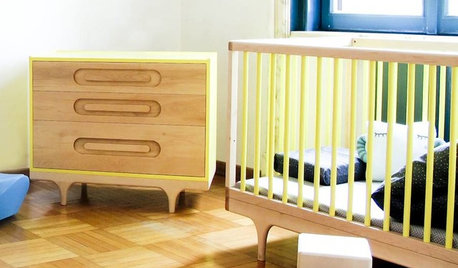
HEALTHY HOMEGive Your Baby the Healthiest, Safest Nursery Possible
Protect your newborn by choosing nontoxic nursery furniture, bedding, rugs and paint. We give you all the details here
Full Story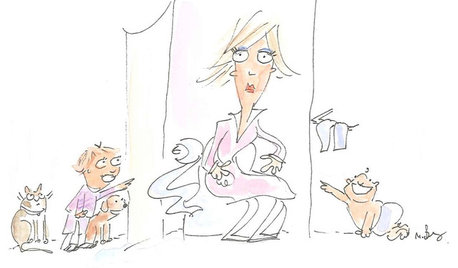
LIFE21 Things Only People Living With Kids Will Understand
Strange smells, crowded beds, ruined furniture — here’s what cohabiting with little monsters really feels like
Full Story
BEDROOMS13 Simple Steps to a Perfectly Made Bed
Drift off to dreamland in a delightfully soothing, artfully dressed bed worthy of a posh hotel
Full Story
FURNITUREMeet the Quick-Change Artists of Interior Design
Are you missing a great little stool, ottoman or bench? Just look at the ways they can adapt to what you need now
Full Story
LOFTSHouzz Tour: 12 Years of Tinkering Produce an Amazingly Artful Loft
Major DIY efforts turn 3 units in a former Portland factory into a single home brimming with personality
Full Story
BEDROOMSThe Cure for Houzz Envy: Master Bedroom Touches Anyone Can Do
Make your bedroom a serene dream with easy moves that won’t give your bank account nightmares
Full Story
LIFEWhat You’re Reading This Summer — and Where
Check out Houzzers’ summer reading lists and get some ideas for your own!
Full Story
HOUSEKEEPINGBaking Soda: The Amazing All-Natural Cleanser You Already Own
Battle grime, banish odors and freshen clothes with this common nontoxic cupboard staple
Full Story
MOVINGRelocating? Here’s How to Make the Big Move Better
Moving guide, Part 1: How to organize your stuff and your life for an easier household move
Full Story


caflowerluver