

Computer Anti Virus question
6 years ago
Featured Answer
Sort by:Oldest
Comments (19)
 6 years ago
 6 years agolast modified: 6 years ago
Related Discussions
McAfee questions and other Anti-Virus questions
Comments (7)Lynn if you are happy with McAfee then keep it, I in fact have McAfee on one of my windows computers because I too get it free with my Verizon fios, when I get tired of it or if something goes wacky with it I know I can always just start using one of the free ones like Avast, would not use the new AVG8. There have in the past been problems with McAfee, they have sent out some updates that caused problems on some computers, but they were pretty quick to fix them. I do not use their firewall I use an older version of zonealarm pro. Site advisor has nothing to do with your McAFee suite it is an add on for your browser, you download it from the site I provided in the other thread and simply select which browser you are using and use the download for that browser, Since you are currently using IE get the one that says for Ie, when you decide to get firefox then go and get the one that says for firefox it will then add it to firefox also. it is super simple to do basically one click. It is free for everyone. as to your husbands laptop that would be totally up to you or him. IF he wants to pay for trend micro it is a good program however I think there are free versions that can handle the job like the Avast free. I would probably do that instead of putting AOL on there if he does not need it, AOL is bad about digging into the innards of the pc and when not needed I don't advise putting it on. Now to your daughters pc are you sure you have the McAfee suite actually installed on that pc? I would try logging in with your name since it is under your subscription often times the main user has to do that to enable subscriptions. IF you can not get it to work then make sure you completely remove it from the pc before you install any other antivirus program that goes for any of the computers always completely remove the prior antivirus, you do not want more than one on a pc. McAfee has a detailed directions page on how to uninstall their products. this is the directions you may want to print and keep available. 1. Uninstall all McAfee programs through "Add or Remove Programs" in Windows "Control Panel". 2. Use the MCPR tool, see this article: How to remove supported McAfee consumer products using the McAfee Consumer Products Removal tool (MCPR.exe). This will remove all McAfee remnants from your computer. (you must have Windows Vista, XP or 2000 SP4 to use this tool) 3. Launch Windows Explorer and delete all McAfee files in "Program Files" but especially in "C:\Document and Settings\\Application Data" and "C:\Document and Settings\All Users\Application Data". You have to set Windows Explorer to show all hidden files and folders (Tools > Folder Options > View tab). Just delete the McAfee folders even if they are empty in all the "Application Data" folders. Can be more than one! In Vista: C:\Program Files, C:\ProgramData and C:\Users\yourname\AppData\Roaming 4. Reboot and redownload/reinstall your McAfee products directly from your account at the McAfee web site or your ISP, NOT from any CD that you may have. How to remove supported McAfee consumer products using the McAfee Consumer Products Removal tool (MCPR.exe)....See MoreBest anti-virus program for the computer?
Comments (21)I don't think 6 years is bad for computer life. Technology changes so fast that many change computers often even if nothing is wrong with the old one. But, have you had the computer looked at? See what it would take to have it fixed? We have a desktop system that is very rarely used. Hubby has a laptop and I have a netbook. I love my netbook (small laptop). I like Apple products. We both have Iphones and I use an Ipad. However, at work we use Dell and MS programs. I also do hubby's contract work bookkeeping, some of which goes on to the accountant. The accountant uses MS. So, no Mac for us. My dad is crazy over his! I don't think though that you have to go with a Mac to avoid virus problems. You don't open email attachments unless you know what they are - right? I'd be curious as to where you're picking up the virus....See MoreComputer virus question
Comments (10)Well, I didn't click on any link or popup I simply copied and pasted the URL into the address box. I ran Adaware just in case, and everything is just fine. I googled the website domain and found a lot of discussion circulating across the internet, but nothing definitive. Most of the comments were from people using Firefox. No one could specifically identify any trouble actually created from the link, just a lot of buzz and speculation about it. However, I do think it's good advice not to click on any popup....See MoreQuestion for Raven about Avast anti-virus
Comments (7)I'm not a Windows user so this might not mean anything to you... Since I had never heard of PCmatic, I did a quick search. First, their site's WOT rating, not scientific but... their site is rated 1.5 out of 5. Not good. Yet reading a few reviews leads one to believe their software is the most marvelous thing since butter. Clicking on some of those reviewers, I found their glowing review of this one software to be their only review ever. Which makes me suspicious that their review and probably many of the others are fake. That causes me to lose respect for the company. (that they would use/encourage/buy/whatever fake reviews) (But maybe I just didn't check enough reviewers?) But despite likely fake reviews, it could still be good. Is it? Maybe. I don't know. It seems safe and at least "okay": https://www.pcmag.com/reviews/pc-pitstop-pc-matic As to uninstalling Avast, I don't know but they do offer a special uninstall utility: https://www.avast.com/en-us/uninstall-utility...See More- 6 years ago
 6 years ago
- 6 years agolast modified: 6 years ago
- 6 years agolast modified: 6 years ago
- 6 years ago
 6 years ago
- 6 years ago
- 6 years ago
- 6 years ago
- 6 years agolast modified: 6 years ago
- 6 years agolast modified: 6 years ago
 6 years agolast modified: 6 years ago



Related Stories
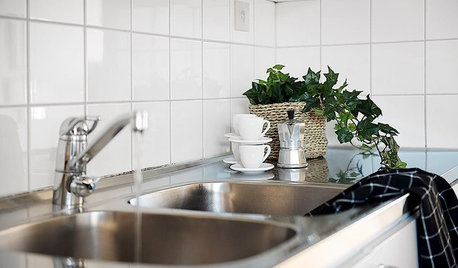
HEALTHY HOMECleaning Routines to Keep Your Home Virus-Free
Follow this CDC advice to make sure your kitchen, bathroom and other high-traffic areas are clean and disinfected
Full Story
DECLUTTERINGClutter vs. Keepers: A Guide to New Year's Purging
Simple questions to get in touch with your clutter comfort level — and figure out what needs to go
Full Story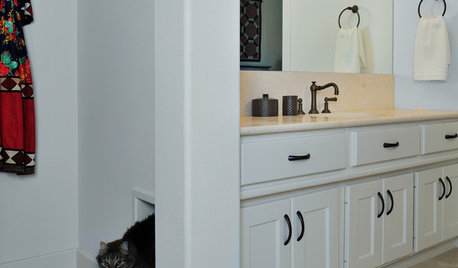
PETSSo You Want to Get a Cat
If you're a cat lover, the joys outweigh any other issue. If you haven't lived with one yet, here are a few things to know
Full Story
GREEN BUILDINGGoing Solar at Home: Solar Panel Basics
Save money on electricity and reduce your carbon footprint by installing photovoltaic panels. This guide will help you get started
Full Story
MOST POPULARThe Polite House: On ‘No Shoes’ Rules and Breaking Up With Contractors
Emily Post’s great-great-granddaughter gives us advice on no-shoes policies and how to graciously decline a contractor’s bid
Full Story
HOUZZ TOURSHouzz Tour: Laid-Back Comfort in the New York Woods
Expanded for a family, this unpretentious cabin puts a fresh face on rustic sensibility
Full Story
CONCRETEWhy Concrete Wants to Crack
We look at the reasons concrete has a tendency to crack — and what you can do to help control it
Full Story
MORE ROOMS5 Ways to Decorate Around a Flat-Screen TV
Color, Placement and Accessories Help that Big Black Screen Blend In
Full Story
LIFEStop the Toy Takeover by Changing the Way You Think
Make over your approach and get gift givers onboard with your decluttering efforts by providing meaningful toy alternatives
Full Story
BATHROOM DESIGNWhy You Might Want to Put Your Tub in the Shower
Save space, cleanup time and maybe even a little money with a shower-bathtub combo. These examples show how to do it right
Full Story
More Discussions

kudzu9