

Good Dual Modem/Router?
7 years ago
Featured Answer
Sort by:Oldest
Comments (12)
 7 years ago
Related Discussions
Wireless Router Recommendations
Comments (7)Thanks all. I really appreciate your input. I'm leaning towards the Belkin N600 Wireless Dual Band router. I currently own a Belkin and have never had any trouble with it, so figure I'll stick with what I'm happy with. The downside is all of the reviews without fail mention how bad tech support is no matter what brand you get. I wonder when companies are going to wise up and realize that is one reason folks don't buy their equipment....See MoreHelp with wireless router and memory order
Comments (10)This is what he got me - from the box: SMC Networks Wireless Cardbus Adapter "Supports blazing wireless communcation at up to 108 MBPS." Advanced Wireles Security, includes Wi-Fi Protected Access. For Home and Small Office Networking. "Share your existing cable connection with multiple computers by addind a high performance Barriade g Router with USB Print server" Don't know about the last part, I could live without the print server, I just want to be able to work and browse in other rooms in the house besides my basement where the cable connection is. As for the memory card - I went to the "Crucial" RAM Scanner Web site as recommended by Zep516 on a previous post that I found through the search menu. I clicked on the Crucial System Scanner, and it said: Maximum Memory Capacity: 1024MB Currently Installed Memory: 256MB Available Memory Slots: 1 Number of Banks: 2 Dual Channel Support: No CPU Manufacturer: GenuineIntel CPU Family: Mobile Intel(R) Celeron(R) CPU 2.40GHz Model 2, Stepping 9 CPU Speed: 2392 MHz Each memory slot can hold DDR PC2700,DDR PC3200 with a maximum of 512MB per slot.* So I couldn't remember the exact number of what I have, but what I have is 256 MB of currently installed memory and one empty "slot."...See MoreWireless router problem
Comments (23)zep516 - Now that you mention it I have at times (but not at the same time my laptop stopped working on the porch) had modem failures and comcast told me I probably needed to have it replaced. But it works fine for about three weeks and then goes down. So i've been lazy and haven't taken it in to swap it out. Comcast isn't my fav company to deal with. pkponder - I have wracked my brain and the only other thing that I know of that has changed is my ADT system got a trouble light a few weeks ago, maybe around the same time, but ADT told me that checking their records, they haven't had a signal from my home in a year... ADT is also not my favorite company since they continued to bill me. But the security system is wired not wireless, if that makes a difference. It is connected to my Comcast phone service though. mikie - Well, I do have an older, refurbished laptop so that could be possible. There is no way to check the internal reception, is there? And windows update has messed me up on other minor settings before. I will work on the things I have control over like the modem and the ethernet cable and see what happens. You guys (and gal) are awesome....See Morewireless router for dummies?
Comments (17)follow the directions given with the router you do not change any cords till the cd tells you to take that step. Leave your desktop as you have had it, put the cd in the desktop cd drawer, run the cd follow the instructions it will tell you and show you exactly how and when to change the cords it will lead you through step by step, READ the instruction pamphlet that came with it that tells you what the cd does. When it tells you to set up a password for the router do it and write it down then tape that to the bottom of your router along with the name you give the SSID for your wireless network, you will at some point have to select to choose WPA2 for your method of security it is generally set there default, then it will give you a long WPA password you can accept that or create your own just keep that one it is more secure than one you create, be very very sure you write it down as it is caps and lower case and put that on the paper under the router. That is the key anyone in your house that wants to get on the wireless will need to enter into their laptop to connect, so that laptop will detect the wireless and then will ask for the password that is the one you just saved so you will enter that into the box and then it should connect if all is correct. On my linksys it asked during the set up if I wanted to print out all that info and yes I did and it also asked if you want to put a text file on your desktop with the info sure let it do that too you can delete it at any time if you no longer need it. Just take it one step at a time do not change anything till you have the cd in the machine and it tells you to. depending on the router you bought you can go to the company website and look up the model number and they all have a pdf manual on line with directions and pictures also. If you tell us which router you got someone might know more specifics of that particular one....See More 7 years agolast modified: 7 years ago
 7 years agolast modified: 7 years ago
- 7 years agolast modified: 7 years ago
- 7 years agolast modified: 7 years ago
- 7 years agolast modified: 7 years ago
- 7 years ago
 7 years agolast modified: 7 years ago
- 7 years agolast modified: 7 years ago
- 7 years agolast modified: 7 years ago
- 7 years ago
Related Stories

HOME TECHWi-Fi: What It Is and How to Make It Work Better in Your House
As more devices rely on this technology in the home, it’s good to be prepared
Full Story
DECORATING GUIDES10 Feminine Workspaces for Hardworking Women
Glam, girly or with a powerful palette, these home offices and workspaces give working girls and women the designs they deserve
Full Story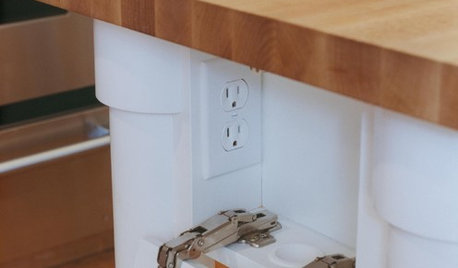
KITCHEN DESIGNHow to Hide Those Plugs and Switches
5 ways to camouflage your outlets — or just make them disappear
Full Story
ARCHITECTURE11 Smart Upgrades for a New House
Some upgrades are difficult or impossible to do later. Tackle these projects now to save yourself the headache
Full Story
GREEN BUILDINGOff the Grid: Ready to Pull the Plug on City Power?
What to consider if you want to stop relying on public utilities — or just have a more energy-efficient home
Full Story
KITCHEN DESIGN7 Ways to Save on Your Kitchen Remodel
Discover key areas where you can economize and still get the kitchen of your dreams
Full Story
HOME OFFICES9 Hacks for a Clutter-Free Home Office
Use these clever ideas to transform a chaotic study into one that’s more conducive to working
Full Story
KITCHEN DESIGN8 Kitchen Sink Materials to Consider
Learn the pros and cons of these common choices for kitchen sinks
Full Story
HOME OFFICESDream Spaces: Home Offices You’d Be Delighted to Work In
Warm lighting, comfortable furnishings and pleasing views can make you want to head into your home office each day
Full Story
BATHROOM DESIGN10 Things to Consider Before Remodeling Your Bathroom
A designer shares her tips for your bathroom renovation
Full Story
sephia_wa