

Router & modem, no computer.
8 years ago
Featured Answer
Sort by:Oldest
Comments (7)
Related Discussions
connect smart phone as modem to computer- best buy says 'no way'?
Comments (3)Yes, it's quite possible to use a cell phone to connect your laptop to the Internet. It's called tethering. Now, your phone may not have that capability but many "smartphones" can. Unfortunately, it tends to be a bit expensive. You'll need to pay for voice service, a data plan, and typically an additional fee of $20+ per month for tethering. Connection speed can vary widely as well, depending on the quality of the connection wherever you are using the laptop. There are also standalone devices that allow a wireless connection as well. Typically the connect to the a USB port. All the major carriers offer them and they cost $75-$100 to buy and then $40+ per month in data fees. Again, as with using a cell phone to tether, connection speed can vary. If you have access to DSL or cable, you're probably better off going that route unless you need a mobile connection....See Morehow to check if my wireless router/modem is 'secure'?
Comments (4)I now have windows 7- it seems a bit different, as there is no 'network connections' on the control panel list. I tried 'wireless assistant', and 'internet options'. On 'internet options' there is 'connections', which I cliccked on. Then 'dial-up' and 'Virtual Private Network Settings' popped up- but didn't show any network settings, secured or not. I used to be able to click the little computer icons on the taskbar, but they aren't there anymore. I have tried to 'customize' my taskbar, but can't find a way to get the computer icon again. Any suggestions with win 7?...See Moreswitching dsl to cable. Modem, router both? which?
Comments (6)I would think that any name brand wireless router will work fine. I have a DSL modem supplied by the phone company, and a 4-port Belkin Pre-N wireless router I bought separately a couple of years ago. The incoming signal goes to the modem, and then an Ethernet cable goes to the router. Hard wired devices plug into the ports in the back of the modem via Ethernet cable. My router can handle 4 hard-wired devices, and 32 wireless devices. I have 4 PCs hooked up to it (1 wired, 3 wireless), a Roku box (wireless), and a printer (wireless). The only thing to keep in mind about cable is that speeds can vary depending on how many people in the neighborhood are online at any given time. DSL is a constant speed, and since mine is 3 Mbps, that's enough for me. Have you checked to see whether your DSL supplier can provide a higher speed? Last year, my speed was 1.5 Mbps and I asked if they had anything higher in my area. They said they had 3.0 available for the same price. When I asked why they hadn't just bumped up my speed, they said they were only allowed to change my account if I called to request and authorize it first! I said: Who wouldn't want twice the speed for the same price? They said they just wanted to be sure this was something I wanted! At any rate, 10 seconds later I had twice the speed. Lastly, since you're mixing PCs and Macs on your system, I don't know if that would cause any problems. I have have friends with Macs who visit and they can get on my system (when I give them my security code) with no problem. However, if you are switching providers, you should ask first if there could be any problems....See MoreDefinitions: router, modem
Comments (7)Yes a router normally has a built in hardware firewall which definitely helps keep your pc more secure. I have verizon fios (fiber optic internet) and I have a dlink router that my ethernet cable plugs into straight out of the wall, then from the router I plug in an ethernet cable to my various pcs, it serves as modem and router. a router should be set up with the firewall active, and it should be set up with a good password not left with the standard one that came with it. A Nat router is a hardware firewall where as programs like zonealarm are software firewalls, I always recommend using both especially with any type of broadband connection....See More 8 years agolast modified: 8 years ago
 8 years ago
- 8 years ago
- 8 years ago
Related Stories
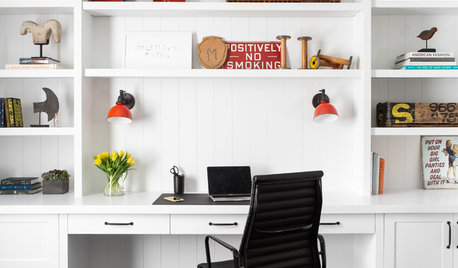
REMODELING GUIDESKey Measurements to Help You Design the Perfect Home Office
Fit all your work surfaces, equipment and storage with comfortable clearances by keeping these dimensions in mind
Full Story
HOME TECHWi-Fi: What It Is and How to Make It Work Better in Your House
As more devices rely on this technology in the home, it’s good to be prepared
Full Story
HOME OFFICESCreate a Home Office That Works for You
When you need a serious workspace, choose a layout, furnishings, technology and lighting that will get the job done
Full Story
DECORATING GUIDES5 Ways to Organize Your Home Electronics
Always losing your phone charger? Tired of digging for that missing DVD? Try these ideas for managing your favorite home gadgets
Full Story
THE ART OF ARCHITECTURELaser-Cut Focus: The Future of Design Is Here
Discover how this laser technology can make almost any pattern a reality
Full Story
HOME OFFICESThe 20 Most Popular Home Office Photos of 2015
Technology paves the way for space-saving work areas, while designers make up for small sizes with style
Full Story
HOME TECHSwitch On the Phone-Controlled Home
Lock your front door from afar, let your thermostat set itself and more when you use your phone as a control device
Full Story
HOME OFFICES9 Hacks for a Clutter-Free Home Office
Use these clever ideas to transform a chaotic study into one that’s more conducive to working
Full Story
HOME OFFICESDream Spaces: Home Offices You’d Be Delighted to Work In
Warm lighting, comfortable furnishings and pleasing views can make you want to head into your home office each day
Full Story
GREEN BUILDINGOff the Grid: Ready to Pull the Plug on City Power?
What to consider if you want to stop relying on public utilities — or just have a more energy-efficient home
Full StorySponsored

Central Ohio's Trusted Home Remodeler Specializing in Kitchens & Baths
jrb451