

Router & modem, no computer.
8 years ago
Featured Answer
Sort by:Oldest
Comments (7)
Related Discussions
how to check if my wireless router/modem is 'secure'?
Comments (4)I now have windows 7- it seems a bit different, as there is no 'network connections' on the control panel list. I tried 'wireless assistant', and 'internet options'. On 'internet options' there is 'connections', which I cliccked on. Then 'dial-up' and 'Virtual Private Network Settings' popped up- but didn't show any network settings, secured or not. I used to be able to click the little computer icons on the taskbar, but they aren't there anymore. I have tried to 'customize' my taskbar, but can't find a way to get the computer icon again. Any suggestions with win 7?...See MoreComputer conneted to modem, cannot connect to internet
Comments (19)agree I would plug all into the router that is much safer anyway since the router will or should have a firewall in it. If it were the ones hooked to the router that had the problem it could be a bad router but if the one you have issues with is not plugged into the router that is what I would try first. One of the first things an ISP tech will tell you is power down your modem and router, disconnect them from all power let set for several minutes then replug and try. Let us know if plugging that one into the router works. You always want to put the router between the pc and the modem to give you the added protection in the router....See MoreA good Modem/Router
Comments (18)I’ve been doing computer work for over 15 years professionally and over 20 years personally Bc my mom did coding in the 80# for her job so I got started before all the people my age even had comps (im 34). I previously working for Comcast as an internet tech over the phone. I worked for them before they sent a lot of the support overseas and apparently quit putting money into their own employees training what reps are here.. my experience is 3 years with Comcast IP tech support tier 1 and 2, also a lead of an advanced resolution team. I’ve read all the comments above and before you change stuff I’m curious about a couple of things.. do you have packet loss and have you performed a trace Route? Besides your standard cable stuff and your neighbors, do you have any one in your area that you know of that has any external antennas or anything like that? They would likely be very old. Do your neighbors have any issues with their service? There is a lot of outside interference that can contribute to your problems unfortunately. I hate assuming but I am going to assume Comcast has come out, replaced your drop(line from the tap, green box or up on the power line, to the outside connection on your home), inside and outside wiring and modem/router. While the person mentioning about the WiFi channels is correct as far as that is concerned if you are having problems with other services of Comcast (phone and tv)? Do you? i do heavily agree with purchasing your own equipment. You can actually purchase an eMTA for your phone and a separate modem and separate router. If you choose to get separate modem and router, do not place them right next to each other or on top of each other. I recommend getting a short Ethernet cable and about a foot apart. They can interfere with each other. If you are using the standard modem band of 2.4ghz, I recommend any cordless phones be unplugged if not in use and any other items that use 2.4ghz. If your device has the option, always use 5ghz if you can. Ill hopefully be able to help. I hate the way Comcast customers want to make customers pay for service but doesn’t want to fix th problem when it’s down. Their techs are lazy most of the time or again they are outsourced contractors....See Moreside table to hide modem and router
Comments (3)If the problem is still current why don't you buy a wireless router? In my opinion, it is easier to use and doesn't have a lot of cables which spoil the design. You will not have anymore problems with finding a convenient desk, cupboard, etc. Anyway, for other questions about router, you can check this site router-network because there you can find all the information about routers and I think that you can find the right one for you. I bought the best router 2020 after their advice, and I don't regret it....See More 8 years agolast modified: 8 years ago
 8 years ago
- 8 years ago
- 8 years ago
Related Stories
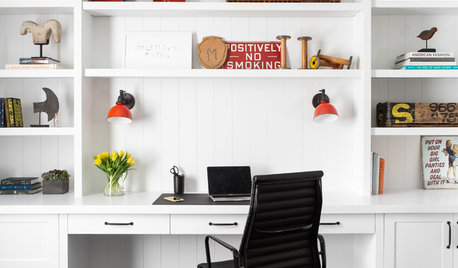
REMODELING GUIDESKey Measurements to Help You Design the Perfect Home Office
Fit all your work surfaces, equipment and storage with comfortable clearances by keeping these dimensions in mind
Full Story
HOME TECHWi-Fi: What It Is and How to Make It Work Better in Your House
As more devices rely on this technology in the home, it’s good to be prepared
Full Story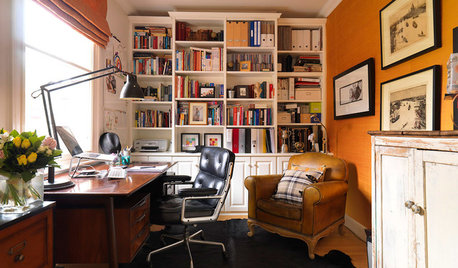
HOME OFFICESCreate a Home Office That Works for You
When you need a serious workspace, choose a layout, furnishings, technology and lighting that will get the job done
Full Story
DECORATING GUIDES5 Ways to Organize Your Home Electronics
Always losing your phone charger? Tired of digging for that missing DVD? Try these ideas for managing your favorite home gadgets
Full Story
THE ART OF ARCHITECTURELaser-Cut Focus: The Future of Design Is Here
Discover how this laser technology can make almost any pattern a reality
Full Story
HOME OFFICESThe 20 Most Popular Home Office Photos of 2015
Technology paves the way for space-saving work areas, while designers make up for small sizes with style
Full Story
HOME TECHSwitch On the Phone-Controlled Home
Lock your front door from afar, let your thermostat set itself and more when you use your phone as a control device
Full Story
HOME OFFICES9 Hacks for a Clutter-Free Home Office
Use these clever ideas to transform a chaotic study into one that’s more conducive to working
Full Story
HOME OFFICESDream Spaces: Home Offices You’d Be Delighted to Work In
Warm lighting, comfortable furnishings and pleasing views can make you want to head into your home office each day
Full Story
GREEN BUILDINGOff the Grid: Ready to Pull the Plug on City Power?
What to consider if you want to stop relying on public utilities — or just have a more energy-efficient home
Full StorySponsored

Innovative & Creative Custom Closet Designer Servicing Franklin County
jrb451