

I HATE my printer!
8 years ago
Featured Answer
Sort by:Oldest
Comments (29)
 8 years ago
- 8 years ago
Related Discussions
How Can I Add My Printer To My Wireless Network?
Comments (11)these are the steps as listed on ehow Share Your Printer in Windows Step1 Install the printer. Set up the printer as normal on a machine that is already connected to the wireless network. Connect all necessary cables and install all necessary drivers. Step2 Open the printers and faxes folder. Click "Start," then "Control Panel," then "Printers and Other Hardware" and then "Printers and Faxes." Step3 Share your printer. Find the icon for the printer you just installed. Click the icon once and then select SHARE THIS PRINTER in the tasks pane on the left. Now, right click the icon, select properties and go to the SHARING tab. Click "Share Name," and then click "Okay." Step4 Connect to the printer. On the other computers within the network, open the control panel and click "Printers and Other Hardware." Select "Add a Printer." Step5 Select "Printer Connection." When prompted, select this option instead of the local printer. Find and select the printer you just installed and select it. Step6 Print as normal. Next time you print a page, send it to your networked printer. (you may need to reboot both computers after setup) This is also a good tutorial Beginners Guides: Printer Sharing on a Home Network you should also check to see if you have all the computers set up with the same workgroup name. "Workgroup name: This is the name of your network if you like. By default Windows XP will call your workgroup MSHOME, but you can change this as long as all the PCs on your network have the same workgroup name. (To see the computers in your network, click My Computer and choose Network Places from the bar on the left side. From there click View Workgroup Computers.)" (Control Panel > Performance & Maintenance > See basic information about your computer. From there click on Computer Name. Your workgroup is displayed.)...See MoreCan I just leave my B&W Laser Printer on ?
Comments (20)Gee, I sorry if I was feeling "too good" about my purchase. But, I say if you haven't put your hands on one your experience with his machine is less than mine. At least you have spared me from someone buying one of these because "Jerry said" is worth $400. My reference to that number is what I recall reading in the add, recalling how much these machines costs just a couple of years ago. This machine came without any reference to Windows 8, has the good old fashioned glossy documentation makes me think it was "designed for" sale in a higher priced market.. If one has a home network and want to share a printer, they might be happier (at an additional cost of at least $50) if the printer is accessed off of Ethernet or WiFi. On the W8, I moved forward first on my W8 notebook to access that printer. With the great help from this site I used the information to set the printer as "shared" on the XP host computer. I then followed the directions to use the W8 Control Panel to open the network (hey, this was all looking familiar) and bingo there I found my XP machine and thus the Printer. I doubled clicked the Canon printer and W8 started to look for a driver.... I'll estimate 3 or 4 minutes later I got a failure to find a driver. The next step upon this type failure indicated to try to install the printer in W8 (W7 really specified) and that failed too. I went to the Canon web site and downloaded a driver for W8. Now ready I went back to the W8 Control Panel and opened the network and this time I couldn't find even the XP machine, never mind the printer. It was after 11 PM by that time so I decided to try again in the morning -yet to be accomplished. But, before bed I decided to look at the DVD that came with the printer. it has no indication of what OS systems it supported, but I put it in the W8 and loaded both the driver and the software to operate the scanner (which by the way is a low resolution color scanner.. low resolution for B&W too, not a picture quality scanner which is the case for all home machines I have owned). I'm yet to try again to gain access from the W8 and W7 computers. Now on my second cup of coffee, and will try to access the XP machine when I get energetic enough to go to the other room and turn it on....See MoreWhopee! I set up my wireless printer...
Comments (9)PAM.. a quick word of advice about Kodak Printers...If you plan to print photos make sure you get genuine Kodak photo paper. The reason is because the Kodak Photo paper has a bar code type system printed on the backside of the paper and as it feeds the paper into the printer it automatically tells the printhead what type & grade of paper your using so it can adjust the ink output correctly. If you buy your photo paper at Walmart the price of the Kodak paper is about the same as the price of the HP paper, but I can assure you, you will see a total differenec in the quality of the output photos. Also, for buying ink cartridges check ebay..At Staples a 10C color cartridge for my printer is $32 and its about $27 at Walmart, but I buy two packs of genuine new Kodak 10c cartridges on ebay for $23 to $25 with free S&H. Here is another trick..do not buy 5x7 photo paper. You can print a 5x7 horizontally across the top of a sheet of 8x10 or 8.5 x 11 paper, then input that sheet again, with the black end first and you can get a second 5x7 on the same sheet. I got my Kodak printer 2.5 yrs ago, and the first time I printed a photo on it I was blown away. The output quality was better than what I was getting at the Walmart or CVS photo centers with their commercial printers and according to Kodak their printers use Dye's instead of ink and the photos are archive quality which won't fade like many other printers do. All I know is I have about 50 prints that I printed with my machine hanging on my living room wall where they get full sunlight every afternoon and there is no sign of fading on any of them....See MoreI hate her...I hate her......I hate her
Comments (6)I feel the same way about my husband's exwife. I am custodial stepmom of 3 chlldren. My husband has always had custody because the exwife decided one day she no longer wanted to be married or a full-time mother. Before I came along she constantly dumped 99% of her time on my husband, he of course never said no, she had full control of her old household only she lived in a differnt place and had her own life. It was a very unhealthy situation. My husband just never stood up to her, he struggled to keep a full-time job and take care of 3 children. I give him tremendous credit because many men in his situation would not be able to take on that responsibilty. Well, then I come along, we get married and all of a sudden she begins to take a deeper interest. Mainly because I would not allow her to control my household and my husband began saying "no", She always used us as her babysitter, whether it was a work meeting, an exerecise class or a European vacation. She has been nothing but a major PIA, she wouldn't pay child support when my husband enforced the order she opened a full blown custody case, suing us for full custody because she did not want to financially support her children. We also have a screwed up schedule. During the school the chldren visit their mother Mon&Tues 4-8pm with alternating weekends. During the summer they visit her Mon-Wed 4-8pm with alternating weekends. The exwife wanted some crazy, they live with her 3days one week, then us 4days, and the next week it was the reverse. Mind you, she only had a 2bedroom condo. All three children sleep in the same bedroom. 2 girls 13&10 and a 8yr old boy. The master had enough sense to reconize that the living arrangemnents were not appropriate and would not grant anymore overnight visits except for the already standing 2 weekends a month. The schedule is crazy. The exwife is crazy. She teaches the children it is ok to lie to us. She is NOT supportative of myself or my husband. She has harrassed us to the point that she is not allowed on our property, she can not contact us by phone, she may only communicate via email, unless it is an emergency related to that day's schedule, then she may leave a message on our cell phone. She would call my husband at work and pull him out of meetings with the CEO of the company for some nonsense question. HE would get numerous calls on a daily basis. I never saw 2 divorced people talk on a daily basis. We have insulated ourselves as much as possible but everyday there is some new issue. She never returns clothes that the kids wear over there, one day she sent my ss home with no shoes on. She won't take the kids to baseball games and then tells them we did not give her the information. I could go on and on. But your words say it best I HATE HER!!!!! If I had hindsight my posting would be alot differnt. I would be like that one woman who used to be involved with a man with children. Trying being involved with a man who has custody of his children. The rewards have been few and far between. I have lived this from the first day I moved to where my husband lives (I moved from a different state). So the entire two years of my marriage have been filled with this crap. My husband's relationship with his children has also suffered terribly. I was divorced for 11yrs before I remarried and never experienced one ounce of the trouble I have in this life, and it isn't even my divorce. The best advice I can give you is stand your ground. Say NO, she is responsible for her custodial time. It took my husband a long time to be able to say no, it is very easy for me. I know that he is still uncomfortable with saying no but I help him, Remember you can't let her control your life. Good luck, God Bless. I understand, it's one hell of a way to live....See More 8 years ago
- 8 years ago
 8 years agolast modified: 8 years ago
- 8 years ago
 8 years ago
- 8 years ago
 8 years ago
 8 years ago
- 8 years ago
- 8 years ago
 8 years agolast modified: 8 years ago
 8 years ago
- 8 years ago
 8 years ago
 8 years ago
- 8 years agolast modified: 8 years ago
 8 years agolast modified: 8 years ago
- 8 years ago
- 8 years ago
- 8 years ago
- 8 years ago
- PRO8 years agolast modified: 8 years ago
 8 years ago
 8 years ago
 8 years ago


Related Stories

LIFEYou Said It: ‘Just Because I’m Tiny Doesn’t Mean I Don’t Go Big’
Changing things up with space, color and paint dominated the design conversations this week
Full Story
DECORATING GUIDESChartreuse: Love It or Hate It?
Try a Sip of Yellow-Green With Blue, Chocolate, Hot Pink, Eggplant and Teal
Full Story
GARDENING GUIDES8 Plants That Snobs Love to Hate — and You'll Love to Grow
Don't dismiss these common annuals, perennials and shrubs — there are reasons they've been popular for so long
Full Story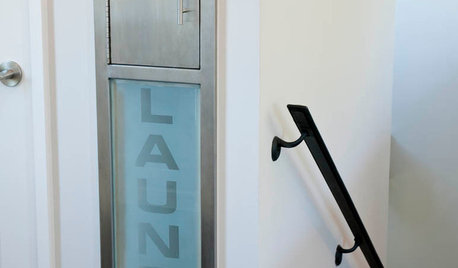
GREAT HOME PROJECTSHate Hauling Laundry? Give Dirty Clothes the Chute
New project for a new year: Install a quick route to the laundry room
Full Story
FURNITUREWhy It's OK to Hate Your New Custom Sofa
It takes time to get used to bold new furniture, but dry your tears — the shock can be good for you. Here's what to expect
Full Story
DECORATING GUIDESAnimal Prints: A Love-It-or-Hate-It Look
Some embrace faux furs and animal-print upholstery as classic looks. Others see them as a tacky throwback
Full Story
DECORATING GUIDESThe Dumbest Decorating Decisions I’ve Ever Made
Caution: Do not try these at home
Full Story
EVENTSMaker Faire: Pancake Printers, an Electric Giraffe and So Much More
Passionate makers bring their latest wares to an annual festival where creativity meets tech
Full Story
FEATURESBoutique Printers Keep Historic Wallpapers Alive
Bradbury & Bradbury and others fill a demand for period patterns crafted by hand
Full Story
LIFEYou Said It: ‘The Wrong Sink Can Make You Hate Your Kitchen’
Design advice, inspiration and observations that struck a chord this week
Full Story

jmm1837