

HP Laptop drive backup needed
2 years ago
Featured Answer
Sort by:Oldest
Comments (13)
 2 years ago
 2 years ago
Related Discussions
How To Choose External Hard Drive for Backups
Comments (10)I have two external hard drives, both Western Digital. One has its own power source; the other is powered by USB. Both are 1 TB and I have never had a problem. Pooh Bear ==================== This was sent to me thru one of my Yahoo groups: As I have been going through my archived data discs I have been coming across several of them that have become bad over the years and thus I cannot get anything off of them. There are photos and videos that were on some of them that I cannot replace:-( So, I made an account at an online file storage site to save my precious files to the cloud to help save from disc deterioration. As I was looking around to see what my options were for storing my sensitive data I came across this site and found it interesting. The discs are pricey (about ~$3 a disc) but they are known as the '1000 year disc.' It takes a special burner to burn them. The DVD Burner is like $40 at Best Buy so you can probably find it even cheaper somewhere else if you shop around. Not sure if there are any retail sellers for the M-Discs though. I didn't dig too deep trying to find anything. Check out the site because it is interesting. They say it is like burning the data into a rock, lol! Anyway, I found this a while back and thought I would share it with you real quick while I had the time:-) M-DISC, Write Once and Read Forever. You might feel like you're making a "permanent" backup of your files when you copy them onto a DVD or backup to a computer hard-drive, but the truth is these devices suffer from natural decay and degradation. Current DVD technology uses organic dyes and low laser power to make marks on the data layer of a standard recordable DVD. Over time, these marks become unreadable because organic dyes degrade when exposed to minimal levels of light, heat, and humidity. This means all the data you thought was safely stored could be lost because the discs you used have an average lifespan of only about 3 to 5 years! Why would you risk your data based on an average; hundreds of discs taken into account in that average were corrupt and unreadable after only a few months. With Millenniata, we don't subject you to the possibility of losing your data. When we say "Write Once and Read Forever", we mean it. Here is a link that might be useful: http://millenniata.com/m-disc/...See MoreBest External Drive to Backup macbook pro
Comments (6)22K files at 5 megs per is just over 100 gigs. Why buy a 3 terabyte drive, that's nearly 30 X larger than you need. Even at 10 megs per file, the smallest external Mac compatible drive currently sold is likely larger than you need. Unless you have a very fast internet connection, uploading 100 gigs to a cloud will take forever and could run you afoul of your ISP's fair use policy. Redundant backup is good if the files are important. You can use a second pc or buy two external drives. Unless the files are business related or accessed and manipulated every day, a RAID setup is completely unnecessary in my opinion...See MoreLaptop Hard drive upgrade
Comments (5)The easiest way to do it is to get a drive image software program and image your existing drive to your backup device. Then take the existing drive out, put the new drive in and use the imaging software to restore the contents to the new drive. Be careful when you restore from the image to the new drive. Some imaging programs require a parameter in order to use more space than the old drive used. The best known drive imaging program is probably Norton Ghost. Another well known product is Acronis True Image. There are others out there as well. I used Drive Image from Terabyte Unlimited to upgrade my laptop to a larger drive....See MoreWhat do I need in a laptop?
Comments (39)Ms. Rose, do you have a Micro Center in your area? They have a web site but when you go into their stores, unlike a lot of the Best Buy folks, the people who work there are VERY educated in what they sell and the prices are great. My uses are very similar to yours. I've owned a lot of laptops and have paid a lot of money for extra's I never used. My favorite so far has been smaller sized, inexpensive HP's and Compaqs (400.00 or less) with a key pad on the board. They have all the features needed like micro card slots, usb ports, ample ram and hard drive space but are lighter and easier to move around with. After having an 18 inch mammoth HP and hating it, I'll never go larger than 15 inch again. It hasn't happened yet, but I am glad that if after a couple of years something does go wrong with the unit, it won't cost an arm and a leg to replace. Micro Center also has a great warranty program if that's something you are interested in. One thing that people don't usually think about but is really important is to know where the vent fans are for your system. HP used to build them on the bottom causing the units to get very hot. They've now redesigned them to vent on the side, but I'm not sure if all manufactures have done that yet. Also, I know a lot of people are happy with them, but my husband is an IT computer guy and a Dell employee; he's very familiar with their products and feels they are not what they used to be and are over priced for what you get. Here is a link that might be useful: Micro Center...See More- 2 years agolast modified: 2 years ago
- 2 years ago
- 2 years ago
- 2 years ago
- 2 years ago
- 2 years ago
- 2 years ago
- 2 years agolast modified: 2 years ago
- 2 years agolast modified: 2 years ago
 2 years ago
Related Stories

LIFE7 Tips to Get With a New Minimalist Mentality
Feeling overwhelmed by your stuff? Here's how to pare down, simplify and keep just what you need and love at home
Full Story
LIFESurprising Ways to Pare Down at Home
All those household items you take for granted? You might not need them after all. These lists can help you decide
Full Story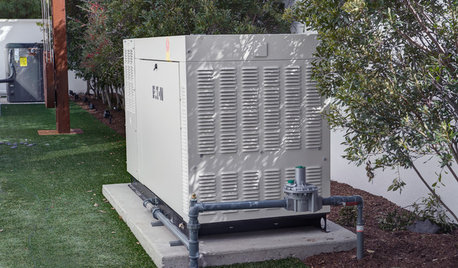
DISASTER PREP & RECOVERYMore Power to You: How to Pick the Right Generator
If your home's electricity goes, don't let it take your necessities with it — keep systems running with this guide to backup power
Full Story
GARAGESKey Measurements for the Perfect Garage
Get the dimensions that will let you fit one or more cars in your garage, plus storage and other needs
Full Story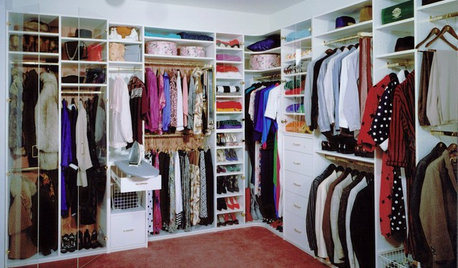
DECLUTTERINGDownsizing Help: How to Edit Your Belongings
Learn what to take and what to toss if you're moving to a smaller home
Full Story
HOME TECHThe Price of Storage: What to Consider When Saving to the Cloud
Free photo storage can come at a price. Here’s what to know about free and paid cloud services
Full Story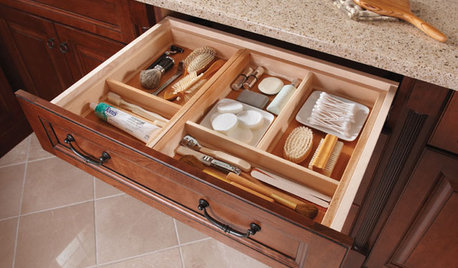
MOST POPULARHow to Create an Inventory, Whether You're Naturally Organized or Not
Documenting your home items is essential, even if disaster seems unimaginable. And it may be easier than you think
Full Story
MOST POPULAR4 Obstacles to Decluttering — and How to Beat Them
Letting go can be hard, but it puts you more in control of your home's stuff and style. See if any of these notions are holding you back
Full Story
DECLUTTERING10 Types of Clutter to Toss Today
Clear the decks and give the heave-ho to these unneeded items
Full Story
GREEN BUILDINGOff the Grid: Ready to Pull the Plug on City Power?
What to consider if you want to stop relying on public utilities — or just have a more energy-efficient home
Full StorySponsored
More Discussions

dadoes