

Making phone calls with iphone
5 years ago
last modified: 5 years ago
Featured Answer
Sort by:Oldest
Comments (10)
 5 years ago
Related Discussions
Make a phone call - Get a Human! Check it out!
Comments (12)Some time ago the province-wide (i.e. north of slightly east of Fargo, ND to north of Albany, NY) section of our national broadcaster, that holds a phone-in for over an hour about noon, five days a week, had the topic asking how we reacted to getting a recorded message offering a variety of selections when we phoned a company. I said that when I was feelng mischievous, a substantial part of the time, I'd keep track of the time that I called and how long it took to get to talk to a warm body. Then I'd say that I'd waited, say 2 minutes and 10 seconds to talk to that person, and that, since their company was saving money by offering me a number of options that didn't interest me instead of having the phone answered by a person who could direct my call immediately, but wasting my time, I proposed to pay them back by talking nonsense to that person for 2 minutes and 10 seconds, then get down to business. Several of them have said that they were busy and had no time for such nonsense, and I said that if they didn't want to talk to me, that I'd like to talk to their supervisor. A couple have transferred me, but no one has hung up. Some of the supervisors have told me to press "0". If someone had hung up, I'd have called back and tried to get as high as I could in the company and given that person a piece of my mind - not too large a piece ... can't afford too much of that kind of loss. When I spoke of this some time ago, someone said that possibly I was dealing with a call centre, whose staff are evaluated by the number of calls that they handle ... so I decided that next time I'd ask first whether that were the case. The host of the program said, "Oh, I love that ... I'm going to do that"! When I wrote of this before. ... someone ... here ... said ... that ... I ... could ... accomplish ... the ... same ... result ... by ... speaking ... very ... slowly. Hope you all have a lovely day! Freezing rain, then snow planned for around here! Think I'll stay home. We got about 6" (other areas got quite a lot more) last week ... but a rain yesterday pretty well did away with all of it - the streams will be really full. ole joy- not foul language, though tempted...See MoreJacob wants to make a phone call...
Comments (4)Ahhh, that's really sweet. I've forgotten, how old is he? Shirley...See MoreWhich iPhone to buy? And where?
Comments (69)My phone finally arrived on Oct. 26. In the meantime, the exact same phone became available in several Apple stores, but I could wait a few days for it. I like it and am learning the new features. Its such a luxury to have enough memory to download my apps. My son helped me transfer from my old phone to new, so I didnt have to go to the dreaded Apple store. I like the size. It took me a few days to get accustomed to the slightly heavier weight. Oh, and UPS tossed the box on a bench by my front door, no signature. I kept an eye on it via my doorbell cam until I got home....See MoreiPhone 13 Hot Spot Not Working
Comments (2)Well, I stumped them with a problem with my phone and other devices not syncing the calendar app. So I cannot use my phone calendar for anything. I enter most things on my laptop because it's easier. I hope they fix the hotspot glitch. I use mine quite a bit. I have Starlink for internet, but it goes out periodically so I rely on my hot spot....See More- 5 years agolast modified: 5 years ago
- 5 years agolast modified: 5 years ago
 5 years agolast modified: 5 years ago
 5 years agolast modified: 5 years ago
- 5 years ago
- 5 years agolast modified: 5 years ago


Related Stories

INSIDE HOUZZInside Houzz: Updates to the Houzz App for iPhone and iPad
With a redesign and new features, the Houzz app is better than ever
Full Story
HOME TECH6 Sound Solutions for the iPhone Home
Listen up: An iPhone and one of these stylish audio systems let your music look as good as it sounds
Full Story
LIFEHouzz Call: What Has Mom Taught You About Making a Home?
Whether your mother taught you to cook and clean or how to order takeout and let messes be, we'd like to hear about it
Full Story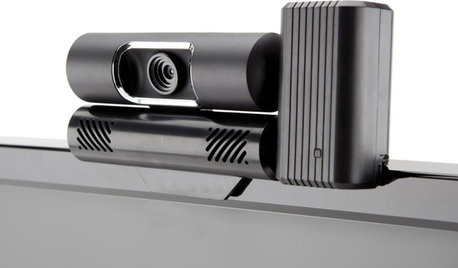
HOME TECHBe a TV Star With Your Video Phone Calls
Tiny screens don't do your video calls justice. For higher-quality video conversations, you've got to turn on the TV
Full Story
LIFEHouzz Call: What Did Your Dad Teach You About Making a Home?
Fathers share skills and wisdom with their kids. What did you learn from yours?
Full Story
PRO TIPS4 Essential Phone Tips for Effective Client Conversations
Impress new clients with these best practices for answering calls professionally
Full Story
CLOSETSHouzz Call: Is Your Closet a Storage Powerhouse?
We want to see how you are making the most of your closet storage areas. Post pictures and tell us how you’ve organized them
Full Story
DECORATING GUIDESHouzz Call: Show Us Your Seasonal Decor
Grab your camera or camera phone and snap some well-lit shots of autumn style in your home
Full Story
MOTHER’S DAYMother-Daughter Duo: Mom Called and She Answered
A big project brought these two together. We ask about how it’s been going since then, and what makes them laugh
Full Story
LIGHTINGLong Winter Nights Call for Better Interior Lights
Follow this lighting pro’s 4 easy steps to make your home more comfortable this season
Full Story
crazybrunette64