

Smart phone to the rescue
6 years ago
Featured Answer
Sort by:Oldest
Comments (27)
 6 years agolast modified: 6 years ago
 6 years ago
Related Discussions
Talk about a smart phone!
Comments (14)Bragu, that might be me breathing heavy. I realized after I made some uploads to Flickr that the audio added to the photo comes out as a mp4 and not a jpg image. However, if I go back to the camera I can choose to format it as jpg (without audio) and will do that in order to post photo to GWeb. That leaves me with a dilemma. I was counting on keeping note of the plant names via audio and must make two efforts. I'll keep the video/audio format and the JPG format since my computer has a huge harddrive. And I will do the name tags twice. Ah the price of obsessive compulsive naming and indexing! If like NORMAL gardeners who put their plants in the ground in ONE SPOT, I'd remember where each one resided. Not many hosta pick up and move in the dead of night, unless there is a plant thief loose in the neighborhood. It would not take long (even with 500) to remember where each one lived. For now, if you want to see what it looks and sounds like as a mp4 file, visit my Flickr album and the new uploads are the first ones you'll encounter. Some of them have first couple of syllables clipped off, but the printed hosta names are now included....I just added them tonight. I'll upload the JPG form of the pictures here as time goes by, according to appropriate threads. Nothing is as simple as it should be I suppose. I checked and the camera has two files for the same photo. Same number, different file type at the end. I hope Funn sees this about the camera. Woohoo. My file was rejected by GWeb photo uploader because it was LARGER THAN 5000 KB. Guess I'll go to Flickr and upload it there first to resize. Another interesting adjustment to make before sharing pictures....See MoreTransfering cell phone contacts to new smart phone?
Comments (6)I believe both do have bluetooth but I never learned to use it. I will check it out. owbist; I always forget about youtube. However, I didn't see anything useful in your list. Remember, I had essentially succeeded in making a sim card transfe, but the data was not complete. The one on point post from your list also indicated incomplete data fields. I actually found that my transfer was worse than I originally thought. It only transferred the contact name and lost both the fact that the next contact was identical and thus a subset, but also lost any indication of the type of phone (work, home etc) and listed ALL entries as 'mobile'....See MoreEasy step by step for new smart phone.
Comments (2)Most smartphones - iphone, windows phones, android phones have tons of little videos on how to do stuff on Youtube and you can get free or for a couple of dollars online user's manuals on the internet - Amazon, GooglePlay, etc... You can also do trial and error too. You can always reset it back to factory settings. It the fun of having a smartphone! Android smartphones are customed by the manufacturer for the most part and may be difficult to learn since each manufacturer does it just a little bit differently. There are hundreds of forums and specific websites that specialized on each smartphone operating system as well as podcast like Twit.tv. Check them out! If you are lost and cannot find the answer and need some live help; Apple, Microsoft and Google (if you purchase a Google brand phone like the Nexus will be happen to help you online. if you have an iPhone; you can make an appointment and visit a genius at the nearest Apple Store. If you purchase a Nokia Lumia phone you can take it to your nears Microsoft Retail Store and they will help you too! Amazon takes it a step further and offers a direct live two way video chat help; so you can ask away with their new Fire phone and the help can setup the phone too if you cannot do it yourself while you are talking. Also, their is Sirus for iPhone and Cortana for Windows Phone - a built-in voice activated personal assistant to help you with questions too! I forgot what they call Google's personal assistant however! In other words; you can get help everywhere. Just do a Google or Yahoo search on what you want to do or have problems doing! 95% of it will be answer by dozens of sites on the links! This post was edited by harry_wild on Fri, Aug 15, 14 at 3:57...See MoreSmart phone uses--do you have?
Comments (11)As has been said, the caution that you read, Marie, is false and wildly exaggerated. There's no need for alarm. The advice above is the best - limit app procurement to the official sources, iTunes Store and Google Play. Thinking that an individual user can make any sense out of "researching" apps and reviewing permissions is a fool's errand. Apple and Google have standards and limitations for what apps can do in gathering user data, and they police what's offered on their respective sites. Among the hundreds of thousands of apps that are on offer, the number of rogue ones that slip through the screening are very, very small. Using the internet in any form - tablets, PCs, smartphones - involves a degree of tracking and use analysis that shouldn't be confused with an invasion of privacy. There's no one sitting in a dark room somewhere trying to decide whether to withdraw money from your bank account or break in your home since they can see you're not there. Proceed with comfort and without fear....See More 6 years agolast modified: 6 years ago
- 6 years agolast modified: 6 years ago
 6 years ago
 6 years ago
- 6 years ago
- 6 years ago
 6 years ago
- 6 years ago
- 6 years ago
- 6 years ago
- 6 years ago
- 6 years agolast modified: 6 years ago
- 6 years ago
 6 years ago
 6 years ago
- 6 years ago
- 6 years agolast modified: 6 years ago
- 6 years agolast modified: 6 years ago
 6 years ago
 6 years agolast modified: 6 years ago
- 6 years ago
- 6 years ago
- 6 years ago
- 6 years ago



Related Stories
HOME TECHUnlock Your Smart Phone's Front-Door Powers
Take your locks and keys into the digital age with 3 solutions that put convenience and new capabilities on your doorstep
Full Story
HOME TECHSmart Phones Hold the Keys to Front Doors
Knock, knock. Who's there? A brand-new generation of hardware and app combos that let you play doorman from anywhere
Full Story
HOME TECHTurn Your Smart Phone Into a Home Security System
Monitor your home a less expensive way by putting your phone and some new gadgets to work
Full Story
LIGHTINGIs Smart Lighting a Smart Choice for You?
A professional offers advice on the latest in smart lighting for your home
Full Story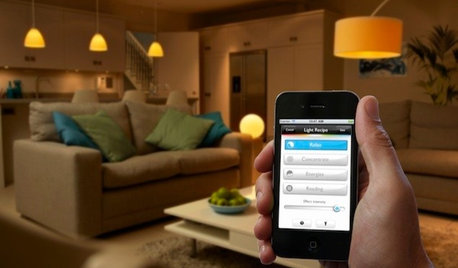
HOME TECHHere's a Bright Idea: Smart Bulbs for Better Lighting
Lightbulbs that can change brightness and color with a cell phone command show flashes of design brilliance
Full Story
HOMES AROUND THE WORLDHouzz Tour: A Joint Effort Rescues a Centuries-Old ‘Ruin’
Original materials, antiques and smart home tech mingle in this restored farmhouse on Italy’s Lake Garda
Full Story
HOME TECHSwitch On the Phone-Controlled Home
Lock your front door from afar, let your thermostat set itself and more when you use your phone as a control device
Full Story
INSIDE HOUZZSee Which Smart Home Products Remodeling Homeowners Chose in 2019
Home assistants like Amazon Alexa and Google Nest are on the rise, according to the U.S. Houzz & Home survey
Full Story
HOME TECHTech to the Rescue: How to Get Stolen Gadgets Back
Catch any crook who dares steal devices from your home with recording and tracking technology that's easy to use
Full Story
GARDENING GUIDESHow Smart Is Your Irrigation System?
New weather- and sensor-based controllers take the efficiency of your sprinklers to the next level
Full Story
bpath