

How to save selected screen images in houzz & using clipboard
7 years ago
last modified: 7 years ago
Featured Answer
Sort by:Oldest
Comments (9)
- 7 years ago
Related Discussions
How to post multiple images
Comments (7)To post additional photos: Go to Tinypic.com, click CHOOSE FILE to find the photo on your computer, click RESIZE to select the appropriate size click UPLOAD NOW!, enter the security words and click UPLOAD NOW!, click once on the text in the "HTML for Websites" box (top one) putting the file on your clipboard then paste the file into the text box of your GardenWeb message. If it is too large in the Preview you should start again by clicking UPLOAD MORE and using RESIZE to make the file smaller before Uploading again. To add more photos keep clicking UPLOAD MORE...See MoreHelp with copying photos on Houzz
Comments (12)If you don't wish to register, check to see if you have an app called OneNote (likely if you already have ppt), or in Win8 a Metro app called SnippingTool. For OneNote, you need to have the OneNote icon in your taskbar (likely at the bottom of your screen). Make sure the picture is on your display. Click on the little pyramid-looking icon (which when you hover on it will say "Display Hidden Icons") and then *right* click on the OneNote icon. The screen will change to look like a veil is on it and a crosshair mouse pointer will appear. Move the crosshair to one corner of what you want to copy and then holding down the left button, draw to the opposite corner, and release the button. A window will popup where you can click on "Copy to Clipboard" and then paste into PowerPoint. For the SnippingTool in Win8, again have the image you want displayed on the screen. Then go to the Start screen and click on the SnippingTool icon. It will take you back to the app you just had open (with your image) and selection is very similar to OneNote. HTH...See MoreHow can I inbed a Houzz picture in a thread?
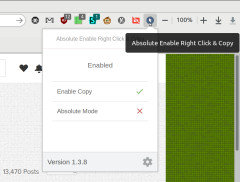
Comments (6)Kaysd, if you want to link through to another website you can right click on the photo and select 'Copy Image URL' (in Chrome) in ie you can click on properties and copy the address property for the image. Then you can use that for the src="" section of your img tag. There are some conventions surrounding whether or not linking through to someone else's hosted photo is okay or not, but that is kind of the point of Houzz so I wouldn't worry to much about it. Though an a href= tag that points to the page would be nice so that they can get some traffic out of it....See MoreAre you using Houzz ap for gardenweb?
Comments (15)Here's how to install Linelle's javascript in Safari for iOS. Then you have it for any page on any site: There is no built in way to get quickly to the bottom of a page. However, this neat trick should work. If you want to go to the bottom of any web page in Safari you can do it using a bookmark and javascript. Using your iPhone, go to any page and save a bookmark (this one will do). Then copy the following line on your iPhone (the usual way). javascript:window.scrollTo%280%2C100000%29 Edit the bookmark you created. Rename it something like "Go to bottom" and then replace the url with the above (paste it in). The next time you are viewing a page and want to go to the bottom, just select that bookmark and it will take you to the bottom of the page....See More- 7 years agolast modified: 7 years ago
 7 years ago
- 7 years agolast modified: 7 years ago
 7 years agolast modified: 7 years agobengz6westmd thanked Richard (Vero Beach, Florida)
- 7 years ago

Related Stories

INSIDE HOUZZCover Your Floor in Virtual Tile Using Houzz’s Enhanced App
The updated View in My Room 3D tool lets you virtually cover your space with tile to see how new flooring would look
Full Story
WORKING WITH PROSHow to Find a Designer or an Architect Using Houzz Photos
Locate the pro who's just right for your home project using the millions of images on Houzz
Full Story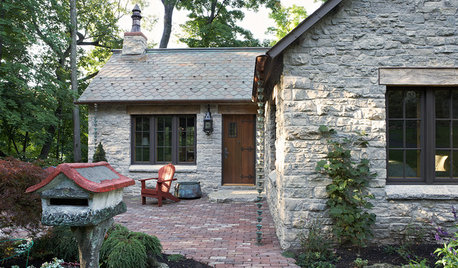
GREEN BUILDINGHouzz Call: What Have You Salvaged for Home Use?
If your floors, furniture, exterior materials or other home elements have a past life, we'd like to hear the story
Full Story
INSIDE HOUZZFind Products for Your Home Using Visual Search in the Houzz App
This tool helps you match furniture and accessories you see in the real world to similar products you can buy on Houzz
Full Story
WORKING WITH PROSInside Houzz: What You Can Learn From a Houzz Photo
Get access to the designer's info, product names, other photos in the project and much more by clicking on a Houzz image
Full Story
INSIDE HOUZZInside Houzz: Introducing the Latest Houzz App for Android
Take advantage of the Houzz app’s updated look and feel, including full-screen photos and easier navigation
Full Story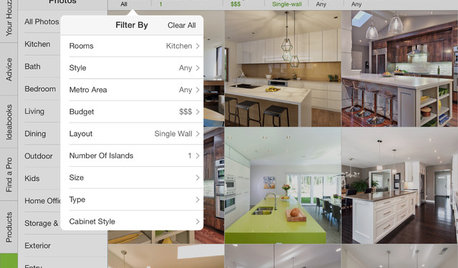
INSIDE HOUZZInside Houzz: See the Houzz App’s Latest Features
Update your Houzz app for iPhone®, iPad® and iPod touch® for your new profile page, enhanced searching and easier uploads
Full Story
INSIDE HOUZZInside Houzz: A New Look for Your Houzz User Profile
Learn about the new user profile experience that better reflects who you are
Full Story
INSIDE HOUZZHow to Create and Use Ideabooks
See how to gather inspiration, share it with others and put your design dreams on the path to reality
Full Story
MOST POPULARThe 25 Most Popular Photos Added to Houzz in 2013
See the newly uploaded images of kitchens, bathrooms, bedrooms and more that Houzz users really fell for this year
Full Story
badabing2