

Wired/wireless router
9 years ago
Featured Answer
Sort by:Oldest
Comments (13)
 9 years agolast modified: 9 years ago
Related Discussions
wireless router question
Comments (10)Terry, I looked around in bios - entered several places but never found "Wake on Lan..." It's a little scary in there! :) RC, I checked for scheduled tasks and found nothing listed that named any software on my computer. I wasn't that concerned about Vista waking up as I was that someone had broken through my security. It doesn't sound like anyone thinks that has happened, so I'm greatly relieved. Thank you. Zep, my computer automatically goes to sleep if I don't do it manually. I never know the best procedure to follow - shut the pc down or keep it on all the time! Thanks, everyone. I appreciate your help....See MoreLinksys wireless router drops connection
Comments (2)Try moving your router a bit up or down or left or right . . Its amazing sometimes how a minor change can affect the signal wifi strength. Also if your computer wifi has a movable antenna ... move it around and hope for a better signal strength. Also, stock antennas usually have whats called GAIN of 2.5db,,, you could buy a little directional antenna with higher gain for the router and/or computer to boost the signal a tad or a bunch. Directional antenna's at both ends is about as good as it gets. What is your signal strength now ? Here is a link that might be useful: Some antenna idea's....See MoreWiring internet for Mother-In-Law apartment
Comments (6)Sorry for the late reply - been caught up with the CES show. Most routers now provide wireless connectivity as well as wired ports, so it's generally the same router but can be separate. For telephone, you can just run plain old 4 conductor telephone wire, or if more economical, use the CAT5e and appropriate RJ11 jacks. While Mike makes a valid point, it appears from your description that MIL structure is an attached unit and and that's what I replied to. (I may have used the term structure a little too loosely here.) However, even if it is a totally separate building, I would still run the cabling in-between - it provides flexibility down the road if the unit is no longer a rental and used by you instead. Also, I had a situation before in the California Bay Area where I purchased a home with a detached unit in the backyard. It had it's own address and had to have the city reclassify it so I wasn't required to have, and pay for, separate mandatory water/garbage services. After that, utilities would no longer connect directly to the cottage anymore....See MoreWhere do you 'hide' your printer, wireless router, etc?
Comments (16)We recently finished our basement and made it into both a family room/playroom and an office down there for dh, who works full time from home. We had room for a closet under the basement steps, so we wired the closet with a full out network panel, cable, phone, etc then we hardwired network jacks throughout the basement. Now the modem/router/printer/fax sit in the closet and all the PC's (hubby has several, plus the kids have them in the playroom and oh yeah, our Tivo is hooked up to the network as well) are hardwired to network jacks throughout the basement. Any pc's we need upstairs (my laptop for instance) can print or access the network via wireless. It's not a practical solution if you're working with an existing room (I LOVE allison's - that's brilliant!!!) but if you're remodeling or installing wiring, the "command center closet" is definitely the way to go....See More- 8 years ago
- 8 years ago
- 8 years agolast modified: 8 years ago
- 8 years ago


Related Stories

MORE ROOMSHome Tech: Getting Rid of Wires Without Sacrificing Sound
Wireless home technology still isn't perfect, but new products are giving audiophiles choices
Full Story
ACCESSORIESHow to Hide Those Messy Wires
Untangle Yourself From Ugly Electrical Cords With a Few Tricks and Accessories
Full Story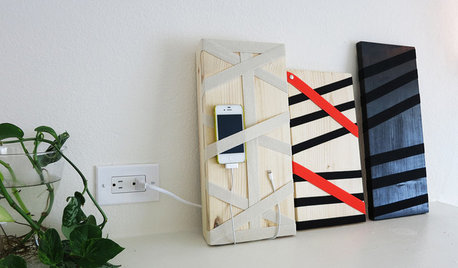
DIY PROJECTSHide All Those Wires in a DIY Charging Station
Keep your gadgets handy and charged with a flexible storage board you can design yourself
Full Story
HOME TECHReady to Bid Good Riddance to Charging Cords?
A new breed of base stations will reduce wires, decluttering homes and saving sanity everywhere
Full Story
HOME TECHSave Your Decor — Hide Your Media Stuff
When you tuck boxes, wires and speakers into walls and ceilings, all you'll notice is your favorite shows or music
Full Story
HOME TECHTote Your Tunes to Any Room With a Portable Wi-Fi Sound System
Free your home's music setup from wires with Wi-Fi speakers that let you take high-quality audio anywhere
Full Story
HOME TECHGo Ahead: Embrace Your Home Technology
It's time to make peace with the gadgets, wires and TV screens that serve us so well
Full Story
MORE ROOMSOn Trend: Smart Solutions for Cords
Show those cables and wires who's boss with these clever solutions for the home office
Full Story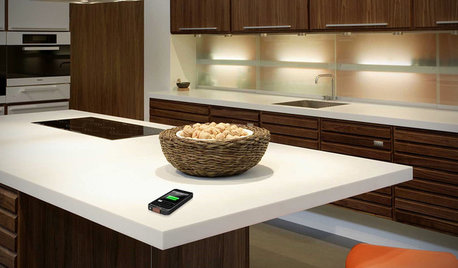
HOME TECHComing Soon: Furniture That Charges Your Phone
Countertops, tables and home appliances with wireless charging capability mean less clutter — and zero effort powering your phone
Full Story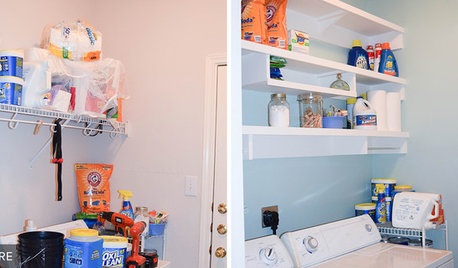
LAUNDRY ROOMSReader Laundry Room: Building Her Own Shelves for $115 in Texas
This homeowner hated her laundry room’s wire shelving, so she put her DIY skills to work constructing wood shelves
Full StorySponsored
More Discussions

azinoh