

℉ °C useful symbols may copy/paste
9 years ago
last modified: 9 years ago
Featured Answer
Sort by:Oldest
Comments (10)
- 9 years agolast modified: 9 years ago
 9 years ago
Related Discussions
Using copy and paste for info retention
Comments (28)OMG, where do I start...to think my idle comment sparked this hotheaded commentary, lol, boy am I glad some of you who favor terse and boring passages in their descriptive prose have not read the novels that I have written on this forum to expostulate on my mower's ailments...which mownie has picked up and RUN with... I have to defend Mownie, here, because it is precisely his willingness to expound on details that makes his posts informative, AND exceedingly helpful. I learned more in a week about my mower's basic fuel and electric systems than I have in the ten years I have been dinking around with it...and I am definitely an amateur. Mownie's eloquent and colorful descriptions really make the problems and the solutions clear, and no one of course is ever beyond correction or clarification for that matter! As far as the quotes...they serve a vital function in separating the "quoted" from the response, especially when you are like me, and mownie, and tend to ramble on about this or that, and it helps to REFERENCE the passage that he is about to comment on. Guess some of you never really learned the mechanics of goood writing and the use of punctuation to illuminate your efforts to communicate??? Besides, aren't you talking about *****ASTERISKS??****** those are NOT "QUOTES" !! In my opinion it is very helpful to have that text set apart from the answer or comment or whatever. Finally, Mownie, I think this is a very helpful thread to anyone who in fact is NOT aware of the cut-and-paste basics of computer-ese, which I suspect from reading posts in ALL CAPS and mis-typed words and stuff like that, and that a lot of folks who DON'T dabble in computers use these forums because someone suggested they try. And in the end it IS a FORUM, and if the info is too elementary to be useful to you, you can proceed to more complex dialogue as it suits you...whereas if you DON'T know stuff like cut and paste, it could be a pretty handy gadget when someone opens your eyes to it. SO in the spirit of assistance that these forums are supposed to offer, mownie's post on this subject is in effect very useful, or is bound to be for someone, and that is why it is there. There are folks out there that will surely be helped. Finally, oh, i said that already, in general cut-and-pasting of elements relevant to your search for a solution when gathered in the course of surfing this forum is indeed a good idea, especially if it pertains to your particular make and model of mower or engine. Now to find those little tidbits out there again... SO Thanks, mownie; every once in awhile an innocent and well-intentioned attempt to be helpful sparks a major outpouring of public opinion. The beauty of the human condition, lol. And 12G, YES, you said it Bud! Should be up there in top Tractor Forum posts! I think I will cut and paste THAT little gem, to start! OK I'm ready, all you people of few words, bring it on...!!! =)...See MoreOdd copy/paste problem
Comments (9)buyorsell- Two suggestions: 1. The next time there is a problem, disconnect the mouse receiver (I assume it's USB) and then plug it back in and try the same operation again. 2. Go into your mouse properties and see if the buttons are all set to the functions you want; even if they seem ok, it might be good to change the properties and then change them back and apply the settings again. Occasionally my 4-button Logitech wireless wheel mouse "forgets" what it's set for (like the button over the wheel, which I have set to "close," but which sometimes doesn't work)....See MoreIs there a way to quickly bookmark - or copy/paste all open tabs?
Comments (6)Wow. These are great alternatives. I'm trying them all out. The Bookmark Current Tab Set is very handy - simple - and just what I want to do. I actually downloaded all three bookmark addons that Raven recommended. I'm experimenting with them to see where they place things. I was easily able to bookmark all open tabs from 3 different computers - so I can play around with it this weekend. Jean - I had no idea that there was also a simple drop down option. I just have to see where that puts the bookmarked tabs. Raven - are there any icons that will allow me to place those bookmark add-ons where I can access them with one click. Right now I'm going to the Bookmarks menu - clicking - then clicking the option. I know that's just one more step, but I figured there's likely to be an icon I can just put on my the top (can't believe I'm blanking on the name of that - not the tool bar per se but one of the lines about - like where the file - edit= view - history - bookmarks, tools - help menus are. I have various icons for other addons - like firefox showcase, adblock plus, Wot, Outwit. Is this a matter of whether the add-on develops include an icon to add? Or is there a way I can add one (I didn't see it in options for these addons and don't remember how I got the icons I already have). Thanks. Lynn....See Morecopy/paste image into Gmail?
Comments (9)I'm sorry, I'm not making myself clear. I'm wondering if I can highlight an image from a web page, copy it (right click/copy) and paste (right click/paste) an image into GMail the very same way I can do it in Thunderbird. I'm trying to avoid having to save the image to a directory and then retrieve it to post it in an email. Does that make sense? I may be asking for something that isn't supported in any way by Gmail. :) bob14, I might be misunderstanding GMail, but in my version there appears to be an alternative way to insert an image as long as I have enabled "insert image" in the labs (which I've done). According to the instructions I should be able to click on the "insert image" icon, click on "web address URL" and paste the URL of the image. The image should, then, show up in the email. That's what I'm not able to get to work correctly. Maybe the answer to my question is...no. Thank you both very much!...See More- 9 years agolast modified: 9 years ago
- 9 years ago
 9 years ago
- 9 years ago
 9 years agolast modified: 9 years ago
- 9 years ago
- 6 years ago


Related Stories

TRADITIONAL ARCHITECTURERoots of Style: Your Home May Have a Renaissance Classical Past
If Georgian, colonial revival or Italianate details are in your house's mix, you might have the 15th century to thank
Full Story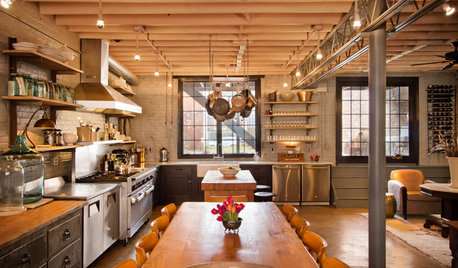
HOUZZ TOURSHouzz Tour: Bootlegging Past, Quirky Supper Club Present
The only crime in this newly bustling home on a Washington, D.C., lot is the sinfully delicious cooking
Full Story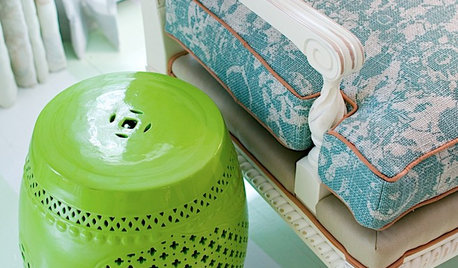
DECORATING GUIDESThe Most Helpful Furniture Piece You May Ever Own
Use it as a table, a seat, a display space, a footrest ... and indoors or out. Meet the ever-versatile Chinese garden stool
Full Story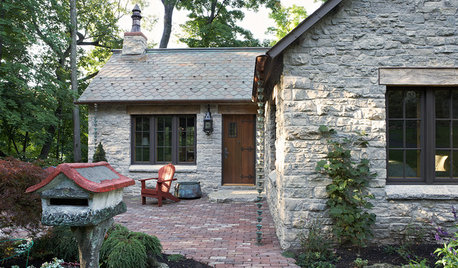
GREEN BUILDINGHouzz Call: What Have You Salvaged for Home Use?
If your floors, furniture, exterior materials or other home elements have a past life, we'd like to hear the story
Full Story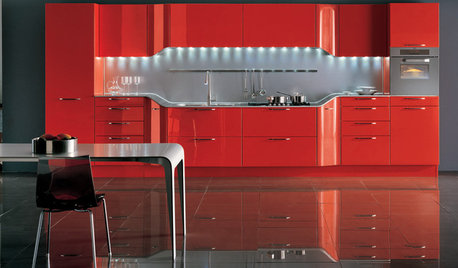
KITCHEN DESIGN2012 Color Trends: Using Red in Your Kitchen and Bath
Fiery hues bring high drama home
Full Story
DECORATING GUIDESHemp, Hemp, Hooray! This Superplant May Be Legal Again in the USA
Hemp products are durable, sustainable, antibacterial and much more. Will the plant finally get the status it’s due in the States?
Full Story
EVENTSDesigners Get Creative in a D.C. Show House
With a historic home as a canvas and a worthy cause as an incentive, designers pulled out all the stops for the 2014 project
Full Story
DESIGNER SHOWCASESPast Meets Present at 2017 Pasadena Showcase House
Designers have put contemporary flourishes on a historic English Tudor mansion in California open for viewing
Full Story
INSIDE HOUZZUsing Houzz: Create a Home To-Do List
See how to use an ideabook to keep track of your home projects this year
Full Story
DECORATING GUIDESStamp, Stencil, Paste: Try a New Pattern on a Wall
Here are 10 ways to create a feature wall with classic and contemporary designs
Full StorySponsored
More Discussions
kentuck_