

Transfering Win Office Programs to new Computer?
9 years ago
Featured Answer
Sort by:Oldest
Comments (13)
 9 years ago
- 9 years ago
Related Discussions
New computer and antivirus_malware programs
Comments (8)Jean I only use MS Essentials on my Win 7 machine. I have been clean since July with the beta version and October with the real stuff. When you get your new computer fired up you will see small icons near the clock. Clicking the up arrow will bring a small pop up where you will see the green bungalow shaped icon for MS Essentials, as long as it is green and has a check mark you are good to go....See MoreTransfering Outlook Express Data from Old to New Computer?
Comments (4)Hi, I'm new here and hope I can help you out. This is how I retrieved my mail from OE from and old windows program to Windows XP Hopefully it will work for you. Back Up Outlook Express Messages Microsoft stores Outlook Express messages in a subfolder buried deep beneath the Windows folder, where it's nearly impossible to back up. That can mean disaster if you have a disk crash, or if you replace your PC. When you restore your backed-up data files, you discover that your email is gone! Fortunately, Outlook Express 5.5 (included as a component of IE 5.01 with Service Pack 1 and in IE 5.5) allows you to change the default location where messages are stored, making it easier to back them up with your other files. Follow these steps: Open your My Documents folder, right-click on any empty space, and choose New, Folder from the shortcut menu. Because you'll use this new folder to hold your mail messages, give it a descriptive name like My Mail. From the main Outlook Express window, pull down the Tools menu, choose Options, and click the Maintenance tab. Click the Store Folder button. This opens a dialog box that allows you to select the folder where you want Outlook Express messages to be stored. Click the Change button. In the Browse for Folder dialog box, select the folder you created in Step 1 and click OK. Note that the path to your My Mail folder now appears in the Store Location dialog box. Click OK to save this change, and click OK to the warning message that appears next. Close the Options dialog box, and then close and restart Outlook Express. All your message files are now in a convenient location in the My Documents folder. Back up the entire contents of your My Documents folder today and you'll be well protected from data disasters! Now that you have them saved in a new file...... Save on a disc just like you did your other files. In your new computer, Go to OE mail and open... Go to File..Import.. messages Select Program - Example (Microsoft outlook express 6) Specify location - Import from an OE6 store directory Location of messages - Browse to fine your file. Select Folders you want to import - Click Next and it will add them to your new Outlook Express. You can do just the ones you want or pick them all at once. Good Luck to you....See MoreBest picture transfer program??
Comments (4)Have an organized hierarchy of folders just for your photos. You will have to decide where you want them and make the folders. When you plug in your camera, I have to use a card reader, but many models that isn't needed, your computer will ding when it has recognized the camera as new hardware. Go to Windows Explorer (obviously if you are on another platform this won't work), and navigate to the new drive assigned to your camera, it will be under all your C:\ files somewhere showing as F, G, depending on what else is on your system. They may be in a series of folders on in just one folder, depends on the flash card. It might be a folder called DCIM, then when you open that or click on the plus beside it, it shows something about your camera name. Open the camera folder(s) (one at a time if there are more than one), and you should see thumbnails of your photos start to be generated. When all the thumbnails show, do an edit>select all. Then do an edit>copy to folder and navigate to the folder you want to put them in. Then click ok or some prompt. Windows will show your photos being copied unless there are just a few in which case it will go very fast. If you don't want to copy all the photos, select individual ones by holding down the ctrl key after highlighting the first one and select those you want. Don't let up the ctrl key until you've selected all the photos you want. If you want a block of files but not all of them in the folder, highlight the first one you want, hold down the shift key and highlight the last one. That will select every photo in that series. Copy to the folder you want as before. If you want all but the first several or so, highlight all of them, then do an edit>inverse selection and it will automatically select all the ones you didn't highlight. These are just little tricks to make things speedier once you get used to it. That's all there is to it. It gets to be second nature. Be sure to back up all your photos at least one place, preferably two, like an external portable hard drive, dvd, cd or something, and don't alter the originals in any way. If you edit them in Photoshop, save them in a new folder. It's good to open your photo, duplicate it, close the original. That way you can't accidentally overwrite your original unless you try very hard. The copy gives it the same name with copy # added. I have a Work File for each month where I keep photos I've worked on in Photoshop, sometimes a subfolder for a special event. Maybe Picasa requires you to use your desktop which is clumsy and dumbed-down way to archive your photos imo....See MoreSearching to buy new computer with Win7
Comments (20)I am running an AMD 5 core processor and not had any issues with it, Its really a 4 core chip with a video processor included. I prefer the Intel processors, but my new Acer Desktop came with the AMD chip. I suppose that cost was the reason. I hung on to XP sp3 as long as i could and then changed to Win 7 Professional in the new computer. There was a learning curve, but Win 7 has proven to be a good operating system. The main issue, in crossing the boundary from the X86 architecture to the upgraded system, was that I lost the use of several old favorite programs. One of these was a sketching/drafting program. Since I have retired, I can not justify the cost of updating the old programs. I kept my old computer to run those....See More- 9 years ago
 9 years ago
 9 years agolast modified: 9 years ago
 9 years ago
- 9 years ago
 9 years agolast modified: 9 years ago
- 9 years agolast modified: 9 years ago
- 9 years ago
- 9 years ago
- 9 years ago


Related Stories

ORGANIZING8 Steps to a Winning Filing System
When you streamline your paperwork and digital files for easy use and maintenance, it's an organizational triumph
Full Story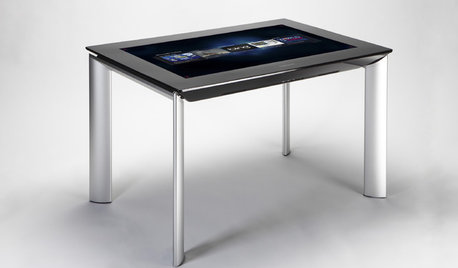
MOST POPULARGet Ready for the Smart Coffee Table
Intelligent tables with touch screens are reaching the consumer market, with all the power of personal computers and more
Full Story
ECLECTIC HOMESHouzz Tour: Rebooting a 1930s Bungalow in 3 Days
A design team mixes old and new to upgrade a computer science teacher's home in a flash
Full Story
PRODUCT PICKSGuest Picks: Score Points With a Minecraft-Inspired Bedroom
Get rave reviews from your kids with bedroom furniture and accessories that stave off zombies and have winning style
Full Story
ARCHITECTUREDesign Practice: How to Get Hired
Pro to pro: Strategies for winning a client’s trust and getting work that supports your brand
Full Story
HOUZZ TOURSWorld of Design: 9 Energy-Smart Australian Homes
With their innovative features and diverse surroundings, these 9 award-winning homes have struck gold on the Aussie design stage
Full Story
LIFEThe Wisdom of Kenny Rogers, for Declutterers
No need to gamble on paring-down strategies when the country music legend has already dealt out some winning advice
Full Story
KITCHEN DESIGN6 Elements of an Effective Kitchen Office
Create a successful mini workspace with these features in mind
Full Story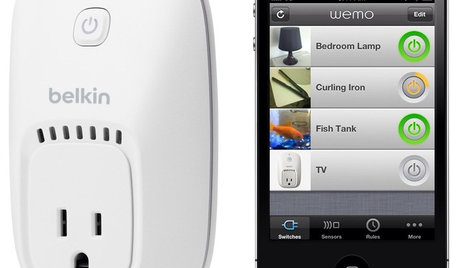
HOME TECHOn the Internet, Nobody Knows You're a Lamp
Home appliances and devices are poised to get on the Internet and start messaging one another. Here's why that'll be great for you
Full Story
SAVING WATER11 Ways to Save Water at Home
Whether you live in a drought-stricken area or just want to help preserve a precious resource, here are things you can do to use less water
Full StorySponsored
More Discussions

4thumbs