

Is my "Gateway" Model No. 400SD4 - WiFi capable?
9 years ago
Featured Answer
Sort by:Oldest
Comments (9)
 9 years ago
 9 years agolast modified: 9 years ago
Related Discussions
A smart thermostat that respects my privacy?
Comments (25)"Elmer your thermostat can be accessed outside your WiFi network correct?" Yes, if everything is on and connected, I could be riding in a car and use my phone to turn anything on/off, up/down. If the internet connection is down, they can only be accessed in person. Ditto if the thermostat becomes disconnected from the wireless signal, which has happened to one only once in several years and it reconnected in just a few minutes on its own. A hiccup as far as I'm concerned I have two homes so I'm always away from one. I have Honeywell thermostats and the function and remote access features are excellent and reliable. I have no concern about privacy concerning them. Three in total. "You could disable that if you wanted too, but then you are more restricted." I'm not sure what you mean. For the Honeywells, the connection to/from the device used to control them (PC, any type of tablet, any phone) and to/from the thermostats goes over the internet and has a company web presence as the intermediary. Even if the remote control is happening in the same room as where the thermostat is located, the signals pass through the company. If I disconnected any one from wifi, or the home from the internet, there would be no access. It would turn them into plain, on the wall thermostats. " I prefer Ubiquiti due to the large selection of products and the interface... My new home will feature two wired access points for wired back haul which is superior to standard meshing." I'm not sure what you mean in saying "superior to standard meshing"? I've had a mesh system of a different brand for over three years so yes, one of the early ones. In a long, rectangular one story house of nearly 5000 square feet, performance from one end (where the router is) to the far other side and everywhere in-between is exceptionally fast and consistent. Outside too. What am I missing? Good luck....See MoreCan my humidifier play nicely with my geothermal unit?
Comments (14)OK, so we have backgrounds that allow us to speak in a common language. Mine is in Geothermal Design & Installation with sub specialities of hybrid geothermal systems, Liquid-to-Water, hydronics with heating & cooling, geothermal drilling consultant, as well as high-end audio electronics servicing and living in Canada, the Canadian equivalent of a U.S. Extra Class Amateur Radio Operator’s Certificate & Licence. The links you originally provided regarding T-stats mentioned in passing that they display relative humidity - not that they control humidity. I understand what you want to do and because of your background why you want to do it. There are risks though if there are malfunctions, which is why Honeywell provides the KISS ‘Fail Save’ mode of the optional ON/OFF (Seasonal) Power Switch. Being a computer guy, you might want to also investigate what is mentioned in the Honeywell manual on page 13, Fig. 23, the ‘Equipment Interface Module’ (EIM) that might be something similar to the Carrier Infinity ‘Network Interface Module’ (NIM) that permits communication between non-standard equipment and might also enable the modes of operation that you seek. Aside from ‘raining’ in your home, the HP will have extra long run times just trying to remove the increased latent cooling load in AC mode that a malfunction will create with the steam humidifier running. Great for your Desuperheater though - Think of all that FREE DHW! Other problems you might want to avoid would be mould, bacteria, pathogen growth in your filter & ductwork. You should also be concerned about Legionella. Another concern would be if it’s ‘raining’ inside your HP you will shorten the life of expensive components, such as the ECM Blower Motor - that’s a very expensive service call! While our Geothermal HP does not have a humidifier component, I would not want one to be too ‘automatic’, just as we never leave the T-stat in ‘Automatic’ mode; it’s either Heating Mode, Air-Conditioning Mode or OFF - All manually selected. I don’t want it ‘hunting’ for the perfect temperature while switching from Heating to AC mode, torturing the reversing valve etc and wasting money. I also manually pull the breaker switch at the end of the heating season to make sure the backup can never come on and wait till the next heating season when it’s really cold before re-activation. Something else that I would do if a really wanted the humidifier to be fully automatic, is that I would have its A/C power plugged into a Wifi ‘Wemo’ type device that would be a cheap and easy way to monitor it from anywhere that had WiFi or cellular coverage, allow you to monitor status including live energy consumption, immediate notification of a change in status and allow you to kill the power from virtually anywhere on the planet if you don’t like what you see. BTW: I think your problem occurred because your installer should have known that a humidifier kill switch had to be installed because so far I don’t believe any of your equipment is capable of Humidifier operation in Heating Mode only. You’re right that the Humidifier would then run without the blower. The installer couldn’t figure out how to complete the installation and get the Humidifier up & running without that HUM/ HUM jumper. “I was really hoping that running the AP to Relay 2 of the DXM2 board and setting the dip for humidifier would close the circuit only when heating but that's not the case. It doesn't close the circuit in heating or cooling. Which makes me ask the question, what the hell is that setting for?” You might have to do your own trouble shooting to see if in fact Relay ACC2 functions normally on all contacts (NO & NC) and if not why not, if not related to DIP Switch configuration. Neither ACC RLY 1 or 2 has the ability to sense mode of operation (heating or cooling), however, you might want to have a conversation with ClimateMaster regarding the function of ACC RLY 1 Configuration Table 8 Pg 30 regarding ‘ClimaDry option - Dehumidistat’ & ‘ClimaDry option - Humidistat’ and ACC RLY 2 Configuration - ‘Humidifier’ - Pg 30 Table 9. Regarding your last question, the only thing I can think of is that it was easy enough to add at the design stage so they did. You can ask ClimateMaster that too. How’s the ‘Rust’ situation inside your HP? Make sure your 10-yr extended warranty remains in good standing - if you have one! IMPO SR...See MoreWill Nest work with Bosch Inverter Heat Pump/Condensor?
Comments (39)Old thread but still relevant for Bosch IDS buyers. I have a 5 Ton BOVA with the IDS BVA air handler and don't like the BCC100 T-stat the system comes with. It's a fine thermostat, but lacks remote pendants to trigger are circulation and subsequent heating/cooling as required. These alternative remotes are GREAT at keeping a home balanced and comfortable and IMO way better than any predetermined fan schedule of the BCC100, which beats having an old basic thermostat. Examples: in the summer nights where the center of the house stays relatively cool, yet the bedroom with two people and 2 large dogs gets warm and stuffy. Or in the winter when we have a fireplace going and the Tstat provides less heating, so the bedroom gets chilly. The Ecobee and Nest TStats with pendents sense that issue and balance the air very nicely. From the Bosch website, download the IDS installer manual (Example link), and read the following: 15.1 Control Logic Description - The variable speed system adopts the same 24VAC control as any conventional heat pump. - The compressor’s speed is controlled based on coil pressures monitored by the unit's pressure transducer. To ensure stable and adequate capacity, the compressor speed will modulate relative to evaporator pressure during cooling operation and relative to condensing pressure during heating operation. The target pressure can automatically adjust based on compressor operation so optimal capacity can be achieved. Based on Bosch literature, I believe the Bosch BCC100 does not drive any advanced air handler or inverter functions other than standard controller logic and owners can use commercial TStats without any reduced performance. We can certainly discuss the logic of commercial TStats turning the equipment on and off, but generally, I don't believe they inherently impact inverter speeds or efficiency. We could also discuss the merits of reliability, features, being trendy or whatever, but that ultimately comes down to consumer choice, including application specific considerations. Regarding what the manufacturers recommend... First, Bosch writes that the inverter works off of normal 24 VDC TStat signals, there is no proprietary communication here. Second, they might recommend you use a Bosh TStat. Sure, they invest a lot to develop, manufacture and market their products, but I can run a Bosch circular saw with a Red Devil blade very safely and efficiently too! Same can be said about buying car parts from dealerships, sometimes I do, but there are plenty of OEM quality parts for less money and better warranties at other retailers. It's up to the consumers to pick what's best for them, right? I'm not an installer, just a DIYer that researches... Please comment if you read the Bosch statements differently than I do, or come to different conclusions. I'm interested in remote TStat pendants, an HVAC that runs efficiently and the best comfort for my family/situation. Respectfully,...See MoreInternet speed question
Comments (14)A few updates: I took the cable modem back to Spectrum, and they said, "did you activate it"; my answer was "no", so I have brought it back home, but haven't activated it yet (the old one seems to work fine). BUT another problem cropped up - my Wi-Fi started acting "flakey". Many of my Wi-Fi-connected devices quit working, including two thermostats and a BlueSound Wi-Fi-connected powered speaker connected to my NAD home audio system. I took to heart the suggestions of many of the people here and elsewhere that my router was too old, and I should get a new one. I purchased a recommended tp-link AX3000 and set it up. Of course, all my Wi-Fi-connected devices had to have their connectivity changed to the new router and password. They all now work fine, except for the speaker, which I can't get to connect. I have a ticket in to BlueSound on that device so I'm hoping for success (they are famously slow to respond). It does work when wired, but I have no Ethernet cable near where I want to place it. One problem with BluSound is their setup procedure. It's only done through a mobile device, in my case, an iPhone. The first step is to go to "settings/WiFi" on the iPhone and look for the desired device. Under settings there is "Wi-Fi" and "Networks". All my Wi-Fi devices show up under Networks, including two printers, my thermostats, etc. But, frequently, not the speaker. And the router shows up under Wi-Fi, not Networks. To Denis, what happens if you connect a wired network device directly to the modem and not go through the router?...See More- 9 years ago
- 9 years ago
- 9 years ago
- 9 years ago
Related Stories
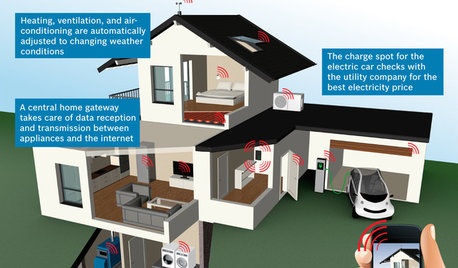
THE HARDWORKING HOMECES 2015: Inching Toward a Smarter Home
Companies are betting big on connected devices in 2015. Here’s a look at what’s to come
Full Story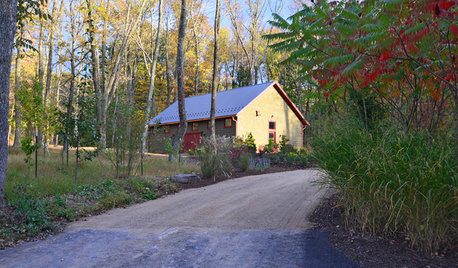
BACKYARD STUDIOSMaster Builder Crafts a Dream Workshop
A design-build firm owner uses an economical building method for his large shed and finishes it off nicely to blend into the scenery
Full Story
WINDOWSSteel-Framed Windows Leap Forward Into Modern Designs
With a mild-mannered profile but super strength, steel-framed windows are champions of design freedom
Full Story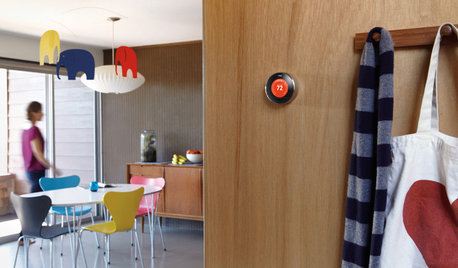
HOME TECHWhy Google Just Paid $3.2 Billion for a Company That Makes Thermostats
Smart home technology just got a new champion — and everyone is speculating about the reasons
Full Story
HOME TECHIs the Timing Finally Right for Framed Digital Art?
Several companies are preparing to release digital screens and apps that let you stream artworks and video on your wall
Full Story
HOME TECHHow Smart TV Will Change Your Living Room
Get ready for the future of TV, in which your living room becomes a movie set, a communication hub and a gaming zone
Full Story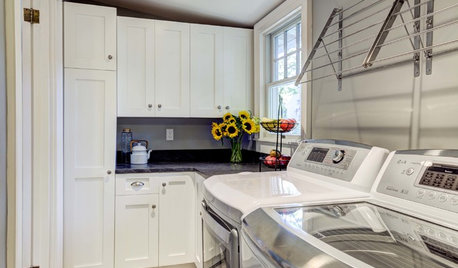
THE HARDWORKING HOMEWhere to Put the Laundry Room
The Hardworking Home: We weigh the pros and cons of washing your clothes in the basement, kitchen, bathroom and more
Full Story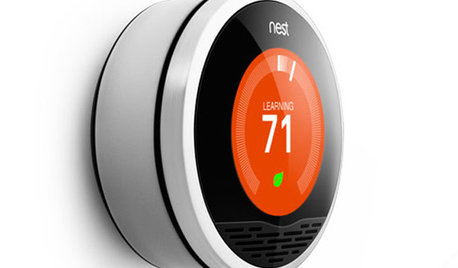
HOME TECHHome Tech: There's an Easier, Affordable Future for Home Automation
Say goodbye to the headaches and high price of current systems, and hello to home automation products for the masses
Full StorySponsored
More Discussions

bengz6westmd