

Un - Smart TV blu Ray connection adaptor?????
10 years ago
Featured Answer
Sort by:Oldest
Comments (6)
Related Discussions
BlueRay, not a computer but..
Comments (7)If you don't have an excellent HD TV, you may not discern the difference between Blu Ray and regular DVD. I can't hardly tell the difference with very good eyesight (sub-Medicare age) and experience assessing image quality. Much content is available in both DVD and Blu Ray. Some newer stuff can be just Blu Ray, some older stuff can be just DVD. You don't know if having Blu Ray opens any doors for you, until you start seeing a lot of content you want that is unavailable in DVD. There are many ways to get streaming content from over the internet to a TV to watch, there's nothing special about using a disk player to do it. Other choices that can be easily connected to your TV include a PC, a smart phone, and a TV with the same built-in capabilities as your proposed disk player. Wifi= network signal transmitted using radio waves. Ethernet= same network signal transmitted using a wire. If your Wifi reception is adequate ( and 1.5 or 3 megs is very slow and undemanding unless your interior walls are made of stone or concrete), there's no technical advantage to using one over the other. I only glanced at the details, but the Samsung's capabilities are very normal and vanilla. Nothing special and nothing missing from what everything else does. Using a notebook isn't the same as streaming video, unless you'/re using the notebook to stream video. Simply web surfing is VERY undemanding of bandwidth. Put your laptop where the player would go, and try a video steam. How does it work? When an internet connection is sub optimal, all the streaming sources will automatically downgrade the image quality to avoid herky-jerky playback. So with a slowish internet connection, it'll usually work but the image will not be as clear as with more bandwidth. Streaming movies using either Amazon or Netflix doesn't require a Blu Ray player, they have their own systems. Amazon streaming is free with a $79 annual Prime account (free 2 day shipping and other bennies), Netflix is about $9 or $10 per month. They're competitors and don't have the same content. Streaming media is more popular than ever. Unless you really love a movie, most people would rather see something new instead of something old for another time....See MoreBlu Ray D.O.A.
Comments (16)I just spent a little more time on the netflix site, and I agree that the quality of the downloadable stuff isn't spelled out clearly. I have comcast cable and they have some SD and HD movies that are truly on demand and start pretty much right when you select them. There will be a delay in downloading content off the netflix site, it seems like it could be 10-15 minutes. Not sure of that though. The netflix print, to paraphrase, says something along the lines of "the quality of your movie will depend on the speed of your internet connection. At 3mps, the quality will approach that of a DVD." I have a fast connection so I should get the best they have to offer. But that tells me it won't be HD (1080 or 720), and that it may barely be DVD (480). So yes, I take from that that the downloadable stuff on Netflix isn't HD. And with a fast connection you just might get DVD, which is 480. What's standard-def TV, something like 320, right? And VHS tapes were 240? I guess the good news for me is that my projector has a pretty decent upconverter in it, but the question begs as to how well it can upconvert what I download from netflix. A plus for me is that if the picture quality isn't great at 133", I can choke the projector down to display a smaller picture and improve quality. There are a variety of boxes you can use to download content from netflx. Personally if I was going to get a box I'd probably go for a blu ray player. But my wife wants to be able to also play games for the kids, so we'll probably go with PS3 or Xbox, more likely xbox. She wants to get dance dance revolution for my daughter! I don't have a real good feel for just what movies netflix has available for download. They claim 12000 out of their offerings of 100000. We were very happy with netflix when we just used them for discs years ago. We switched to blockbuster more for the kids, they liked being able to go into the store and pick up a DVD (a couple free in-store pickups per month) on their way home when they were having friends over. But blockbuster has gotten away from that feature, and blockbuster always seems to send discs in the que out of order. Makes it tough when you're watching a series. So I guess what it comes down to is that we're changing back to netflix for the DVDs via snailmail. At this time we look at the downloadable content as bonus stuff, and an excuse to get an xbox, and by getting an xbox it will allow us to watch bluray and work on our dance steps via DDR. One big slippery slope! But I do have a bit more head scratching to do......See MoreTV Newbie: what should we want/get
Comments (3)After visiting this site very often through search results, I finally became a member. Timing is everything when purchasing a television. I'll give you a rundown on what I went thought this fall. I was sold on the samsung 7000 series televisions. I was a sony fan for years and this one really got me over the brand name. They make a few sizes but the 46" was what we considered to be a good size for the room we are going to use this in our soon to be built home. You can also get it in 55" It does 3D if you want that. It has what they call "smart hub" which somewhat arranges apps so that you can get news, weather, facebook, some free 3d content that is actually not too bad, netflix, hulu+, vimeo (which I really like and was happy to see here. It also has wifi built in for your network. A basic internet browser, movie rentals, computer input, smart phone remote capability. A lot of this stuff won't cater to the masses, and that's fine as you should consider this an extra to the amazing picture the TV can put out. The 7000 series has a 240hz refresh rate. You want this over a 60 or 120. It's hard to explain, but it looks much better to my sensitive LCD eyes. Enough with the sales picth for the 7000 series... Back to timing. In August, I saw the TV I wanted 46" with blue ray player and 2 pairs of 3d glasses for 1,499. I figured I would wait until Black Friday... Well Friday and cyber Monday came and went and I didnt see it for sale, but the 55" was dropped to $1799 and the 46... $1699 lol. I waited and eventually before Christmas, they went back to 1499 with the blue ray player and 2 pairs of glasses. This is in contrast to 1799 without anything. Now this is my strong consideration to you as far as a blue ray player goes... Get the Playstation 3. It plays your blue rays, it streams netflix and hulu+ (Better then the samsung TV which sometimes is slow to stream videos). It plays video games, has a basic internet browser, can stream movies from a computer on your network (I have a 2 TB drive connected to my network and I can view and stream them to the TV through the PS3.) for $200 it's a no brainer. If you get the Samsung with the blue ray player, you can always sell the extra player if you don't need it (but the player can also stream netflix and hulu and all that stuff.) So in short... I recommend a Samsung 7000 46 or 55 (Be patient and wait until the sale hits... They will do it again) and get the PS3 for your media hub. We have this setup, and don't have cable... And don't need it! I calculated that in 26 months, without cable my TV and ps3 will be paid for with the savings... I will be on the lookout for a 55" 7000 series for the living room once our house is finished in March. I've got the xbox 360 out there to do a similar job. Good luck on your decesion. The game consoles are a far better solution to a stand alone player/streamer as they are constantly updated to meet the times. Also they are working on offering some sort of tv streaming services. Time will tell....See MoreNeed new Blu-Ray or DVD player
Comments (4)Are you connecting directly to your tv, or going through a stereo/receiver? Ate they both newer? You’ll want to make sure the new player has outputs that will work with them. I would definitly recommend a bluray over dvd to help future proof it for as long as possible. You can still play dvd’s in a bluray player. There are plenty of “best xxx of 2018” out there to help direct you to well rated players. https://www.cnet.com/topics/blu-ray-players/best-blu-ray-players/. That Sammy you listed looks like a good buy. Pay attention to the loading speeds. Waiting a long time for discs to load gets annoying fast....See More 10 years ago
 10 years agolast modified: 10 years ago


Related Stories
HOME TECHHow Smart TV Will Change Your Living Room
Get ready for the future of TV, in which your living room becomes a movie set, a communication hub and a gaming zone
Full Story
HOME TECHNew Strategies for Hiding the TV
Its easy to be discreet when you've got cabinets, panels and high-tech TV hiders like these
Full Story
HOME TECHNew TV Remote Controls Promise to Do More — Without the Struggle
Dim your lights, set up user profiles and discover a remote you can't lose. Welcome to the latest and greatest way to change the channel
Full Story
DECORATING GUIDESHow to Hide Your TV Cables
Make your TV room clutter-free by hiding your electronics in the wall
Full Story
MOST POPULARHow High Should You Mount Your TV?
Today we look at an important question to consider when locating your television: How high should you set it?
Full Story
TINY HOUSESHouzz TV: Step Inside One Woman’s 140-Square-Foot Dream Home
You may have seen the story on Houzz — now check out the video tour of Vina Lustado’s warm and welcoming tiny house
Full Story
MORE ROOMSWhere to Put the TV When the Wall Won't Work
See the 3 Things You'll Need to Float Your TV Away From the Wall
Full Story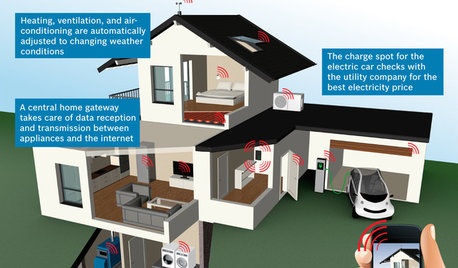
THE HARDWORKING HOMECES 2015: Inching Toward a Smarter Home
Companies are betting big on connected devices in 2015. Here’s a look at what’s to come
Full Story
MOST POPULARHouzz Tour: Going Off the Grid in 140 Square Feet
WIth $40,000 and a vision of living more simply, a California designer builds her ‘forever’ home — a tiny house on wheels
Full Story
GARDENING AND LANDSCAPINGHow to Move Your Movies Outside
How to get the shows you want to watch to your outdoor TV
Full StorySponsored
Richard (Vero Beach, Florida)