

Can you recommend good speakers for listening to music on my computer?
5 years ago
last modified: 5 years ago
Featured Answer
Sort by:Oldest
Comments (19)
 5 years agolast modified: 5 years ago
 5 years ago
Related Discussions
How to get music from CD to my computer
Comments (25)LL, 95% of my music is in mp3 format and some are left in the reg, they all play when they are in itunes folder. You don't have to convert them I did because I put them on an IPod and because I would burn them to a cd for the car and I could get 22 songs on the CD instead of 10 or 12. I convert them to MP3 by using Roxio, but other software will do it also. I make a playlist in Itunes...under file, "new",name it, then copy and past the songs from my music folders to the playlists in ITunes. It may take some practice. I have a playlist for my favorite songs. When I hear one I really like, I copy and paste it in favorites. It will then be in my favorites and in songs. If I had it to do over I would copy and paste them straight to the playlist and they automatically goes to "songs". I had a lot of duplicates leaning how to do this. If I want to listen to one particular singer or all songs I click on the right option and I set the controls to random. You can delete any songs from the playlists. It will ask "from the computer or just the folder". I would suggest when you get this set up like you want it back the music folders so you don't have to do this all again. If you buy a new computer and need to install Itunes again it will/should install with your folders just like they were. Aren't computers wonderful? I don't travel any more and don't need an ipod so I bought a radio with an ipod dock and can listen to a thousand songs in random if I want. The radio is a Memorex and sounds as good as my Bose. Very nice. I love music, I call it therapy for the soul. My taste in music has changed over the years, I love some of all music....See MoreMusic and my computer, I'm totally ignorant
Comments (14)I personally would not suggest using Itunes unless you are using related products it can cause problems if not. I would do the simple method Copy music files from an audio CD Insert the Audio CD and start Windows Media Player. If WMP is in Skin mode, press CTRL+1 to view WMP in Full mode. Click Copy from CD. Or, on the File menu, you can click Copy, click Copy from Audio CD, and then choose the drive from which you want to copy. Click to select each audio file that you want to copy. By default, all files that you have not already copied are selected. Click Copy Music. This copies the file into the My Documents\My Music folder by default. another very simple method where you do not even have to use windows media player is, you pop in your CD into your computer's CD drive, it should pop-up a window asking what you want to do with it. Open the contents of the CD and you'll see all the songs on the CD. If a window does not pop up and the CD starts playing, stop it and go to> Start -> My Computer -> the CD drive with your music CD to see the contents of the CD (you might have to right click on that drive and select explore to view contents). All you have to do from here is highlight all the songs and drag and drop it into a folder that's on your computer or on your external drive, or even easier once they are highlighted right click on that area and choose copy to and find the folder you want to copy them to, usually the My music folder....See MoreOther Defragment Programs on my XP computers & computer noise?
Comments (18)Two steps backwards, one step forward. While dealing with the impending death of my own pc's hard drive, I had plenty of time to work on her computer. I opened the case. Cleaned out the dust bunnies much more thoroughly than I had in October. I found the fan - and actually took it out and cleaned it thoroughly (mostly compressed air, and a little damp cloth). I did remove the label and add a drop of WD 40. (While I was at it, I searched for replacement fans in case this didn't work - and bookmarked some - it would be so simple to replace if needed.) Put the pieces back together and started it up. Still noisy. I started organizing her files, deleting duplicates and ridiculous things she didn't even know she had on there. I put everything in logical folders - then copied her 16GB of video (Ipod videos and flip share) onto a 32mb flash drive. Deleted 8gb of that video bc. it's also on her ipod. Then I ran auslogics defrag. Defrag was 100% successful - and she now has about 15GB free on a 40GB drive. Now the noise is less. I hear the fan a little - but you have to stop to listen. Not sure if it just took running a little for the oil to do it's thing. From what folks said earlier, it's unlikely that freeing up space and defragging reduced the noise. So far, so good. (I even think I could have turned it on with the case open - but i didn't have to.) Thanks. Lynn....See MoreMy computer sound is gone! Can you help?
Comments (11)Take a good look at duluthinbloomz helpful entry. This is a good example why I ask questions like this here rather than the Computer Forum. There I would have likely had someone say "check your volume control!" She -- explained exactly where to find the volume control and how to handle it ---- That is my kind of language! I love asking help from people who speak the same language and at the same speed! LOL BTW -- If help didn't come here, I would have had to go to the Computer Help Forum -- but always here first! Thanks everyone! Don't you just wonder if there will ever be a time of not needing those "Dah!" type reminders!...See More 5 years agolast modified: 5 years ago
- 5 years ago
- 5 years ago
 5 years agolast modified: 5 years agoginjj thanked Richard (Vero Beach, Florida)
- 5 years ago
- 5 years agolast modified: 5 years ago
- 5 years ago
- 5 years ago
- 5 years ago
- 5 years ago
- 5 years ago
Related Stories

MORE ROOMSHome Tech: Speakers Matter (and Can Look Good, Too)
See why high style and high fidelity needn't be mutually exclusive
Full Story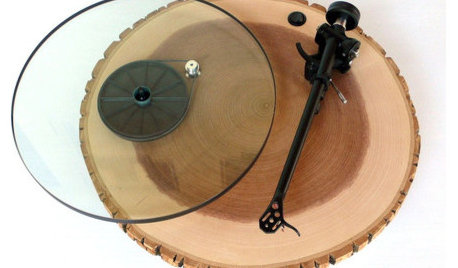
PRODUCT PICKSGuest Picks: Listen Up!
20 stylish turntables, radios and MP3 players to bring music into every room
Full Story
FEEL-GOOD HOMEThe Question That Can Make You Love Your Home More
Change your relationship with your house for the better by focusing on the answer to something designers often ask
Full Story
FEEL-GOOD HOMEIs Your Bedroom Designed for a Good Night’s Sleep?
Find out how the right nightstands, bedding, rugs, TV and storage can help you get more restful slumber
Full Story
FEEL-GOOD HOMEHow Your Home Can Help You Get 8 Hours of Sleep
A long and undisturbed night’s sleep is good for your health, research shows. Check out these ways to slumber better
Full Story
DECORATING GUIDES9 Lessons We Can Learn From Drawing Rooms
Let these formal rooms inspire you to create entertaining spaces that encourage conversation, music and games
Full Story
STUDIOS AND WORKSHOPSYour Space Can Help You Get Down to Work. Here's How
Feed your creativity and reduce distractions with the right work surfaces, the right chair, and a good balance of sights and sounds
Full Story
HOME TECHWhat Chipotle and Radiohead Can Teach Us About Sound Quality at Home
Contemporary designs filled with glass and concrete can be hostile environments for great sound quality. Here's how to fix that
Full Story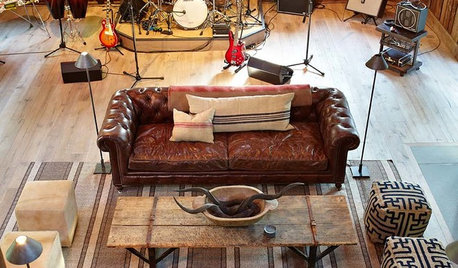
THE ART OF ARCHITECTURESound Advice for Designing a Home Music Studio
How to unleash your inner guitar hero without antagonizing the neighbors
Full Story
HOME TECHAre Smart Speakers Here to Stay?
Here’s a look at how people are using this new digital assistant and what features are available today
Full Story

desertsteph