

trying to choose ss hard drive for desktop
6 years ago
Featured Answer
Sort by:Oldest
Comments (12)
Related Discussions
External Hard drive set up???
Comments (1)If you have it in Norton Antivirus quarantine......delete it. Then if you can't reformat the Hard Drive, toss it out! Look2me was an adware program that tracks your online surfing activity. It then sends the collected info back to the originators and starts generating targeted pop-up ads based on your interests. This parasite can also redirect your web browser and hijack your homepage. In addition, Look2me can download other spyware to your hard drive, including fake anti-spyware and antivirus applications. I'd make sure that your computer is free and clear of infection and then delete all your old Restore Points and create a new one. Try running a malwarebytes scan as a precautionary measure....See MoreExternal Hard Drive/Format????
Comments (5)You may have a failing drive and it could be a problem to retrieve what is on it. Sorry. My only thought, if you are not technically inclined, is to take the drive to a repair shop and see if they can do anything to access it....See MoreNeed Help Moving Files from C Drive to 2nd internal hard drive?
Comments (9)Thanks everyone. Lots of useful methods. Mikie - it's good to know about moving entire folders (I don't have my video's in folders - yet - but am just discovering how useful that would be for shows I've recorded for a few seasons - having them altogether). I'd like to double check and ask what "a cmd window" is - and how I'd get there. Again - I have Windows XP (SP3). Sorry to say, Mikie, but I also need more explanation for what "make a shortcut to the destination , within the folder the files are in... then select a bunch of what I want to move, cut&paste onto the shortcut" means. I know someday I'll understand all of this, but I don't know how to make a shortcut to the destination. And once I cut and paste onto the shortcut, what do I do with it? Absolutely there are some big files - so I'm glad to told me to break it up into smaller chunks. I have so far. Thank you. Lynn....See MoreGetting Windows 7 on 2nd hard drive - main drive has XP?
Comments (19)More memory is good but at some point there is a diminishing return on the investment and that point is a function of what you are doing with your computer. Things like first person shooter games, video editing, photo editing (of very large files) all benefit from lots of memory. Writing an email to Aunt Betty doesn't require very much memory at all because the computer can process information far faster than you can type. Same thing for the Internet, your computer can render pages faster than your connection can supply the information. So if you have a slow internet connection, you're not likely to experience much, if any improvement. With that said, 4 gigs is probably a pretty good number. If you really want a WOW factor, get a solid state drive and use that for your O/S and critical applications. To try and answer some of your questions: - Windows doesn't care about the physical drive or any logical partitions. It does make good sense to install Windows 7 on the newer, faster drive. You'll get the best performance that way. When it comes time to get rid of XP, everything will be on one drive and that, if nothing else, should help you keep things mentally organized. - My understanding is that you have two physical drives, one with a functioning version of XP and the other blank. If that is not correct, say so NOW. - When you go to install Windows 7, it will recognize that there is another operating system (Windows XP) already installed. Windows 7 won't do anything to XP other than to set up the dual boot. Essentially it's computer language that says, "XP is there, Windows 7 is here, which one do you want to use?" - Logical partitions to a drive a largely a function of personal preference. Understand that it is more difficult (but not impossible) to non-destructively repartition a drive after you put data on it. If you, for example, have a partition for music, another for videos, and a third for pictures and find down the road that you have a lot more videos than music, it becomes more difficult to rearrange things. My suggestion is a single, large partition and use folders to organize your data....See More 6 years ago
- 6 years ago
 6 years ago
- 6 years ago
- 6 years ago


Related Stories
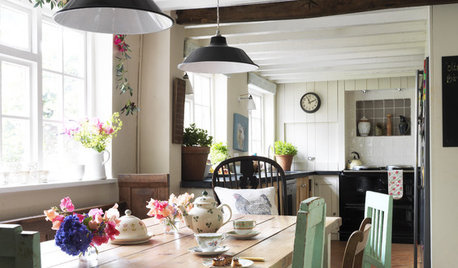
MOST POPULAR4 Obstacles to Decluttering — and How to Beat Them
Letting go can be hard, but it puts you more in control of your home's stuff and style. See if any of these notions are holding you back
Full Story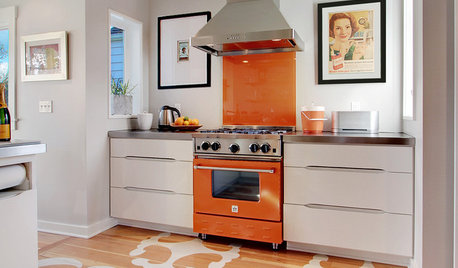
HOUSEKEEPINGHow to Clean Your Range and Oven
Experts serve up advice on caring for these kitchen appliances, which work extra hard during the holidays
Full Story
DECORATING GUIDESThe Dumbest Decorating Decisions I’ve Ever Made
Caution: Do not try these at home
Full Story
DECORATING GUIDESHow to Savor Your Beautifully Imperfect Home
Hardly anyone escapes home design envy. These strategies can help you appreciate your home for all it offers you right now
Full Story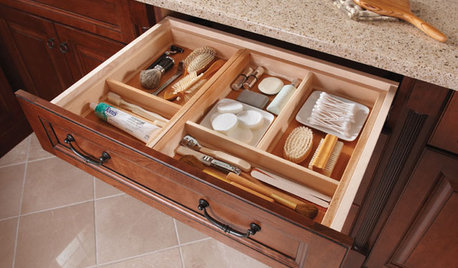
MOST POPULARHow to Create an Inventory, Whether You're Naturally Organized or Not
Documenting your home items is essential, even if disaster seems unimaginable. And it may be easier than you think
Full Story
ORGANIZINGGet Organized: Are You a Piler or a Filer?
Tote out the bins and baskets and learn how to be an organized piler if file cabinets leave you cringing
Full Story
MOST POPULAR5 Ways to Pare Down Your Stuff — Before It Gets in the Door
Want to free up some room around the house? Rethink gift giving, give yourself a shopping mantra and just say, ‘No, thank you’ to freebies
Full Story
DECORATING GUIDES10 Feminine Workspaces for Hardworking Women
Glam, girly or with a powerful palette, these home offices and workspaces give working girls and women the designs they deserve
Full Story
DECORATING GUIDES10 Popular Home Design Trends — Timely or Timeless?
Weigh in on whether these of-the-moment decorating elements will have staying power or become a memory of these times
Full Story
DECLUTTERING9 Exit Strategies for Your Clutter
How to efficiently — and regularly — rid your home of the things you don’t want
Full Story
More Discussions

Elmer J Fudd