

The Cloud -- do you save photos and documents there?
7 years ago
Featured Answer
Sort by:Oldest
Comments (19)
Related Discussions
How can I save this to documents
Comments (7)Look at this link and you'll find the following in CREATE AND PRINT LABELS 9. Before you print, place your label sheets in the printer. To print the labels without saving your setup, click Print. To preview, or to save the labels in a document you can use again, click New Document. Save the document, or print the labels by clicking File > Print and clicking the Print button. Here is a link that might be useful: office.microsoft.com...See MoreWould you result the size of your photo collection to save space?
Comments (4)Thanks I have webshots, but I don't pay for it. I ended up paying for photobucket. I was just wondering if there was an ideal size to save them, since not all of them are worthy of saving full size. I like to look back at them sometimes to see how I am progressing. The largest size is only good enough for really great photos, or if I am cropping them to see a flower or something like that. I have the best ones saved in special folders. I probably should pay for webshots, because it has too many ads for me to use anymore, but it has more room for descriptions. Photobucket is ok for linking, but I can't write any text about the images. If you lose your photos, can you use webshots to get them back? The thing is I save them on websites at small size, so they will appear faster on a slow computer, so if I only had that as a back up they would be too small, and now I am have so many that it would be too much work to go change that. Just a few years ago, most people had slower computer connections. Websites encouraged people to save them at a reduced size, back then. Now, they want me to save them full size. Things are changing. I am very impressed with paint net, I found it on cnet. It's free and it's almost like photoshop....See More? re Saving a document to a CD
Comments (17)I have to disagree here. Finalizing is what is done on CD-R disks, I don't recall ever finalizing a CD-RW disk since the purpose of CD-RWs are to be reusable. Finalizing will render the disk unwritable in the future. CD-RWs can be tricky. They're not always compatible between cd drives. Also, CD-R disks don't always have to be finalized. It depends on the hardware being used. Once a disk is finalized, you cannot add any more to it. However before that you can and in a sense use it like a CD-RW. Again, it's not a clear issue. Sue, I'm a little unclear on what you're trying to do. Saving it to a disk certainly isn't just because you ran out of ink, at least I HOPE not! Are you trying to have someone else print it for you? If so, you could use a USB "flash" type drive if you or they have one. I think everyone should have a couple of those around anyway. They're the modern day "diskette". Another option is to email the file to get it printed. Also, if you're looking to have another person print it for you, be sure they have WordPerfect or a conversion program. Or you could print it to a .PDF and then they could open that if they have a program that will open .PDFs. Back to saving it onto CD. If you have XP or Vista, you should be able to just drag and drop it onto the icon for your CD writer drive, or click the save and save it to that drive. It should walk you through writing it to the disk. Once written, I'd suggest you rename the file on the drive, for instance rename it from "document.wpd" to "document1.wpd", then try to open the document on the CD. The reason for renaming the original file is if it was just a link, it would open the file on the drive rather than on the disk and this would be a double check. You could then name the original file back to the original name if you desired. HOWEVER, again, this does not guarantee that the disk will be readable on another machine. Things have improved over the years, but right now, CDRW is a relatively "old" technology and not being developed. BTW, jemdandy's comments are good to help make it more likely to be read on different machines. Hope I haven't thoroughly confused you!...See Moretoo many photos on phone - what to do AND iCloud questions
Comments (2)I will guess that the first step of the iCloud backup is to calculate how much data you need to back up and when it saw that there was not enough space it reported the error without backing up any of the photos. I don't have an iPhone, but can you connect it to your Windows computer? If so, you should be able to copy the photos from the phone to your computer. When I plug my Android phone into my computer, I open 'Computer' and can see the phone as a storage device. From there, I can copy the photos to Windows (my pictures folder) or delete the ones that I don't want. In your case, you could copy them to the external hard drive that you mentioned. If you already have a Photobucket account, can't you create an album of your Niece's birthday party, upload those pictures to it and send the link to that album to your sister? This post was edited by pkponder on Fri, Jan 2, 15 at 12:29...See More 7 years ago
- 7 years ago
- 7 years ago


Related Stories

HOME TECHThe Price of Storage: What to Consider When Saving to the Cloud
Free photo storage can come at a price. Here’s what to know about free and paid cloud services
Full Story
ORGANIZINGHow to Save Your Family Photo Albums
Take steps to preserve the pictures in your albums so future generations can enjoy them
Full Story
HOME OFFICESThe 20 Most Popular Home Office Photos of 2015
Technology paves the way for space-saving work areas, while designers make up for small sizes with style
Full Story
DISASTER PREP & RECOVERYHow to Save What’s Priceless When Disaster Strikes
Your careful planning before and your response after a fire or flood can help protect irreplaceable photos and heirlooms
Full Story
ORGANIZING4 Questions to Help You Organize Your Favorite Photos
Organize your keeper photos with a system that's just right for you, whether it's in the cloud or you can hold it in your hand
Full Story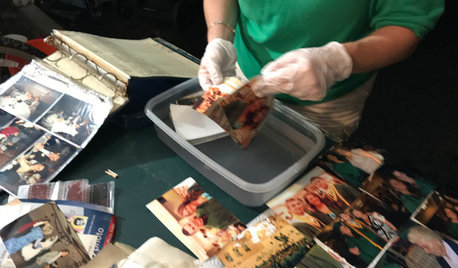
HOME TECHHow to Rescue Your Water-Damaged Photos
Learn the tools you need and the steps to take to save photos that have been damaged by exposure to water
Full Story
ENTRYWAYSThe 10 Most Popular Entry Photos of 2016
Take a look and see if you saved any of these top entryways of the year
Full Story
HOME TECHHow to Get Your Photos Off Your Phone and Into Your Home
Take these 4 steps to organize your phone’s photo clutter and save the images you want to keep
Full Story
TRENDING NOW8 Beautiful Blue Powder Rooms From Spring 2020’s Top Photos
See how this classic color can add style, surprise and serenity in various ways to a small space
Full Story
ORGANIZING4 Types of Photos That You Need to Delete Right Now
Remove these not-so-great images to make way for more, and better, memories
Full Story
Sammy