

Linux multiple screens
7 years ago
last modified: 7 years ago
Featured Answer
Sort by:Oldest
Comments (7)
- 7 years ago
Related Discussions
Changing Boot Order (Linux Live CD)
Comments (17)I also did not want to mess too much with my windows so when I boot my machine I immediately hit the Esc key which takes me to the boot order screen and there I select the one I want to boot too, if I don't do that it will default to windows and boot right up to windows. So I only have to access that menu if I am booting into the linux drive. May be weird to some but it works fine for me just one little extra step to take in the bootup for linux. When I select the drive with linux then it begins that boot process, says loading grub and then up comes my Mepis. My linux guru was here visiting last year and that is when we tackled installing the new hard drive, I was glad he was here! I am not very good at that kind of stuff so he handled most of the process. for those considering linux you might check your area to see if there are any Linux user groups or LUGs around that is an excellent way to meet linux users and get hands on help. You can look them up online using google. Mint is a good choice for new users, not sure if openSUSE would be. if you go to distro watch they list all the flavors and you can click on each and get some info on them. I also love the coding studio site, you can click on each distro and see it in pictures, they have changed the site and it is not as good as it used to be but still ok. The Coding Studio OS Screenshots Here is a link that might be useful: distrowatch...See MoreDo you use multiple tabs or multiple windows
Comments (35)I don't know how I did it but I somehow have created a folder in the bar right below the address and I can drag and drop into that folder with FF 3.x. Then I sort into meaningfully named folders at my leisure. I can drag and drop down from the address or up from anywhere on the screen. This seemed very different and awkward for about a day and a half and then it became so natural I can bookmark without thinking....See Morelinux from usb thumb drive
Comments (12)it is really worth it zep. Do you have linux at all on your pcs? I really am loving it and rarely use my windows boxes anymore. I really recommend Mepis for a really easy to use distro. Most say Ubuntu or Kubuntu and they are good distros I prefer Kubuntu since I like KDE but of all I have tried I go back to Mepis, there is a brand new version in the works right now, it should be out with in a few months. there is a lite version of Mepis called AntiX not sure if it fits on a thumb drive or not. You are still getting the doubleclick after adding ad block? Oh I bet you need to go add a subscription hang on this is the one you need to add, Easylist, go to Tools then click on adblock plus to go into your settings area then click on filter tab and add filter you need to add Easylist USA Under the options tab all should be checked. Known Adblock Plus subscriptions Adblock Plus It used to be that everyone was told to add filter set G but the developer now says NO not to add that one, here is that info FAQ Do I need to install Filterset.G...See MoreHow necessary is anti-virus protection for Linux Cinnamon?
Comments (13)"tired of the habit Windows has of constantly trying to plug me into deals to monetize me" I don't use Windows enough to know for sure what you mean but maybe you mean those "Modern Apps"? Maybe that's why they're willing to give it away for free? The last computer I bought came with Windows 10. The first thing I did was go though the menu, turn off the annoying (to me) live tiles. Then I removed whatever I wasn't interested in that I could. Some by just removing from "Start". Others by uninstalling (right-click and read). The others that offered no easy way of uninstalling, I used PowerShell to remove. (I think CCleaner now offers a way to uninstall them?) " ... I'm intending to replace everything on my new ssd with everything on my old, now Linux machine ... " That should work the same as the first time. Or easier since you've done it before. If you haven't, you may want to create a boot-able version of your cloning software. If Linux is fast on the older spin drive, it will be even faster on the ssd. Especially booting. " ... trouble getting the computer to let me boot from anything except the Windows C drive ... " On my Acer F12 lets me select the boot device. You'll might want to go into BIOS/UEFI and change the boot order though. So you don't have to select it every time. I just not long ago got around to getting a computer with UEFI instead of the older BIOS. I had a lot of trouble learning how to deal with it. I'm still not 100% confident using it. So... I keep images just in case. And just in case I somehow mess up grub so badly it won't boot (I have): Super Grub2 Disk Of course, if you blow away Windows, you won't have to worry about boot order. I keep Windows as dual boot in case I want to use it. And I do use it, if for no other reason than to boot into and use Macrium Reflect to image my Linux drive. Gives me nice small images and it's quick....See More- 7 years ago
 7 years agolast modified: 7 years agobengz6westmd thanked Richard (Vero Beach, Florida)
- 7 years ago

Related Stories

LANDSCAPE DESIGNThis Hillside Garden Succeeds on Multiple Levels
Once a kids’ playspace, this terraced backyard now has a hot tub, dining area and other lounging spots for grown-up fun
Full Story
MORE ROOMSTech in Design: Where to Put Your Flat-Screen TV
Popcorn, please: Enjoy all the new shows with a TV in the best place for viewing
Full Story
LANDSCAPE DESIGN4 Yards Gain Pretty Views With Creative Privacy Screens
See backyards and side yards that avoid unattractive views with effective fences, walls and plantings
Full Story
LIFE10 Ideas for Making Screen-Free Play a Reality
Here's how to tempt your children with activities that will encourage their creativity and keep them away from the TV
Full Story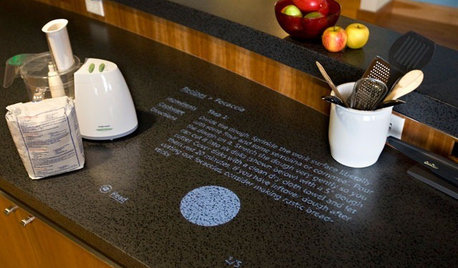
HOME TECHComing Soon: Turn Your Kitchen Counter Into a Touch Screen
Discover how touch projection technology might turn your tables and countertops into iPad-like devices — and sooner than you think
Full Story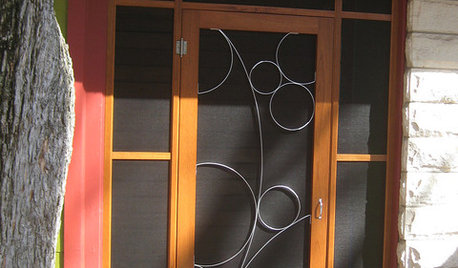
REMODELING GUIDESLet Screen Doors Mesh With Your Style
If you're spoiling all that lovely extra light and fresh air with a dull screen door, consider these imaginative options instead
Full Story
CRAFTSCelebrate Fall With Silk-Screened Leaf Candleholders
An unexpected twist takes these stackable embellished candleholders from wonderful seasonal decor into the realm of art
Full Story
ARCHITECTUREIt Takes a Village: 2 Homes Made of Multiple Structures
Separate buildings join in style and intention in these home bases, showing that sometimes more is just right
Full Story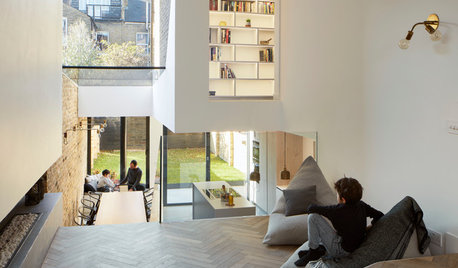
HOMES AROUND THE WORLDHouzz Tour: A Garden Connection That Works on Multiple Levels
Architects open up a Victorian in London to create a bright, spacious and fun home for their family
Full Story
FLOWERS AND PLANTSPlant Ilex Cassine for a Privacy Screen That Feeds the Birds
Dahoon and its hybrids provide lovely evergreen foliage in southeastern U.S. gardens
Full StorySponsored
Richard (Vero Beach, Florida)