

MacKeeper - a Come-on? MalWare? Etc.?
8 years ago
Featured Answer
Sort by:Oldest
Comments (9)
 8 years agolast modified: 8 years ago
Related Discussions
FYI--Malwarebytes doing it's job! O.T.
Comments (25)The more I think about it, without an emotional or 'girlie' response, the more I CANNOT believe GW would be allowing malware knowingly! If they have a sponsor ad with it in it, I hope they will do all they can to dispense with it and those responsible for it!! Cyber *intrusion* is a reality I'm afraid and most of us will encounter some level of it if we are actively using our computers. The most we can do, is make sure our protection is always updated (I failed to do that on one) and that we take the next step from 'free' to a more advanced protection (I've done that) and be sure we have them properly registered when we go that next step (failed to do that with Malwarebytes, as I mentioned before). As I pointed out, Malwarebytes did not proactively 'block' the IP I detailed above until I not only had gone the next level, but registered it then BINGO--there it was!!!...See MoreWOW..am I ever slow now
Comments (27)sometimes it depends on which type of email client you use but my guess is that you do probably have a lot of your mail stored on your pc. Keeping things in mail form is not a good idea any way if you find them important. I would save all of those pictures off to DVD's or flash drives or external drives, at the very least set up an online storage for them to get them off the pc and in a safe place. You can use photo album sites or you can use a back up site like Adrive which I use, they give you 50gig of free space which is a lot and you can purchase more. http://www.adrive.com/ it is super easy to use. you can move batches of files from your pc to the site for storage. For the pictures you have in your emails you need to actually save them to pc by right clicking on them and save as and then put them in a folder on your pc, then from that folder you can move them to DVD or online storage etc and then delete the folder and contents. You could set up different folders to do some organizing of the pictures at that time too. so you have a 300 gig drive but have partitioned it to only have a total of 61.2 GB? If that is the case your other partition can be used to store a lot of that kind of stuff, however of course should you have a drive failure you would lose it no matter which partition it was on so having them saved off the pc is a good idea too. Why was it partitioned that way and how many partitions are there and what sizes? I am assuming this is xp? I don't remember. go into your event viewer and look for red or yellow flags if you see any double click on that entry to get more info, see if you see any that say something about saved users registry because something was still using it, I don't remember the exact wording but that is close. I think you may benefit from running the hive cleanup tool. User Profile Hive Cleanup Service Definition of what it is from online: What's User Profile Hive Cleanup Service "Frequently, a driver or application leaks registry handles, which means the driver or application opens the registry but doesn't close it. The open registry isn't a problem until you log off, when the profile of the logged-on user tries to unload the user's registry but fails because it's still in use. An open registry connection is a major problem if you use roaming profiles; because the system can't unload your profile, Windows can't copy it back to the profile storage server. If the system doesn't unload your profile, when you log on the next day you'll receive an error stating that your local profile is newer than your remote profile. Typically, with this problem an administrator will see event ID 1517, 1524, or 1500 in the event logs. Microsoft provides a service called UPHClean, which checks for leaked connections to the registry and cleans them up, thereby letting a user's profile unload cleanly so Windows can copy it back to the remote profile storage area. You can download UPHClean at Web site. Your best option is to download file UPHClean-Setup.msi, which you can then deploy through Group Policy or--if you need to deploy UPHClean on a large scale--Systems Management Server (SMS). You need Administrator privileges to install UPHClean interactively. I've used UPHClean many times, and it has always fixed the profile-locking problems." another download location for it User Profile Hive Cleanup Service 1.6d give that a shot and see if it helps, as always I suggest creating restore points before installing anything so that should you need to revert you always can. I have had to use the hive cleanup tool on some of my xp machines....See MoreCruise Critic & food network
Comments (13)cynic do a google search on it and palladium virus... everyone is complaining about it, you get it just from visiting the site, just like cruise critic. my dh warned me about the palladium over the weeknd, since i do go there, or did, i should say. i did not go to cruisecritic.com directly from FB and do not go on FB at work because i am a puter security snob and know the security at work is pathetic. i suspect the network because while scanning my wk puter i found infected internet temps files from our other location w/ that employees profile id. they know it's not me since there is a log & puter record of all activity. it was the same malware and viruses on all other puters these 2 kids used over the last 6 months. we all have the same passwords so everyone can jump on any puter :-/ i also completely cleaned mine up last friday but on monday some things were back... this business is owned by 4 brothers who just learned how to txt and email, isn't that the most pathetic?! they do not understand anything about computers and believe the computer guy is too expensive and always trying to sell them something. they are plant growers not business people. our server is 5+ yrs old, often needs to be taken down, has 2 many users and too many users surfing the net w/o protection. we are also using a Great Plains (Pains) version from 2002 LOL and slowly loosing data over time, they just think someone is deleting it but no one is, our system is too old and corrupt. my puter which is from 1999 has been going bad slowly, i'm the one responsible for shipping $10 mil of plants which is about 85% of our income and i was told by the office manager (daughter of an owner) to figure out how to back up my email and contacts for when it does go bad LOL. it does not have a dvd drive and i'm not sticking a jump drive of mine on it LOL! it sooo sad all i can do is laugh about it... and thank gawd i'm only there thru the rest of the yr hopefully ~ liz...See MoreThanks for suggestions and help
Comments (4)that is great! it should keep on keeping on for a good while now. Just remember to run those scans with the malwarebytes and update it before scanning!...See More 8 years agolast modified: 8 years ago
- 8 years agolast modified: 8 years ago
- 8 years agolast modified: 8 years ago
- 8 years agolast modified: 8 years ago
- 8 years ago
- 8 years agolast modified: 8 years ago
- 8 years ago
Related Stories

DISASTER PREP & RECOVERYHurricane Harvey: How You Can Help
Want to donate or volunteer to aid victims of the storm? Here are groups assisting with disaster relief and recovery
Full Story
HOME TECHThe Bathroom of the Future: 4 Places for Tech in the Bathroom
Digital shower controls, smart mirrors, high-tech toilets and innovative faucets can add efficiency and convenience
Full Story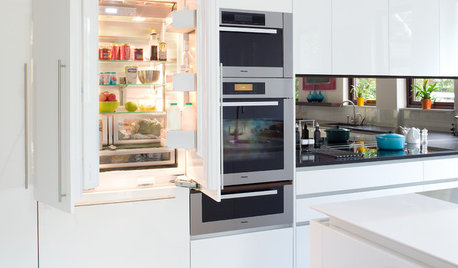
KITCHEN DESIGNA Designer’s Picks for Kitchen Trends Worth Considering
Fewer upper cabs, cozy seating, ‘smart’ appliances and more — are some of these ideas already on your wish list?
Full Story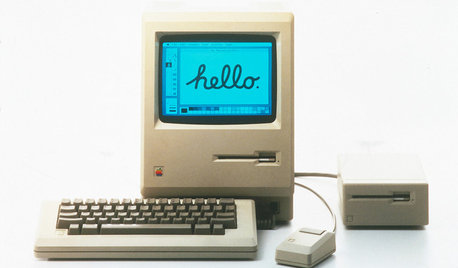
HOME TECHTurn 'Obsolete' Tech Into Fun Home Help
Here's how to put your old Mac, Atari or Newton to work around the house
Full Story
MOST POPULARHouzz Quiz: What Style of Kitchen Should You Have?
Should you be cooking up a storm in a modern, traditional, farmhouse or another style of kitchen? Take our quiz to find out
Full Story
ORGANIZINGHow to Manage Your Daily Mail
Prevent a snail-mail pileup by creating an efficient sorting center and reducing the mail you get. Here’s how
Full StorySponsored
shaxhome (Frog Rock, Australia 9b)