

what computer security do you use
8 years ago
Featured Answer
Sort by:Oldest
Comments (29)
 8 years agolast modified: 8 years ago
 8 years ago
Related Discussions
Computer Security for Dummies
Comments (9)if you want help from us then and then won't do what tasks are asked then there is no way we can help you. WE could send you to one of the support forums specific for clean up but you must run the scans and tasks that are asked for us to see what is on the machine if we don't know then there is no way to help clean it. If zep is asking you to run something you can rest assured it is NOT something to hurt you it is to see what you have lurking on the pc. There is a difference between antivirus programs and all the other things you mentioned. You can only have one Antivirus program running at a time you have MSE that is fine. You can have several other anti malware programs on the pc because they do not run till you start them up and run a scan you only do one at a time. Malwarebytes is great be sure you update it prior to running the full scan weekly, another is superantispyware also update prior to running full scan. The other thing you should have is spywareblaster you just open it weekly and hit the update button then hit enable all protection so the shield turns green that is it it sits there and does it's thing. I would also suggest putting WOT on your browsers so you are warned if a site has a bad reputation or is dangerous. Use this tool regularly to check for updates to other things on your pc , the majority of infections today are happening because of not updating your flash, java, adobe etc programs they must be updated and so must windows so do all those updates. Secunia Online Software Inspector (OSI) run online virus scans occasionally to see if they find something your MSE missed ESET�s Free Online Scanner You want to quarantine because if it happens to be something that was needed then you can go back and get it, when they are in quarantine you need not worry about them just leave them alone. If you would feel better going to a support forum for help in examining what you are dealing with here is the link, you will need to register there and post your question in this forum area. I am there also if you need help let me know. Analysis and Malware Removal If you read through some of the posts there you will see how many people are helped and are thankful for that kind of free assistance....See MoreWHat do you use to secure glass tops to a table??
Comments (7)I used clear ones and for some reason when I removed the glass after quite awhile mind you, they had caused the wood where they rested to look lighter. I later was told that those rubber discs have some sort of acid in them that damages wood, especially if the wood is near a sunny window. Mine was not near a window however. I put the glass on the top of the table to protect it from my kids hoping that one day I could remove it, but now there are a number of strange looking spots....See MoreWhere at home do you compute? (use laptop, surf net, etc)
Comments (26)We generally lounge in the living room with the laptop and iPad while watching tv. I take the iPad with me wherever, be it the kitchen for a recipe, up to the library (I know, sounds grand, but it's just a 9x13 bedroom I converted), or outside. They slide under the couch when not in use. We also have a desktop in the office (another converted bedroom, we only need 1 and have 3). DH mostly uses that for things like paying the bills, photo editing since he is really into that and it needs tons of processing capacity, and I use it when I need to print things. Someday I will updat my iPad software so I can print, but I've got other stuff to do. We also have assorted cords for things on every window sill downstairs. I am trying to find a place for a charging station thanks to GW. I would LOVE to get all that stuff organized and tucked away. I think the above suggestion to think about why you gravitate to the current location will help a lot with where to put a computer area in the new space. For me, since I do not currently have a job that requires me to tote a laptop around, it's not a big issue. Plus between residency and traveling to assorted professional meetings I have become pretty good at balancing a computer at just about any angle. Being tied to a set spot with an actual chair to sit upright in feels a bit boring now. I also like to multitasking my time wasting/procrastinating....See Morecomputer security question
Comments (10)How have you paid for the McAfee before? If it came free on a new pc then it's reached it's free limit and must be paid for. If you got it free through your Internet provider it should remain free unless you change provider or they no longer offer it free. However before you can install and activate any other anti-virus program you must fully uninstall the McAfee. They provide a special removal tool which should be used, removing it through the add remove in control panel doesn't do a thorough job and can cause conflicts. For free versions I use Avast free also. Be sure when going through the download and install you read each page very carefully and uncheck all extras other than the Avast anti-virus and choose the custom install option so you can see those extras that you need to uncheck. You can choose to get it from the ninite site which will remove all that for you if you like. I can give you some links....See More 8 years ago
- 8 years ago
 8 years ago
 8 years agolast modified: 8 years ago
- 8 years ago
- 8 years ago
- 8 years ago
- 8 years ago
- 8 years ago
 8 years ago
 8 years agolast modified: 8 years ago
- 8 years ago
- 8 years ago
- 8 years ago
- 8 years agolast modified: 8 years ago
- 8 years agolast modified: 8 years ago
- 8 years ago
- 8 years ago
- 8 years ago
- 8 years ago
- 8 years agolast modified: 8 years ago
- 8 years ago
- 8 years ago
- 8 years agolast modified: 8 years ago
- 8 years ago
- 8 years ago
Related Stories
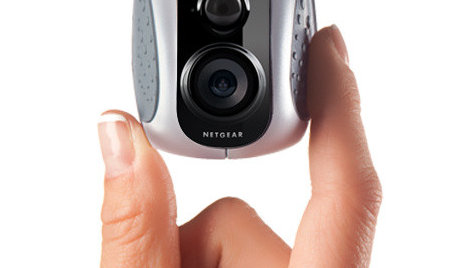
HOME TECHWatch It! New Cameras Let You Video Chat, Stay Secure and More
Wouldn't it be great to have a single camera for home security, checking pets, chatting online and making videos? Now you can
Full Story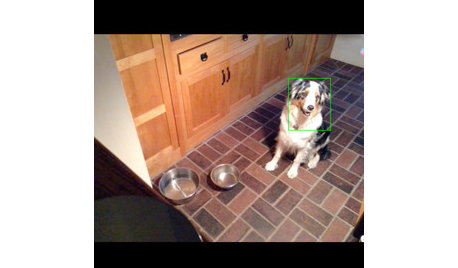
HOME TECHTurn Your Smart Phone Into a Home Security System
Monitor your home a less expensive way by putting your phone and some new gadgets to work
Full Story
To-Dos: Your August Home Checklist
Make your home safe and secure and start getting organized for fall
Full Story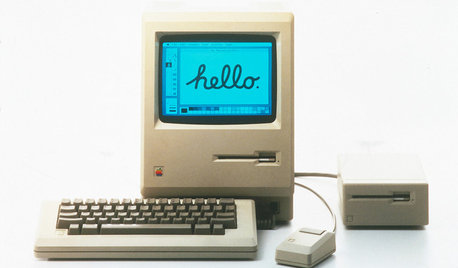
HOME TECHTurn 'Obsolete' Tech Into Fun Home Help
Here's how to put your old Mac, Atari or Newton to work around the house
Full Story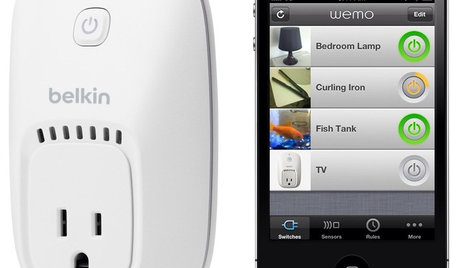
HOME TECHOn the Internet, Nobody Knows You're a Lamp
Home appliances and devices are poised to get on the Internet and start messaging one another. Here's why that'll be great for you
Full Story
HOME TECHTech to the Rescue: How to Get Stolen Gadgets Back
Catch any crook who dares steal devices from your home with recording and tracking technology that's easy to use
Full Story
HOME OFFICES9 Hacks for a Clutter-Free Home Office
Use these clever ideas to transform a chaotic study into one that’s more conducive to working
Full Story
HOME TECHDoes Your Home Need an Operating System?
New technologies hope to unify the lawless frontier of home-automation products. Would they work for you?
Full Story
MOST POPULARHow Bluetooth 4.0 Will Change Remote Control
Manage lights, TV, refrigerators and more through your phone or tablet when the latest wireless technology rolls into all your home devices
Full Story
HOME TECHSwitch On the Phone-Controlled Home
Lock your front door from afar, let your thermostat set itself and more when you use your phone as a control device
Full Story
Elmer J Fudd