

Printer Set up Help ?
8 years ago
Featured Answer
Sort by:Oldest
Comments (7)
Related Discussions
wireless printer set up?
Comments (6)I disagree with Zep, there's no reason you couldn't use a wireless LAN to communicate with the printer but setting it up might not be easy. What is the manufacturer and model number of the printer? How many computers need to share this printer? What operating system does each have installed? Do each of these computer(s) have a wireless network adapter or have a wired network adapter? If the later, can the router be place in close enough proximity to the computer(s) to run a cable between the router and computer(s)? What manufacturer and model number of router? Usually that information is on a tag on the bottom. If you have multiple computers and a dial-up connection I'm guessing you take turns connecting to the Internet? I mention this because it is possible to share a dial-up connection. Obviously speeds are pretty slow but it's better than waiting....See MoreHelp setting up DH's new laptop
Comments (11)Snidely - good point about not removing things if they're not causing trouble - lest they turn out to have been needed. So I have left some things that I have no idea about. I did delete Dell Stage - bc. it's a real pain - gets in the way all the time (my daughter who's had this on her laptop for 2 years confirmed that it's just in the way). I did all the microsoft updates, ran a few antivirus, got rid of what I want to get rid of, and it's mostly good to go. Here's the trouble that remains: I can't get the printer working. It's a Canon Pixma MX850 - on the home network. I did not want to install the Canon disk bc. it has a ton of it's own bloatware. So I went to Canon and downloaded the driver - as well as the IJ utility software (I think that helps the computer find a printer on the network). Went to devices and printers, added the printer and made it the default printer. It shows up in printers and devices, but when I go to print something, it fails. Troubleshooting says the test page didn't print bc. something else is in the queue. But there is nothing else in the queue. I opened the queue from my pain desktop (that's connected to the printer) - and there's no documents in the queue. Went to the printer queue on DH's lapto; - it also shows nothing in the queue. I can print from other computers. Don't know what else to do. And I just remembered that I did not see Java. It didnt come up as needing updating when I ran the Secunia scan. I am not sure which programs need it, but can imagine my husband being stumped if he tries to do something that needs Java and asks him to install. I'd like to install it for him. Got to remember that. I also have a question about Microsoft Security Essentials. Twice now it found something bad - and I selected to remove the couple of files. Does this AV just run in the background or do I also need to run scans? Thank you. Lynn....See Morenetwork printer set up
Comments (16)That is what I've already done. It's what I mean when I said I didn't find any help from help and support. I try to get this fixed, get frustrated and shut down. When I try again, I've forgotten what I've done, so I do it again. I've done all those steps many times. I'm surprised that getting a router to work, setting up the home network, has been so difficult. Many pages of instructions printed out, many hand written, which is difficult for me. Have laptop accessing internet, which is good. Am just trying to share the printer that is plugged into home computer with XP. If this is not possible, I wish someone would tell me and I can go on to something else. I have no formal training on computers. Still a lot I see on here that I have no idea what is it, what it does, but I can read it. Like reading the "services" in control panel. I've been trying to get this to work for several weeks. I just noticed in sharing and network, that it only shows the laptop(Vista) router and internet. Then I hit "map network" and did not get the home (XP) computer to show. Have used or performed all steps shown in Vista to get this to work and it does not. HP website states that my old psc 950 driver is already installed onto Vista. I don't know what to do next. I'm frazzled. Thanks bob414 for the suggestion....See MoreNeed help with light set-up
Comments (5)Glad you found the tubes. On the roots: they respond more to how much light the plants get than to the bulb brand, so a few things help whatever tubes you run. Keep the tubes 2 to 4 inches above the seedlings and raise them as the plants grow, because fluorescent output drops off quickly with distance. Run them 14 to 16 hours a day on a timer. Swap tubes every couple of seasons even if they still light, since they dim with age. And when this batch runs out, a new LED shop light is the easy replacement now that T12s are being phased out; LEDs run cooler, so you can keep them close without scorching the leaves. For root growth itself, gentle bottom heat and a seed-starting mix kept moist but never soggy often make more difference than the light. Full disclosure: I run Ali's Home Organization Boutique, which sells grow lights and hydroponic kits....See More 8 years ago
- 8 years ago
Related Stories

FARM YOUR YARDHow to Set Up a Productive and Beautiful Edible Garden
These 8 design strategies will help you design a hardworking kitchen garden that’s as gorgeous as your ornamental beds
Full Story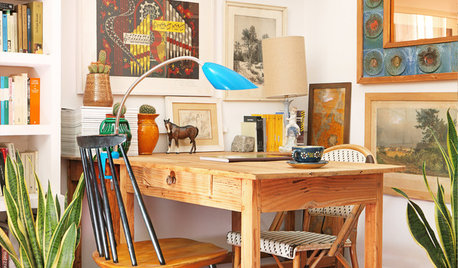
LIFEIt’s National Novel Writing Month. How to Set Up Your Space
There’s nothing like a deadline to get creative sparks to fly. The right workspace (and coffee station) helps too
Full Story
HOME OFFICESHome Offices: How to Set Up a Great Workspace for Two
See how to design a comfortable home office for both independent work and creative collaborations
Full Story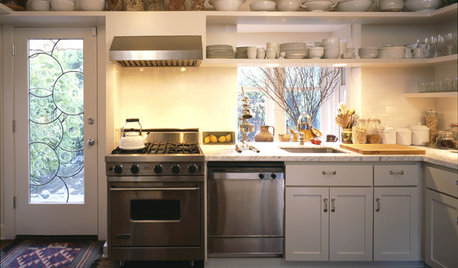
KITCHEN DESIGNHouse Planning: How to Set Up Your Kitchen
Where to Put All Those Pots, Plates, Silverware, Utensils, Casseroles...
Full Story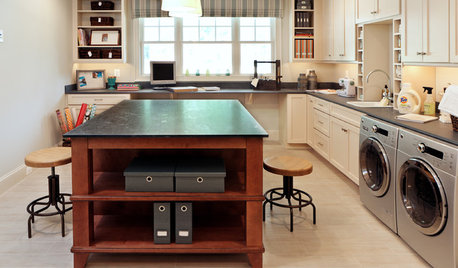
HOME OFFICESSmall-Business Savvy: Set Up a Shipping Station
Packaging and shipping products efficiently is an essential part of your creative business. Is your studio up to the task?
Full Story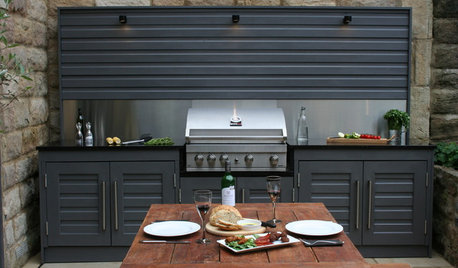
OUTDOOR KITCHENSGetting Ready to Grill? 7 Ideas for Setting Up a Barbecue Zone
If you’re planning to cook outside more this summer, check out these creative outdoor grilling areas for inspiration
Full Story
STUDIOS AND WORKSHOPSHow to Set Up a Craft Room
Keep bits and bobs from winding their way into the rest of your home by setting up a designated area for craft projects
Full Story
KITCHEN DESIGNHow to Set Up a Kitchen Work Triangle
Efficiently designing the path connecting your sink, range and refrigerator can save time and energy in the kitchen
Full Story
ENTERTAININGHow to Set Up Your Backyard for Easy Summer Entertaining
These 10 ideas add ambiance to an outdoor space and make parties more fun for you and your guests
Full Story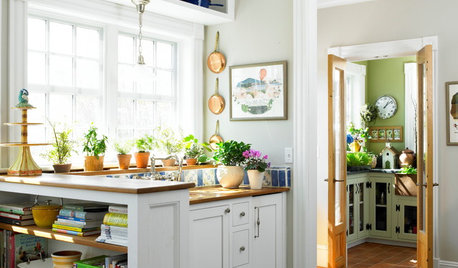
HEALTHY HOME12 Ways to Set Up Your Kitchen for Healthy Eating
Making smart food choices is easier when your kitchen is part of your support team
Full StorySponsored
Steve J