

Is there any danger letting others use your wireless signal?
9 years ago
Featured Answer
Sort by:Oldest
Comments (8)
 9 years agolast modified: 9 years ago
 9 years agolast modified: 9 years ago
Related Discussions
WARNING Elephant ears and other dangerous plants
Comments (15)Golden, thanks for posting this warning! Diffenbacia (dumb cane), philodendron are a couple of common house plants that are toxic. Pencil cactus, & so many more! I love my 2 different species of elephant ears, but they are way down back where the grandkids are never unsupervised. Same with my houseplants, I have some toxic ones, and just try to make sure the kids are never unattended around them. And I try to keep them where they're not easily attainable by them. Anyhow ... I always wear gloves when gardening. Always! (for 30+ years now) And I've never gotten poison oak or ivy rashes or anything like that. Good fitting leather gloves are best. They last for years, and are like a true second skin. Worth the investment. They have kept my hands from getting cut or injured outside so many times. Be safe and don't be eating or handling any plants that you're not sure about, and watch the kids & pets! Take precautions by using clothing and gloves when handling. Watch out rubbing your eyes, etc after handing them too. Always wash up really good after playing in the dirt! Now as for bugs flying into your mouth outside ... yep stuff like that can happen! I've got a friend who had a bug fly into his ear when we were sitting around a swimming pool outside one night ... it's funny to think of him stomping the floor board in the car everytime the bug would move in his ear when we were on the way to the hospital LOL! but I'm sure he didn't think it was funny at all! Awww, sweet memories lol ~tenderlee :-)...See MoreHow to get WIFI or other wireless
Comments (14)Regarding Comcast...they have offered the $99 special for more than 1 year now & it continues on. The $99 covers your cable (digital starter pkg), telephone (if you need a service such as LifeLine, be sure it's compatible) and 6mg internet service (basic high speed). For each cable package you add on, the fee goes up. For example, if you wish to add the Sports Network, that's an additional $5 per month in most areas. The Lifetime Channel is included with a package of channels and could be $16.95 per month additional. Digital starter is only a taste of digital. You get basic cable plus 3-4 digital channels and the music stations. For the internet, 6 mg service is a decent package unless you do a lot of heavy duty downloading, or play online games that are graphics intense. For checking your email and going to websites such as this, 6 is fine. 8mgs is a bit better but again, it's a few dollars more. The phone service is worth the $33 but you're dependent on the cable service for it. If the cable goes down, you have no landphone. There are no long distance charges in the US unless you're calling places like Alaska, Hawaii or Puerto Rico. Of course if you call England, Australia or places between, get your cheque book ready. If you sign up for one year, there is no contract. If you wish to go with the 2 yr package, there is a contract. If permission is obtained from your current phone carrier, you can keep your current phone number. Things to consider: Once your modem is connected to the cable service, you don't need a username/password to connect to the internet. That means that anyone sitting at your computer can access the internet. You still need passwords to collect your emails, etc. If you are not on a contract, there is no cancellation fee. Of course, if you call and tell them you wish to cancel, they have you speak with "Retentions" and they'll offer you the sun,the moon & all the stars to keep you. Just keep saying no....See MoreDangers of neglecting your garden!
Comments (43)OK - this is getting really creepy - like the Twighlight Zone. Yesterday my DH filled the yellow jacket's hole with gravel, and then I dumped a lot of dirt on top of the gravel, so the plants in that bed would not take offense. Today I was working nearby in the garden, and happened to look over towards where the hole used to be. It was back! No sign of the gravel, or of the dirt - just the hole even bigger than it was in the first place! I went running in and told him the yellow jackets had come back and emptied it out. He came out and said no, it was some sort of digging creature (take your pick - raccoons, skunks, squirrels...). He went and got a lot more gravel, and a heavy metal digging thing, and poured the gravel in and tamped it down, repeat several times. He says that even our digging critters will not be able to dig it up. I sprayed it with "critter go away" spray. I believe him intellectually, but a small part of me thinks that the yellow jackets have magic, and will keep coming back....... Jackie...See MoreGetting set up for a guest to use wireless for a laptop
Comments (5)yes, youve gotten some good advice here, but i will add my two cents as well. you may have a modem, which does not give off a wifi signal, or you may already have a router, which gives off a wifi signal. if its a router and your isp gave it to you, then check out how to set it up to give a signal, or it may be already. if you have a modem that doesnt give a signal, you will have to get a router and attach it to the modem. theres a plug in on modems, LAN ports, a sort of phone cord looking thing, only bigger and burlier. theres a special, but common, cord that will fit into that plug in on the modem. then you could try to pick up a cheap router....connect them with the "ethernet cord" and should be good to go, with hopefully not too much fuss to set the signal name and security you want. heres some small simple ones that i have sort of had my eye on for a while --->> mini router on amazon another mini router --> http://www.amazon.com/dp/B00E98O7GC for a full blown real router, i would recommend this one, i have one and love it ---> asus rt - n12 these are all on the low end of prices for routers, most are more like 30-60...just make sure it has the "ethernet port", the phone like plug in spot for the cable. most of them do, but some of these mini ones are just "repeaters" or "access points" and so grab a wifi signal and repeat it, no ethernet cable. but all standard routers have the ethernet plug in. plus you will need the cable. also the quickest, easiest way to go, especially if its not a long visit, is to just unplug the ethernet cable from your computer, and let her plug it into her laptop. unless she has like...a tablet or something, ethernet plug ins are part of standard laptops....See More- 9 years agolast modified: 9 years ago
- 9 years ago
- 9 years ago
 PRO9 years agolast modified: 9 years ago
- 9 years agolast modified: 9 years ago

Related Stories

GARDENING GUIDESGreat Design Plant: Amelanchier Signals Spring With Airy White Blooms
With roughly 20 species of serviceberry native to the U.S., bees can feed on the early-season blooms while birds enjoy the summer berries
Full Story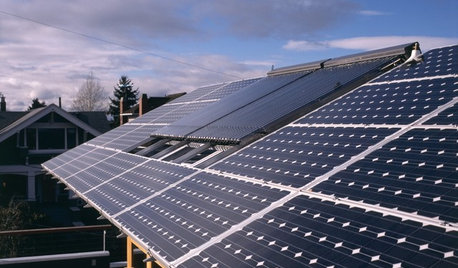
GREEN BUILDINGLet’s Clear Up Some Confusion About Solar Panels
Different panel types do different things. If you want solar energy for your home, get the basics here first
Full Story
DECORATING GUIDESBudget Decorator: Let’s Go Thrifting
Dip into the treasure trove of secondhand pieces for decor that shows your resourcefulness as much as your personality
Full Story
HOME TECHTote Your Tunes to Any Room With a Portable Wi-Fi Sound System
Free your home's music setup from wires with Wi-Fi speakers that let you take high-quality audio anywhere
Full Story
HOME TECHThe Most Stylish Home Assistants to Make Any House High-Tech
Because who wants to look at a clunky gizmo every day?
Full Story
LANDSCAPE DESIGNKoi Find Friendly Shores in Any Garden Style
A pond full of colorful koi can be a delightful addition to just about any landscape or garden
Full Story
GARDENING GUIDESGreat Design Plant: Gelsemium Sempervirens
Plant Carolina jessamine in fall, and its flowers will signal spring before any other plants start blooming
Full Story
MOST POPULARHow Bluetooth 4.0 Will Change Remote Control
Manage lights, TV, refrigerators and more through your phone or tablet when the latest wireless technology rolls into all your home devices
Full Story
HOME TECHComing Soon: Furniture That Charges Your Phone
Countertops, tables and home appliances with wireless charging capability mean less clutter — and zero effort powering your phone
Full Story
MORE ROOMSHome Tech: Getting Rid of Wires Without Sacrificing Sound
Wireless home technology still isn't perfect, but new products are giving audiophiles choices
Full Story
mikie_gw