

Wireless Desktop Computer
9 years ago
Featured Answer
Sort by:Oldest
Comments (11)
Related Discussions
Need help on choosing Wireless card for desktop
Comments (5)If you don't have it in the pc then the usb dongle would be an easier way to go. Here is a link to a search on newegg for usb wireless N there you can see various options, of course there are some other things that turn up in the search but focus on the usb wireless dongles, you definitely want usb 2.0 and you want to make sure it does all types of security including WPA2 so you can set up your system securely. As you will see some have antennas some just look like a usb thumb drive. If you wish to find out exactly what is in your pc I would go get the free tool belarc and let it scan your pc it will tell you everything. Belarc excellent free tool I have it on all mine Here is a link that might be useful: newegg...See MoreWireless desktop accessories pros & cons?
Comments (4)Huh?!!? The only drawback is battery usuage and changing for those items that don't have rechargers. There was a thread about a week ago concerning cordless keyboards...there was not a negative word. Tired of getting tangled in wires? As far as lag time...there is no such thing if you have a quality set up. The slowest mouse with the most lag time is my Microsoft Wired Optical (for notebooks). All three of my cordless mice are much faster. The two Microsoft cordless and of course the laser leaves "tugboat" Annie in the dust. How much lag time do you experience turning off your TV by hand vs turning it off by remote....? This might be in regard to the MX610 or LX7 mouse? By in large you will really enjoy the freedom and accuracy of not dragging around a cord. As far as a corded vs cordless keyboard, I'm sick and tired of getting tangled in cords. It doesn't have to be this hard!!! Treat yourself, live a little and don't feel guilty. Get the 60.00 MX610 mouse for 24.00, its the only good deal going at the moment, and when the time's up it might not be back. My MX1000 was never again offered for 35.00 with rebates. Enjoy it. (use a large nice flat smooth light colored mouse pad to go with it.) marf...See Moremoving hardware question
Comments (6)Thanks all for the advice. I was hoping it was going to be no big deal and I had planned to tag everything anyway. Everytime I bought a new piece of equipment my son installed it and made sure everything was working. So I never had to figure these things out for myself.He moved to Boston recently so maybe now I'll have to figure it out myself. But then, that is why we have this forum, right? Thanks so much (even if you thought it was a stupid question.) K....See MoreWireless computing
Comments (18)I have tried all the "resets" and that doesn't help. I have taken the laptop to Radio Shack, where he bought the Linksys router and they say it should work as the laptop "sees" the wireless connection. And, yes, when I plug the laptop directly into the satellite modem, it works just fine. The laptop SEES the wireless connect, but for whatever reason, I can't get on-line. I might also mention that the satellite modem does NOT have a router--there's just the one router, the Linksys router that I got as a birthday gift. I'll probably take the laptop back to Radio Shack or some other computer guru and see if they can "fix" it. I'm so frustrated I'm about to toss the whole da** thing into the pond!!! Augh! I told the Mr. I wanted the router AND SOMEONE TO INSTALL IT for my birthday--he got the router, but not the installer!! Again, thanks everyone for trying to help me. I do appreciate ya'll. Linda E...See More- 9 years agolast modified: 9 years ago
 9 years agolast modified: 9 years ago
 9 years ago
- 9 years agolast modified: 9 years ago
- 9 years ago
- 9 years ago

Related Stories

FURNITUREOn Trend: Wireless Lounging
Cut the cord on outmoded ideas of comfort with these furniture picks that make the most of your mobile time
Full Story
MOST POPULARHow Bluetooth 4.0 Will Change Remote Control
Manage lights, TV, refrigerators and more through your phone or tablet when the latest wireless technology rolls into all your home devices
Full Story
HOME OFFICES8 Twists on the Guest Room-Office Combo
In these clever spaces, the TV or computer can play while company's away
Full Story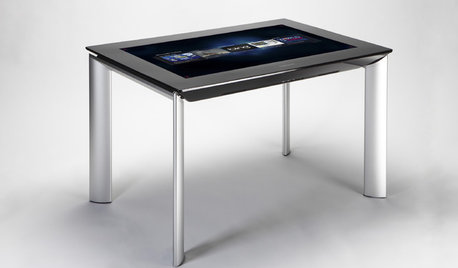
MOST POPULARGet Ready for the Smart Coffee Table
Intelligent tables with touch screens are reaching the consumer market, with all the power of personal computers and more
Full Story
MORE ROOMSHome Tech: Getting Rid of Wires Without Sacrificing Sound
Wireless home technology still isn't perfect, but new products are giving audiophiles choices
Full Story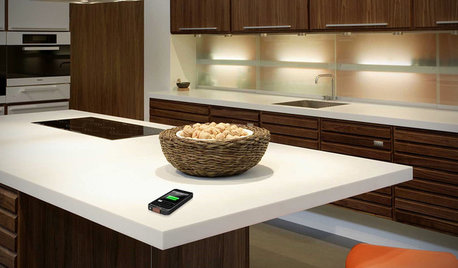
HOME TECHComing Soon: Furniture That Charges Your Phone
Countertops, tables and home appliances with wireless charging capability mean less clutter — and zero effort powering your phone
Full Story
ECLECTIC HOMESHouzz Tour: Rebooting a 1930s Bungalow in 3 Days
A design team mixes old and new to upgrade a computer science teacher's home in a flash
Full Story
HOME TECHGreat Home Project: How to Display Your Digital Photos
Move photos from your digital library to your computer screens, digital frames, TVs and more
Full Story
HOME TECHPlug Into Home Power Monitors That Pay for Themselves
Stop throwing away money on wasted electricity with help from new monitors that work with your phone or computer
Full Story
HOME TECHWould You Use Virtual Reality to Renovate Your Home?
Architecture can be confusing, but immersion in a computer-generated 3D world soon may help
Full Story
mike_kaiser_gw