

antivirus protection for vista
9 years ago
Featured Answer
Sort by:Oldest
Comments (8)
Related Discussions
New computer and antivirus_malware programs
Comments (8)Jean I only use MS Essentials on my Win 7 machine. I have been clean since July with the beta version and October with the real stuff. When you get your new computer fired up you will see small icons near the clock. Clicking the up arrow will bring a small pop up where you will see the green bungalow shaped icon for MS Essentials, as long as it is green and has a check mark you are good to go....See MoreQuestion about Kaspersky Int. Sec. and about free antivirus progs
Comments (7)the free ones like AVAST, AVIRA etc also have paid versions they make their money from those and are wonderful in that they also offer a free version to help those who can not afford to pay, the free versions have a bit less on them than the paid versions of course. It benefits everyone when each person can have good updated programs on their pc which is why many of the companies do offer a free version. In pay versions Kaspersky is an excellent choice, it is likely the one I would choose if I used a pay version it or Nod 32. I personally use AVAST free on my windows machines and feel it is an excellent product. The main thing to remember is layered security so along with your fully updated Antivirus you also need good antimalware programs like malwarebytes and superantispyware which are also free which should be updated and run full scans once a week or so. In addition having spywareblaster is another layer that protects you while online and requires no scans just update it weekly and hit the enable all protection button so the shield is green. And of course a firewall, if you have a properly configured router you have a hardware firewall there protecting you but you should have a software one also, vista and windows 7 have a decent one built in. SpywareBlaster SUPERAntiSpyware Free I think you have malwarebytes already? you will of course have to get Trend Micro fully removed from the pc before changing to any other antivirus program. as important these days is to make sure everything is kept updated and patched using Secunia tool makes that easy Secunia Online Software Inspector (OSI)...See MoreAnti-virus protection for the aging
Comments (2)Yacheryl, I was having a hard time also to find virus protection for a couple of my older computers. I now have "Avast" on my ME laptop (128 ram) and it works great. I put "Avira AntiVir" on the 98 computer and it works fine....See MoreMcAfee questions and other Anti-Virus questions
Comments (7)Lynn if you are happy with McAfee then keep it, I in fact have McAfee on one of my windows computers because I too get it free with my Verizon fios, when I get tired of it or if something goes wacky with it I know I can always just start using one of the free ones like Avast, would not use the new AVG8. There have in the past been problems with McAfee, they have sent out some updates that caused problems on some computers, but they were pretty quick to fix them. I do not use their firewall I use an older version of zonealarm pro. Site advisor has nothing to do with your McAFee suite it is an add on for your browser, you download it from the site I provided in the other thread and simply select which browser you are using and use the download for that browser, Since you are currently using IE get the one that says for Ie, when you decide to get firefox then go and get the one that says for firefox it will then add it to firefox also. it is super simple to do basically one click. It is free for everyone. as to your husbands laptop that would be totally up to you or him. IF he wants to pay for trend micro it is a good program however I think there are free versions that can handle the job like the Avast free. I would probably do that instead of putting AOL on there if he does not need it, AOL is bad about digging into the innards of the pc and when not needed I don't advise putting it on. Now to your daughters pc are you sure you have the McAfee suite actually installed on that pc? I would try logging in with your name since it is under your subscription often times the main user has to do that to enable subscriptions. IF you can not get it to work then make sure you completely remove it from the pc before you install any other antivirus program that goes for any of the computers always completely remove the prior antivirus, you do not want more than one on a pc. McAfee has a detailed directions page on how to uninstall their products. this is the directions you may want to print and keep available. 1. Uninstall all McAfee programs through "Add or Remove Programs" in Windows "Control Panel". 2. Use the MCPR tool, see this article: How to remove supported McAfee consumer products using the McAfee Consumer Products Removal tool (MCPR.exe). This will remove all McAfee remnants from your computer. (you must have Windows Vista, XP or 2000 SP4 to use this tool) 3. Launch Windows Explorer and delete all McAfee files in "Program Files" but especially in "C:\Document and Settings\\Application Data" and "C:\Document and Settings\All Users\Application Data". You have to set Windows Explorer to show all hidden files and folders (Tools > Folder Options > View tab). Just delete the McAfee folders even if they are empty in all the "Application Data" folders. Can be more than one! In Vista: C:\Program Files, C:\ProgramData and C:\Users\yourname\AppData\Roaming 4. Reboot and redownload/reinstall your McAfee products directly from your account at the McAfee web site or your ISP, NOT from any CD that you may have. How to remove supported McAfee consumer products using the McAfee Consumer Products Removal tool (MCPR.exe)....See More 9 years ago
- 9 years ago
 9 years ago
- 9 years ago

Related Stories

GARDENING AND LANDSCAPINGCreate Nests: Treat Yourself to a Protected Walkway
Turn a garden path into an exploration of inviting nooks and beautiful views
Full Story
KITCHEN OF THE WEEKKitchen of the Week: Cooking With Creekside Views in Maryland
Thanks to a major addition, this kitchen packs in function and looks out to a beautiful vista
Full Story
LANDSCAPE DESIGNLet Nature Inspire Your Landscape: Mighty Mountain Gardens
Bring an alpine vista to your yard by tucking resilient plants and flowers into rocky garden nooks
Full Story
HOUZZ TOURSHouzz Tour: Stellar Views Spark a Loft's New Layout
A fantastic vista of the city skyline, along with the need for better efficiency and storage, lead to a Houston loft's renovation
Full Story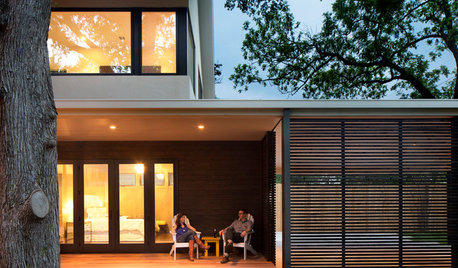
HOUZZ TOURSHouzz Tour: Up and Out Around a Heritage Tree
A Texas ranch house gets a modern makeover and a two-story addition that wraps around a protected backyard elm
Full Story
WINDOWSThese Windows Let In Light at Floor Height
Low-set windows may look unusual, but they can be a great way to protect your privacy while letting in daylight
Full Story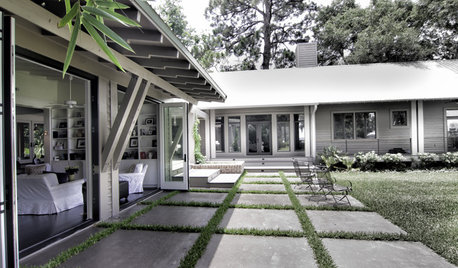
REMODELING GUIDESExposed Rafter Tails Show Heads-Up Craftsman Style
For a touch that offers decorative appeal and practical protection in bad weather, look to this classic Craftsman roof detail
Full Story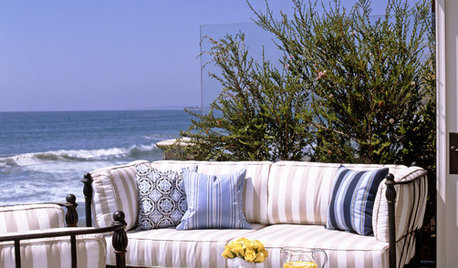
GARDENING AND LANDSCAPINGHow to Screen a Seaside Garden From the Wind
Lucky enough to live by the coast? Here’s how to protect your garden and deck from the harsh sea breezes
Full Story
LANDSCAPE DESIGNLiving on the Edge of the Wild
When Mother Nature is your neighbor, the possibilities — and responsibilities — can be that much greater
Full Story
GARDENING AND LANDSCAPINGCreating Nests: Cozy Outdoor Rooms
Plan a special place to curl up outside, hidden by shady green
Full Story
kudzu9