

Remove spyware from laptop
9 years ago
Featured Answer
Sort by:Oldest
Comments (8)
 9 years ago
Related Discussions
SpywareBlaster update
Comments (12)You can try going to start> run> type in> regsvr32 (space) msstdfmt.dll> Ok. regsvr32 msstdfmt.dll Or Go to start> Right click > Explore > Program files> SpywareBlaster folder> uninsooo (Setup/uninstall). Removing SpywareBlaster and doing a new install for 4.2. I would run Malwarebytes to make sure your clean> Good luck!...See Moreno sound from WMP on Win 7 laptop since defragging
Comments (11)Thanks, Owbist. I tried that yesterday, but nothing changed with WMP. However, I thought it might be a good idea to redo the procedure. Some striking changes occurred this time. All of my WAV files now open in Windows Live Movie Maker. I tried to play a music CD and got the box that said Windows couldn't open the file. When I checked the properties of the music, it shows as a CDA File... (I'm not alarmed - I know there has to be a fix.) OK, I thought... I'll just go back to the Media Features and redo the procedure. However, there are now no check marks in the WMP or Media Center boxes! I record 3 church services a week on this laptop. I take the sound from - I believe it's called a preamp - (signal too strong directly from mixer) and am able to record in Audacity. I now have audio in Audacity whereas I lost it after the defrag. However, the wav files I made from the audacity project files now open in window movie maker and are unplayable... I don't think I will ever defrag this laptop again!!! :)...See MoreAnti Virus and Anti Spyware equals slow computer
Comments (10)Dennis, thanks for a well laid out list of problems. It does help those who feel they can see some or all of your problems. AVG is by far the most popular free anti virus and I doubt that is your issue. I would not remove that one. Spyware Doctor I know nothing about. If you have the original CD or the download stored on your computer you could remove it entirely using the Add/Remove and see if that helps at all. Superantispyware and or Malwarebytes could be alternatives to trying Spybot Search & Destroy. If you use Spybot S&D be sure it is in fact that program and not a sound alike rogue program. Have you ran any cleaners at all? Not registry cleaners but the Disk cleanup in the Accessories/System Tools folder of XP. Try that and a defrag, it will help modestly. Do you have Google or Yahoo toolbars and are they allowed to run in the background? The Google Toolbar has either 3 or 4 entries in your Startup and using your resources. Click Start click Run type msconfig click OK click the Startup tab Now check each of these items and decide if they do in fact need to run. Google each entry before deciding to stop one because if you stop the wrong ones the computer may not start again. If you stop any you need to reboot. During the reboot you will get a dire warning, do not be alarmed, place a check mark not to see it again and continue the booting....See MoreHELP . . . New Anti-spyware Has Screwed Up My Laptop!!
Comments (15)THANK YOU, THANK YOU, THANK YOU!!!! Your advice worked and my computer is almost back to normal. Goldie: that was my first thought, too (LOL)! Mary Lu, it wasn't you at all; just me trying to do too much :~) I basically just followed Camp56 and Ideefixe's instructions and it worked! I can't thank you both enough for taking the time to walk me through it!! Rose: the thumb drive idea is a good one for future problems. I never would have thought of that. Thanks! Olychick: you know, I'm embarrassed to say that I had no idea about that Restore feature. In the past, whenever I've had a problem DH has fixed it for me. I need to be more proactive. Allison: thanks for those recommendations. WIP: yes, they use a small outside IT firm; nobody in-house except DH. I was going to call them next if I couldn't find a solution here. Oakley: you're kidding?!? I made a mistake earlier saying that I deleted Norton, it was MacAffee, which I've had for quite a while. It ran every day, scanning for problems but never found a one . . . and I KNEW something was wrong before all of this. That's why I was looking for anti-virus programs. Hmmmmm. Graywings: Thanks! I'd forgotten that GW even had a computer forum and had never checked it out. But, I will definitely keep it on mind for future problems. Chickadee: Haha . . . that's for sure! DH would flip out if I screwed up his computer! Camp56: thanks for mentioning that about the two programs. That's good to know as I wasn't sure. Thanks again for all your help. It worked!!!! Lynn...See More 9 years ago
 9 years agolast modified: 9 years ago
- 9 years ago
 9 years ago
 9 years ago
 9 years agolast modified: 9 years ago
Related Stories
REMODELING GUIDESGet What You Need From the House You Have
6 ways to rethink your house and get that extra living space you need now
Full Story

DINING ROOMSMy Houzz: From Underused Dining Room to Family Hangout
Even a fireplace didn’t help this dining room’s popularity, until an interior designer stepped in
Full Story
Special Report: Interior Design News From Cologne
Take a Photo Tour of the Latest Furniture Innovations Headed Our Way
Full Story
BEFORE AND AFTERSMore Storage and Light for a Seattle Kitchen
Removing walls and replacing dysfunctional features give a kitchen a bright look and better function
Full Story
HOMES AROUND THE WORLDTraditional Kitchen Opens Up and Lightens Up
Removing a wall was key to creating a large kitchen and dining space for family life in this London house
Full Story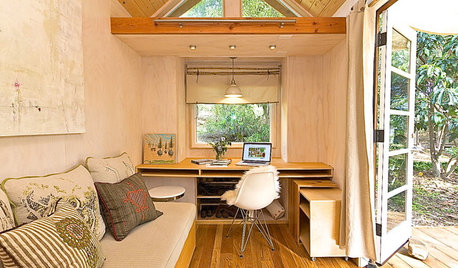
HOME OFFICESLittle Room for a Desk? 7 Spaces Show How to Make It Work
If a 140-square-foot home has room for a desk, you probably do too. Get ideas from these smart space savers
Full Story
HOUSEKEEPINGTips for Removing Carpet Stains
Know the right solutions and when to use them to handle stains from coffee, pets, chocolate, ink and more
Full Story
MUDROOMSHouzz Call: We Want to See Your Hardworking Mudroom
The modern mudroom houses everything from wet boots to workstations. Proud of your space? Inspire us with your photos and tips
Full Story
DECORATING GUIDESHow to Focus Your Family Room on Family
Reclaim your room from screens and headphones with these ideas for fostering family togetherness
Full Story
More Discussions

User