

Are bank sites safe to use on phone or tablet?
10 years ago
last modified: 10 years ago
Featured Answer
Sort by:Oldest
Comments (24)
Related Discussions
Any decent deals on tablets
Comments (20)The iPad is a beautiful machine, and I was sorely tempted, but I was concerned about having no Flash capability and being locked into the Apple market. I wasn't sure how limited I would feel, but I knew how much flexibility I would have with Android. While getting the Galaxy Tab 10.1 was a bit of an indulgence, the one at Costco came with an instant rebate, and a free leather protective pouch. Another important factor was that Costco offers a second year of warranty for free on their tvs and computers, and I got a third year by paying for it with a Costco/Amex credit card. This saved me from having to buy a separate, extended warranty, so it's something to factor in if you are shopping for a tablet. You also have a 90-day period in which you can return almost any electronics item for a refund if you don't like it. (I'm not shilling for Costco: I have no connection with them other than as a satisfied customer. Their second year warranty saved me once when my big screen tv died in the 13th month and they did a $1000 repair for free.)...See Moreusing my tablet!
Comments (13)It is an adobe thing they have quit making flash for android however you can still have it work on your tablet and watch videos etc, I have it on mine and I have the latest version of Android Jellybean. You will need to get and install one of the older versions of flash, it will depend on which browser you use some will allow flash some do not, chrome will not, firefox does, I use firefox because I also use the adblock plus add on just like on my pc. If you want to go ahead and get flash and install it , very simple to do, go to the link scroll way down the page till you see flash player for Android 4.0 list in that list the one I am using it the one with this version number 11.1.115.27 find it and click it to download and install, you may have to go into your settings and allow 3rd party installs since it is coming from other than the google play store but that is fine and it is safe to do. Will not hurt anything, I have had it on mine since I got it and I installed it. Then it is just a matter of seeing if the browser you are using will support the flash player. If not download the firefox for android browser from the play store, you can have add ons for it just like the regular firefox. Flash Player for Android 4.0 archives there are lots of forums for Android that also explain how to use flash. That is how I found out and got the info. Adobe has just simply quit making it and many sites are just no longer using flash and going to the newer formats. here is the link including a video on the adobe site instructing exactly how to use flash on your android device How do I manually install Flash Player on my Android device? Now those with amazon devices may not work since amazon changed android from the standard version to make it more amazon specific and limited/proprietary , can try it though....See MoreTablet, Laptop, Adobe Flash Problems
Comments (19)I'm going to try Bugspop1's suggestions. I have Xfinity1 and ATT routers, so it may be perilous and require calling them again for help. Also both routers have been replaced in the past 2 weeks because of other problems: The ATT router suddenly and mysteriously stopped allowing any telephone caller ID and calling features...the technician who replaced the router said he didn't know why this happened or what caused it. ATT provides 3 mbps speed, which is (from my experience) not fast enough for Amazon video, so we use ATT mainly when Xfinity isn't working. We have just one phone connected to ATT. The Xfinity/Comcast router was replaced last week because of tv issues. I got fed up with the poor service on the last cable boxes. All channels not HD were stretched to fit the format of our HD tvs. So all the people on tv look like they weigh 500 lbs. Comcast refused for months to provide info to change this in the setup menu of the cable box. So after hours on the phone to them and several trips to their store, we now have tv that shows HD and SD in the proper formats. I also had to accept yet another phone line from Comcast, their bundle, to save money. Their internet/tv bill was $270. The new bill including phone is now supposed to be $190. The stupid downside to this is the Comcast rep said I have to call Comcast on the phone number they provide, otherwise they won't provide any support. I already have 4 phone numbers so this is very annoying to me. After the cable boxes were replaced the internet router was reset by Comcast when they set up the cable boxes. That evening I logged in to the xfinity web site and saw that some videos would play and others wouldn't. CNN wouldn't play anything at all (though accessing the site outside of the xfinity portal allows some videos to play). So I called up Xfinity support who weren't helpful at all. They actually said they don't support video playback help issues on their own site! So their support is less than adequate imho. I tried the suggestions about changing video quality...Amazon works ok in SD. In HD videos start off in very poor quality and gradually get better. I don't use amazon streaming when I'm out of town because the site only streams in HD and would quickly use up my data allowance. Windows Defender is up to date. Nvidia has automatically updated it's drivers several times since I got the MSI laptop. The MSI also did the update where it installed a new version of Win10 (It took about 17 hours). There isn't any software in common on the two laptops. I tried a system restore on the MSI. It didn't help, but it didn't hurt. I uninstalled and reinstalled Adobe flash several times. If I can get inside the router setup menus is it easy to figure out if the routers are allowing adobe flash video? I'll keep working on this.......See MoreTranslating languages on a tablet
Comments (9)I think she's saying she wants to translate text she has in image form but not in text form. That's a two step process - 1) Having an image with text on it. 2) Having software to do the OCR (Optical Character Recognition) processing. Try looking at this link - apparently Google Docs can process image files (Jpg, etc) and pdf files. You need to present the software an image - either from a photo (hence, using a smartphone/tablet but also feasible with a camera) or a scanner made one of the text in question. Then, when the text has been recognized and processed into a text file, that you can copy/paste to Google Translate or any of the others. How to OCR docs...See More 10 years ago
 10 years agolast modified: 10 years ago
- 10 years ago
 10 years agolast modified: 10 years ago
- 10 years agolast modified: 10 years ago
- 10 years ago
- 10 years agolast modified: 10 years ago
- 10 years ago
- 10 years ago
- 10 years agolast modified: 10 years ago
- 10 years agolast modified: 10 years ago
- 10 years ago
- 10 years ago
- 10 years agolast modified: 10 years ago
- 10 years ago
 10 years ago
- 10 years agolast modified: 10 years ago
- 10 years ago
- 10 years agolast modified: 10 years ago
- 10 years agolast modified: 10 years ago
- 10 years ago

Related Stories

MOST POPULARHow Bluetooth 4.0 Will Change Remote Control
Manage lights, TV, refrigerators and more through your phone or tablet when the latest wireless technology rolls into all your home devices
Full Story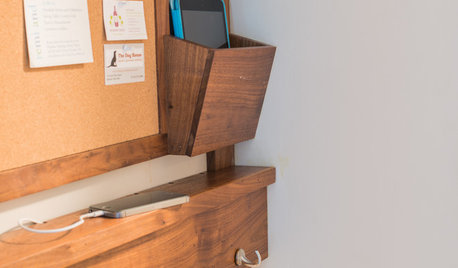
THE HARDWORKING HOMEA New Drop Zone Keeps the Clutter at Bay
The Hardworking Home: A clever wall-mounted station for keys, phones and more helps a family stay organized
Full Story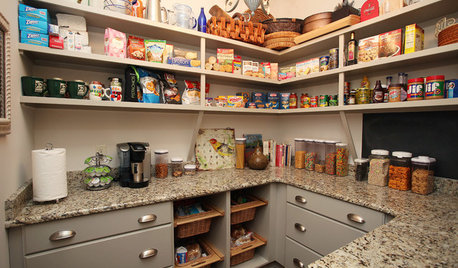
LIFEHow to Prepare for and Live With a Power Outage
When electricity loss puts food, water and heat in jeopardy, don't be in the dark about how to stay as safe and comfortable as possible
Full Story
HOME TECHThe Future of Home Automation: Cheap, Wearable and Mobile!
Look for smart watches and glasses that can control your smart-phone apps, which in turn automate your home equipment
Full Story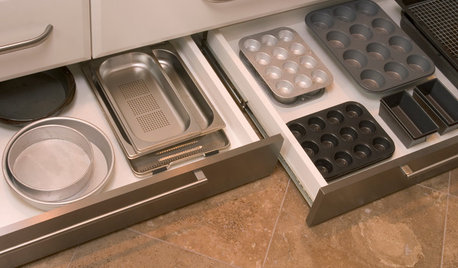
KITCHEN DESIGNThe Kitchen Storage Space That Hides at Floor Level
Cabinet toe kicks can cleverly house a bank of wide drawers — or be dressed up to add a flourish to your kitchen design
Full Story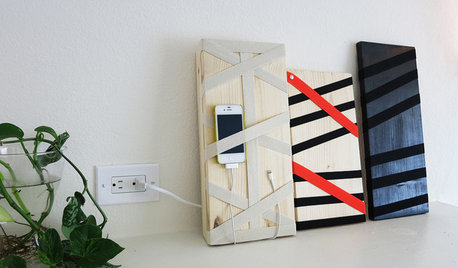
DIY PROJECTSHide All Those Wires in a DIY Charging Station
Keep your gadgets handy and charged with a flexible storage board you can design yourself
Full Story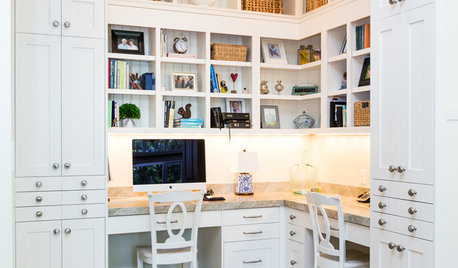
HOME OFFICESThe 20 Most Popular Home Office Photos of 2015
Technology paves the way for space-saving work areas, while designers make up for small sizes with style
Full Story
HOME TECHThe Inevitable Future of Drones Around Your Home
As Google joins the push for airborne deliveries, it seems only a matter of time before neighborhoods are buzzing with drones. Is that OK?
Full Story
GREAT HOME PROJECTSPower to the People: Outlets Right Where You Want Them
No more crawling and craning. With outlets in furniture, drawers and cabinets, access to power has never been easier
Full Story
HOME TECHWhy Google Just Paid $3.2 Billion for a Company That Makes Thermostats
Smart home technology just got a new champion — and everyone is speculating about the reasons
Full Story
maire_cate