

Can't uninstall Open Office
10 years ago
last modified: 10 years ago
Featured Answer
Sort by:Oldest
Comments (6)
Related Discussions
RE Open Office and conversion from MS Office
Comments (5)I hear you, damccoy....my memory is NOT what it used to be either and my attitude is NOT what it used to be either. I find myself "cranky" about having to spend my valuable time learning something new when what I was doing was perfectly fine and suited my needs. AND I would really prefer spending my time doing something else more fun...like quilting or sewing or reading on my kindle or gardening or scrapbooking or cooking or most anything than sitting in front of a computer screen. And I know that I may learn a new trick or two but I really don't care....I was a happy camper with things the way they were! "Obstinate and cranky in her old age" Murphy...See Morecan't open document
Comments (8)If it came as a docx document, then I think that the sender is using Word 2007, and forgot to save it in the old doc format and your word reader program can't read word 2007. I did the same thing sending a document to someone who didn't have W. 2007. I try to remember to save things I want to send in the old format, but it it easy to forget. Tell them to resend if possible. Possibly Open Office works for word 2007 too. Anyway, it is a handy thing to have on your P.C....See MoreTwo Steps Forward, One Step Back - Now I can't open AOL
Comments (11)Lynn, Are you using 'Windows XP', 'Vista', or some other operating system? You mentioned 'Superantispyware' removing "several spywares". Have you also run a full scan with your 'anti-virus' program? If not, update and run a full scan. Something else I overlooked when I read your initial post, I see you're using AOL 9.1. I'm still using AOL 9.0 SE, so there may be some changes to the way things are done in 9.1 as far as repairing the software. I'm not even sure they have the same features in 9.1 so let's forget about 'rebuilding the AOL adapter' for now. Someone else using that version of AOL will have to jump in here. If you have the 'AOL' icon down in the system tray (by the clock) you can right click that and see what options there are. System Restore is painless and if you don't get the results you want you just 'undo' the restore. If you had any kind of virus or spyware infection and you restore to a time when your machine was infected, yes, it will restore those infections, but you can always run your anti-virus and anti-spyware applications again to remove them. I can't say for certain whether or not 'system restore' will affect your bookmarks but it is always a good idea to back up anything on your computer that you cannot afford to lose or want the hastle of having to replace. There can never be enough said about the importance of backing up important data! I use Acronis True Image which makes an image of the complete hard drive, sector by sector, that will restore everything including operating system, programs, documents, pictures, data, etc. to the 'T'. This is on a second drive in my PC in case my primary drive should fail. I also have an external hard drive where I back up 'My Documents'. "I also ran ccleaner right after the updates (I thought at first that that was the problem) - should I rerun that as well?" No, running CCleaner again is not going to fix the problem, nor do I see where CCleaner would have created your problem, unless by chance, if you also used the 'Registry' feature in CCleaner, it may have removed something. Anytime you use any kind of registry cleaner it should have the option of making a backup in case things go wrong, which is exactly why most cleaners, some don't, have the backup option. Either that or create a 'system restore' point before you use it. Using a 'registry cleaner' is a hot topic. Some swear by them, others swear at them! I personally have use Macecraft 'Reg Supreme' for years with no ill effects. "There may have been an easier way to do this, but I just copied and pasted all the bookmarks I made_____". There is: Internet Explorer has an 'import/export' feature for transferring or backing up your cookies and favorites. Click on 'File' in the Menu bar at the top of the IE browser, select 'Import/Export', and follow the Wizard. You can save them to a file on your computer for retrieval later if you should need to do so using the same wizard. I made a folder called 'Backups' in the 'My Documents' folder where I store a copy of my 'cookies' and 'favorites'. In Firefox, I'm still using version 2.0.0.16, if you go to 'Bookmarks' in the Menu bar and select 'Organize bookmarks' and click on 'File', you'll find an 'Import' and 'Export' wizard. Drink some 'brave' juice and try the system restore first to see if that works. Witz...See MoreOpen Office quit working
Comments (7)If you intend to continue with OO, I would suggest you uninstall what you have now then download and install the latest version. Depending on what happened during the crash, you may find that any .docs you had open when it occurred may be corrupted and unrecoverable. I remember having similar "registration" issues with OO and finally got fed up. I've since installed Libre Office and never looked back. Here's another thing to try: Use WORDPAD to open the .docs you were working on. If you can open them, make a few simple changes and save them. That might smooth things over when you try to reopen them in OO....See More 10 years ago
- 9 years ago
 9 years ago

Related Stories

WALL TREATMENTSCan't Find the Right Wallpaper? Make Your Own
For one-of-a-kind walls, just use your imagination. Custom wallpaper is easier and less expensive than you might expect
Full Story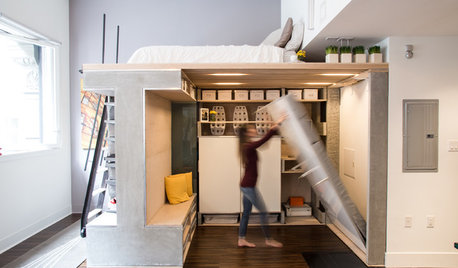
SMALL SPACESHouzz TV: You Won’t Believe Everything This Tiny Loft Can Do
Looking for more floor space, a San Francisco couple hires architects to design a unit that includes beds, storage and workspace
Full Story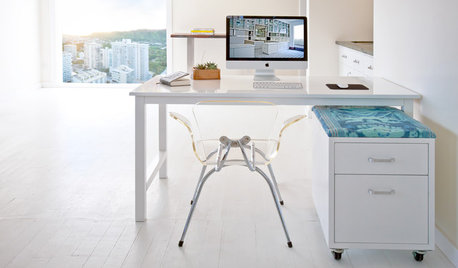
HOME OFFICESYou Can Kick That Ugly Filing Cabinet to the Curb
When you’re ready to break out of the gray metal box, consider these creative options for storing your files
Full Story
HOME OFFICESThe Cure for Houzz Envy: Home Office Touches Anyone Can Do
Borrow these modest design moves to make your workspace more inviting, organized and personal
Full Story
STUDIOS AND WORKSHOPSYour Space Can Help You Get Down to Work. Here's How
Feed your creativity and reduce distractions with the right work surfaces, the right chair, and a good balance of sights and sounds
Full Story
MIDCENTURY HOMESHouzz Tour: How Can We Get Invited to This Awesome Midcentury Home?
A redwood-clad gem in California’s Marin County features a dreamy outdoor oasis with an open-door policy for the homeowners’ friends
Full Story
PRODUCT PICKSGuest Picks: Household Basics That Don't Do Boring
You'll never look at can openers, filing cabinets, key holders and more the same way again
Full Story
BEDROOMSThe Cure for Houzz Envy: Master Bedroom Touches Anyone Can Do
Make your bedroom a serene dream with easy moves that won’t give your bank account nightmares
Full Story
SMALL KITCHENS10 Things You Didn't Think Would Fit in a Small Kitchen
Don't assume you have to do without those windows, that island, a home office space, your prized collections or an eat-in nook
Full Story
MORE ROOMSCool Shelves You Can Make With Stuff From the Garage
Idea of the Week: The guys behind The Garage Slab turn salvage wood and pipe into industrial-chic bar
Full Story
More Discussions

Michael