

retrieving files from hard drive
10 years ago
Featured Answer
Sort by:Oldest
Comments (7)
 10 years ago
Related Discussions
High pitched whine from external hard drive
Comments (4)It really does not matter that you only need a small drive, they are gone. Replaced by larger volume drives, planned obsolescence. You could remove the existing drive from your enclosure and replace it with a new drive but the savings seem minimal. Then you have the aggravation of doing the task. You would need to determine if the current drive is 2.5 or 3.5 inches and whether it is SATA or PATA (IDE 40 or 80 ribbon data cable) As the drive appears to have failed there is no loss to your attempting to remove the drive if you feel so inclined. Tigerdirect has hard drives from $70 but they also have complete external drives for $90 so you would be saving $20 for a DIY job....See MoreMoving DVDs from the drive to hard disc and rename
Comments (1)Make sure the file you have created is not still open. Close your burner software and any other software accessing the file, and remove the dvd from the drive. Then try to rename it again. If you still can not rename it, right click the file in windows explorer, select properties, and ensure that it attributes are not set to protected, hidden, or read only. If they are, uncheck the boxes, click apply, then click ok. Try to rename it again. if this still does not work, try rebooting your conputer. If this still does not work, please type the exact error code you receive here....See MoreHow do I run programs from a hard drive in an encolsure
Comments (9)zep, You said "When you installed that program it created numerous registry entries, those are still on the old computer, and are needed to run Microsoft office. " But I thought that sort of thing would be on the old computer's drive. Or is it elsewhere? If elsewhere, then of course, it makes sense that I can't run Word. That said, I can open a Word doc but see a message to the effect that "not registered for use by this user." Word isn't installed on the new computer, not even as a trial, so I don't understand why a Word doc would even open....See MoreGetting files off my old hard drive
Comments (3)If you wish to slave the hard drive from your old computer to Dad's machine why not use the ribbon cable and power connections for the CD/DVD player temporarily? This way you can copy your data to his drive using Windows Explorer then burn it to a CD or whatever. Just rest the old drive on a box or book beside the case for support during the process. The other option would be to buy an external drive enclosure with IDE connections and install the old drive there. These connect via a USB port Then you have an ideal way to back up your data. These enclosures have come down in price dramatically. As your 'stuff' is professional quality you might buy a known brand enclosure, just a personal thing for me but you do not need to lose that data. I would also recommend one with it's own power supply unless you are confident the new computer has an adequate power supply....See More 10 years ago
- 10 years ago
- 10 years ago
- 10 years ago
- 10 years ago
Related Stories
ORGANIZING8 Steps to a Winning Filing System
When you streamline your paperwork and digital files for easy use and maintenance, it's an organizational triumph
Full Story
LIFEHard Winter? 9 Ways to Battle Cabin Fever
We know a lot of you are trapped where it just won’t stop snowing. Here are some ways to survive
Full Story
HOUZZ TOURSHouzz Tour: Unplugging From High Tech in a Texas Farmhouse
This simply styled home gives an Austin family all the warmth of comfort food and all the amenities of modern times
Full Story
ORGANIZINGDecluttering Ideas From Around the World
Home organizers share their tips on how to think and live more clearly
Full Story
MOST POPULAROrganized From the Start: 8 Smart Systems for Your New House
Establishing order at the outset will help prevent clutter from getting its foot in the door
Full Story
REMODELING GUIDES6 Must-Know Lessons From a Serial Renovator
Get your remodel right the first time, with this insight from an architect who's been there too many times to count
Full Story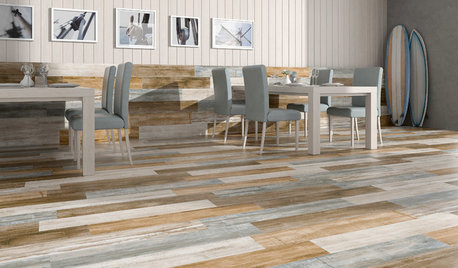
TILETop Tile Trends From the Coverings 2013 Show — the Wood Look
Get the beauty of wood while waving off potential splinters, rotting and long searches, thanks to eye-fooling ceramic and porcelain tiles
Full Story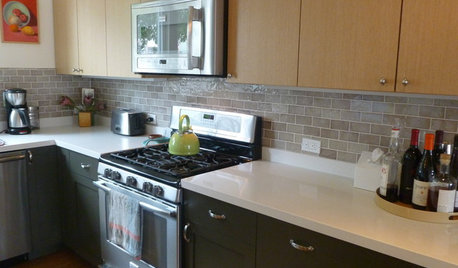
KITCHEN DESIGNPearls of Wisdom From a Real-Life Kitchen Remodel
What your best friend would tell you if you were embarking on a renovation and she'd been there, done that
Full Story
DECORATING GUIDESWhat We Can Learn From the Minimalists
Discover the power of simplicity and how to employ a less-is-more approach in your decorating scheme
Full Story
CONTRACTOR TIPSContractor Tips: Countertop Installation from Start to Finish
From counter templates to ongoing care, a professional contractor shares what you need to know
Full StorySponsored
mikie_gw