

Copy a Picture from MS Word
10 years ago
Featured Answer
Sort by:Oldest
Comments (18)
 10 years agolast modified: 10 years ago
Related Discussions
new MS Word or other?
Comments (6)well if we look at your actual problem it may be that all you need to do is uninstall your copy you currently have on there now and then do a reinstall from your discs which you have. It could be that something simply got corrupted and a fresh install will fix it right back to how it should be. That would be my first try before buying something else. I use Open Office on all my linux comuters and have Office Professional (not 2007!) on my xp computers, I have had no problems between the 2, you do have the options with Open Office as to which type of file format you want to save in. I would first definitely try to find out just what the problem is with what is on there now before going on. Is it only emailed files is it only to one email is it to all files is it to all emails etc are files not emailed ok?...See MoreMS Word columns-text box help
Comments (5)Bob. I guess I wasn't clear enough. IF I use 'text boxes' everything flows perfectly (although I am not an expert on linking either and have had some problems figguring out the rules for getting each box linked to its predessor). But that is not my question. I was hoping to learn how to easily (rapidly?) create multiple, equal 'text boxes' to allow this flow. OR how to get regular columns, even on the first page to behave something like 'text boxes'. On the second and following pages, they do infact respond that way, with text flowing naturally from column to column. But on the first page which does have some carridge returns to keep banners and icons in place (and could indeed induce strange text effects as you suggest, although I don't think that is actually what is happening) the two column formatting from the second page will incroach into the bottom of the first page; or the outlined box on the first page moves down to the second page. In other words, some of the formatting on each page moves up or down as text is added or removed....See MoreHow can I copy this video from U Tube ?
Comments (41)Hi JustMe! I have been wracking my brains and searching for answers. Decided finally to try to convert the mp4 to mp3. And thought while I'm at it I will re-download a saved video from June of this year (done with the earlier version of youtubedownload of course). Maybe uninstalling Adobe removed a needed component??? While trying to do the conversion I clicked on the new download file to get it into the conversion (?) and it opened in VCL, and Played the Audio! I can go to bed now. Oops, so I check the file extension on the June video file versus the same video re-downloaded tonight --- .flv on the June one and now it's downloading as a .mp4 --- I assume utube has done this to all their content. Maybe my computer just needed the reboot to kick things in gear :-) Thanks so much for your backup. To bed. irisgal...See MoreCan't remember password for MS Word doc
Comments (15)Many years ago, I had a upsetting, disagreement with a close family member. That night I wrote a long, rambling letter bringing up every thing this person did from the beginning of time. I was upset and, maybe its a female thing, I wrote this ridiculously long letter using Word so I could password protect it. I had thought I would sleep on it and reread it the next day before sending. I didn't want to send an email. Well, needless to say, the next day the problem resolved. Everything was wonderful, I totally forgot about the letter. Long time later (maybe a year), I'm cleaning out my computer and find this cryptic Word doc that I couldn't open. I was deleting a bunch of junk. Then, I remembered that letter ! It was not something I would want on my computer (as life with this person was wonderful). So, I tried to delete it, couldn't. Needed a password. Had no idea what that could be. I was upset when written and heaven knows what I came up with. That letter still sits on this computer. I could never figure out the password. Back then, I thought I would have a new computer (this one is XP) and I would wipe the drive. Well I'm still using this machine and hope I can finally wipe it out and get a new machine. On another note, I worked in the medical field for years. Sometimes I would write letters for patients from home (rather than the office computer) in the evening to save time at work. I would password those letters, copy them on a flash drive and taken them to work. Copy to the work machine then delete from the flash and the home machine. Not ideal, probably not the best thing to do, but I did it. Any patient letters were always password protected. I sympathize with the OP as I've been there many times. If I did that now, I would write the password down. I didn't back then and never found a way to open that personal letter. I'll wait for Windows 10 then wipe this drive. Hope you find a way, Jane...See More- 10 years ago
 10 years ago
- 10 years agolast modified: 10 years ago
 10 years agolast modified: 10 years ago
- 10 years ago
- 10 years ago
- 10 years agolast modified: 10 years ago
- 10 years agolast modified: 10 years ago
- 10 years ago
- 10 years ago
- 10 years agolast modified: 10 years ago
- 10 years ago
- 10 years agolast modified: 10 years ago
- 10 years agolast modified: 10 years ago
 10 years ago
- 10 years ago

Related Stories

WORKING WITH PROSThe 4 Potentially Most Expensive Words in Remodeling
‘While you’re at it’ can result in change orders that quickly add up
Full Story
MOST POPULARA Few Words on the Power of Simplicity
An architect considers a pared-down approach to modern home design
Full Story
GREAT DESIGNERSHappy Birthday to the Saarinens! Design Words of Wisdom to Celebrate
Eero and Eliel Saarinen share a birthday and the design world's admiration. Let's consider some of their insight in honor of the day
Full Story
HEALTHY HOME6 Tips From a Nearly Zero-Waste Home
Lower your trash output and increase your quality of life with these ideas from a mom who did it to the max
Full Story
WORKING WITH PROSInside Houzz: What You Can Learn From a Houzz Photo
Get access to the designer's info, product names, other photos in the project and much more by clicking on a Houzz image
Full Story
FUN HOUZZGolden Globes: 6 Design Ideas From ‘The Grand Budapest Hotel’
Nominated for a handful of big awards, the film is a visual feast that just might inspire your own adventurous interior
Full Story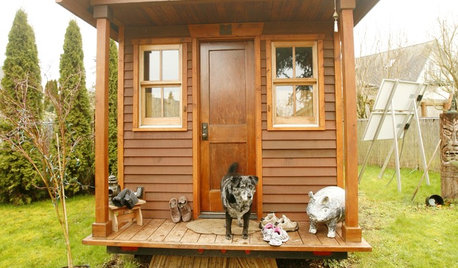
SMALL SPACESLife Lessons From 10 Years of Living in 84 Square Feet
Dee Williams was looking for a richer life. She found it by moving into a very tiny house
Full Story
BOOKS8 Profound Design Books — From the Children's Section
Sometimes genius comes from empty boxes, blue horses and the powerful freedom of 'ish'
Full Story
INSIDE HOUZZ9 Power-User Tricks to Get More From Houzz
Search faster and better, tap into design guides, manage your ideabooks and see photos on your flat-screen TV
Full Story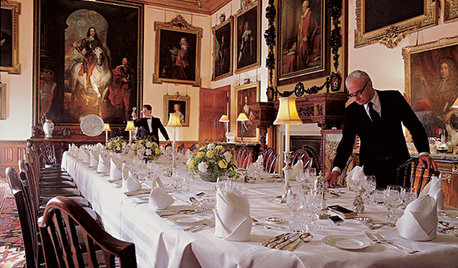
FUN HOUZZEverything I Need to Know About Decorating I Learned from Downton Abbey
Mind your manors with these 10 decorating tips from the PBS series, returning on January 5
Full StorySponsored
Richard (Vero Beach, Florida)