

WRT: Work Retrieval Tool
11 years ago
last modified: 11 years ago
Featured Answer
Sort by:Oldest
Comments (16)
 11 years ago
 11 years ago
Related Discussions
The Garden Claw-Best tool ever
Comments (29)Years ago I noticed a landscaper using this tool to plant tulips, so I thought it might be an alternative of digging hundreds of holes to plant my perennials and annuals. After I propagate either by cuttings or seeds I transplant my small plugs into 3" pots. In the spring I fill in with hundreds of annuals, and to save my wrists wear and tear I use this tool attached to a battery operated drill. I have two batteries, charged and ready to go. If you have an electric circuit close by, and a long extension cord you could use an electric drill. The auger bit is 2 1/2" and the length of the tool is 2 feet long, which I purchased at Lowes. My battery drill is 18 volts. I have found that this works perfectly for planting 3" pots as well as plugs from 4 or 6 packs. I generally drill 10-20 holes at a time, then go back and drop in the plant. My soil has been worked for years, so itÂs easy to drill through. I never counted how many holes I can dig before I need a battery change, but I believe itÂs about 80-90. Since my wrists arenÂt as strong as they use to be, this tool has been a blessing, plus itÂs fun to use. I think it would be very difficult to use on hard soil....See Morecomputer bitting the dust.. Avast won't work.
Comments (44)Susie, I have searched & can't find any Avast on it. I also went into the folders. I just did a search on this one & there is quite a bit Norton leftover on it still. AVG is on too & was working when I stopped using this one. I hope to have another one Monday if everyone would just get well..I don't drive (never learned) & all my rides are truly sick. Cat, I think I will try the XP tonite. I do know it has a LOT of problems & need to be started over..it is not worth spending $150 to do that. Nite before last I was trying to fill out a form to order something.. it took over 30 minutes to do it.. The cursor kept freezing plus it wouldn't scroll without freezing. Some on here can vouch for all the problems I have had. If I can get it running I can at least check to see if there is anything else I want saved. I tried to keep things saved as I knew this day was coming. Yes I know now the APC is probably why it wouldn't turn on but I don't think that had anything to do with the other problems. The XP took about 20 minutes to reboot.. this 98 is very fast doing it. Thanks, Dar...See MoreUrgent Help needed - can I retriev dd's unsaved word document?
Comments (22)I must take issue with snidely's item #2 re automatic Windows updates. A few years back there was a real problem with some HP computers that had AMD processors. This may have been the update for SP3, but my memory can't say for sure. The machines went into an endless reboot loop. My desktop was one of the affected ones, as was my friend's. There was finally a "fix" issued by HP which we were able to employ. My HP laptop, also with an AMD processor, although a different one, was not affected at all. I have also had minor problems with some of the .Net updates, so I always install those separately from other updates. Just my experiences, so one does learn from those not to just blithely set automatic updates. Obviously snidely is not a mother, or he would know that 13 year olds can be very sensitive and sometimes overly dramatic. This has nothing to do with good parenting, so he would best keep remarks about such to himself. I am a great grandmother as well as a former school teacher (12, 13, 14 year olds), so I have seen it all....See MoreNetwork setup - didn't work - help
Comments (11)I dunno, fwiw Everytime I've used the network setup wizzard it didnt work. Leaves something simple not set. Networking - Really pretty simple stuff. Occasionally some say a firewall will block it, but most user friendly firewalls should pop a allow this or not message. here's what i do; Right click myComputer, select Properties. click the Computer Name tab, click the Change button. Each computer needs its own unique and seperate Computer name. Both computers should have the same WorkGroup name. Use something other than MSHome & no default names , as that can be a security snafu. My personal favorite group names are AnyName and NoName. Even makes me wonder sometimes ;) Open up your connection Properties, You'll want at least these installed with a check mark next to them... Client for Microsoft Networks File and Print Sharing for Microsoft Networks Internet Protocol (Tcp/Ip) if you see Microsoft TCP/IP version 6, might as well put a check mark in its box too. Highlight the Internet Protocol (Tcp/Ip) and press the Properties button. You probably want both the Obtain address and DHCP set to Automatic. --- Press the advanced button, click the DNS tab. Untick the "Append parent" Go to your desktop make a temperary folder, name it something like LapShare & other computer DeskShare. Open them and enable sharing. Might want to make a short note and put a text file in each of them so you can look at something reconisable when you access it the first time. Thats about it unless you have some Services turned off/disabled that you might need. But think the network wizard should have enabled what you need. Firewalls, most of them need to be told to allow ping which depending on the firewall could be program name or port or protocol....See More 11 years ago
- 11 years ago
 11 years ago
- 11 years ago
- 11 years agolast modified: 11 years ago
 11 years agolast modified: 11 years ago
- 11 years ago
- 11 years ago
 11 years ago
- 11 years agolast modified: 11 years ago
- 11 years ago
- 11 years agolast modified: 11 years ago
- 11 years agolast modified: 11 years ago

Related Stories
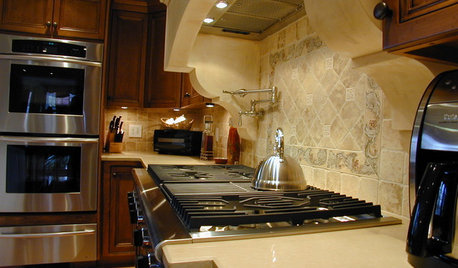
KITCHEN DESIGN8 Kitchen Design Tips for Foodies
If you own at least one pricey knife and have a slew of kitchen tools, you’ll want to read this
Full Story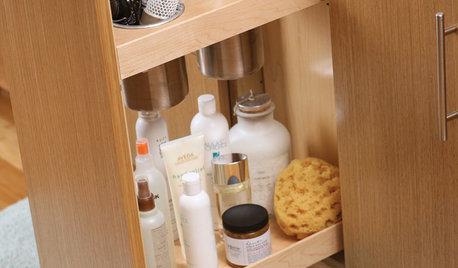
BATHROOM DESIGNPut the Kibosh on Hair Dryer Chaos
Fed up with knocked-over blowers and tangled cords? Try these tactics for keeping hair dryers and other styling tools under control
Full Story
DECORATING GUIDESSmall Changes to Simplify Your Long-Term Storage
Conquer your attic and basement storage in more than a day, with these easy, bite-size steps for sorting, storing and protecting your stuff
Full Story
HOME TECHFacebook Meets Fido: Pet Connections for the Digital Age
Three new products let you communicate with your dog or cat while you're at work
Full Story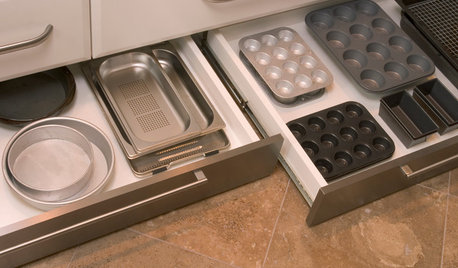
GREAT HOME PROJECTSHow to Add Toe Kick Drawers for More Storage
Great project: Install low-lying drawers in your kitchen or bath to hold step stools, pet bowls, linens and more
Full Story
FUN HOUZZGeek Lab: How to Build a Steampunk Cat Transit System
Give your kitty another avenue for fun with a tubular walkway system that lets him go his own way
Full Story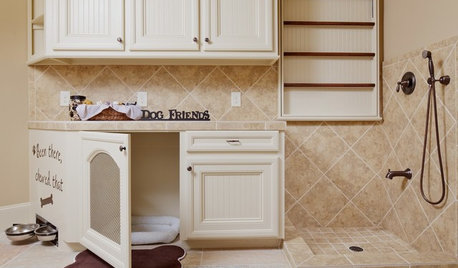
PETSThe Crate Conundrum: A Safe Place for Your Pooch
Get ideas for a comfy den for your dog that works well with your space too
Full Story
CLOSETSHouzz Call: Is Your Closet a Storage Powerhouse?
We want to see how you are making the most of your closet storage areas. Post pictures and tell us how you’ve organized them
Full Story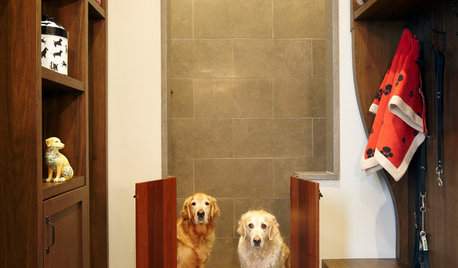
PETS15 Doggone-Good Tips for a Pet Washing Station
Turn a dreaded chore into an easier task with a handheld sprayer, an elevated sink or even a dedicated doggie tub
Full Story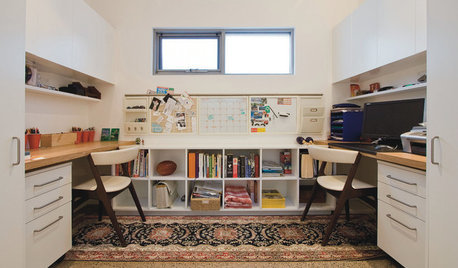
HOME OFFICESWorking at Home Together (and Apart)
One is easy. Two, not so much. Here are ways to make room for two to work at home
Full Story

lucillle