Houzz Logo Print
foodonastump

For Petalque (posting issues)

last year
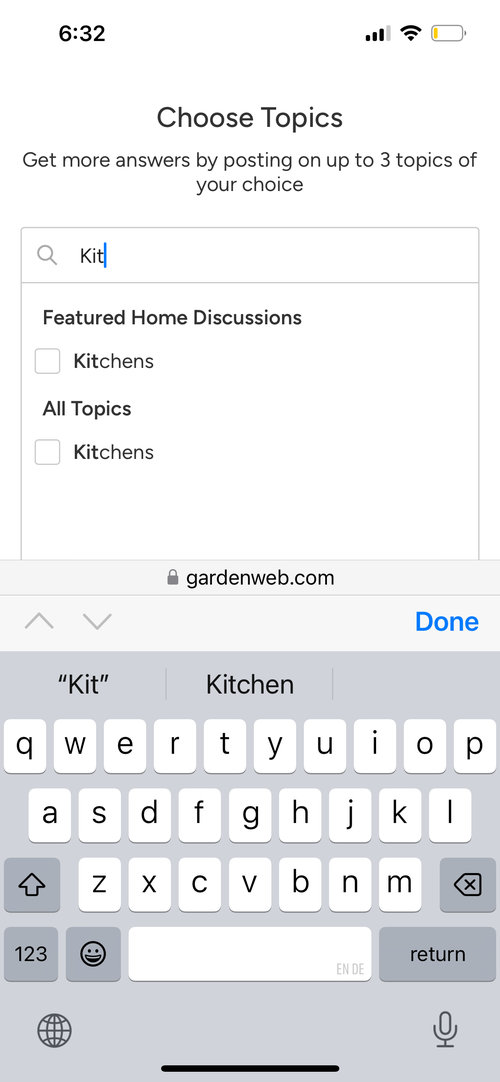
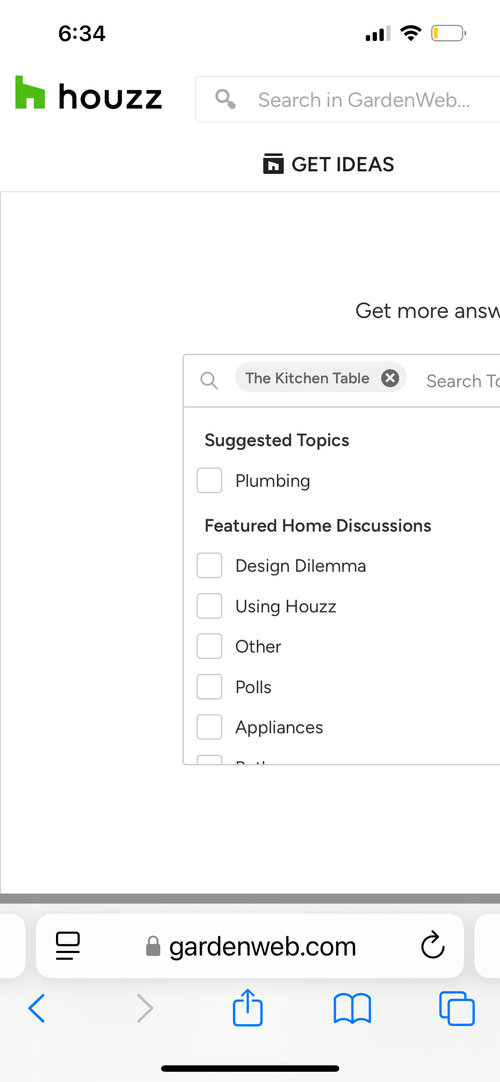
In case you didn’t see it on yoir other thead, on my phone at least I

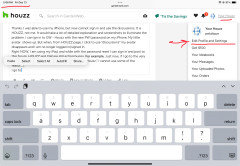
can post a new thread here (or cooking) if in desktop view but not in mobile view. Note the difference:


Comments (25)

  • last year

    Cannot post images/photos of screen shots.

  • last year

    Try again


  • last year


  • last year


  • last year

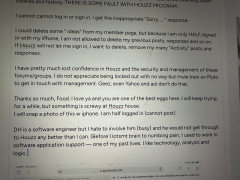
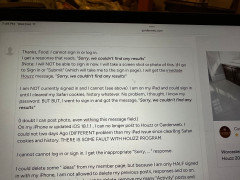
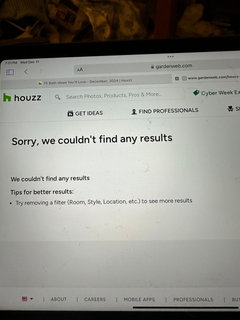
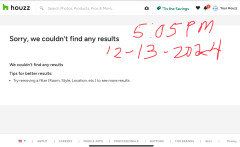
    The photos of my note back to you may be out of sequence. I composed them on iPad but could not sign in. I keep getting the Sorry, … message

  • last year


  • last year


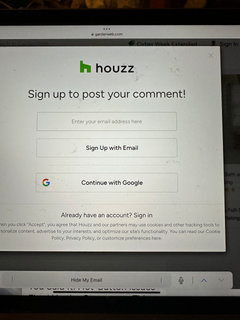
    NONE of the sign in options on this screen work for me on the iPad.

    I am half a**ed signed in on this iPhone, so I can submit photos of my messages from iPad that I could not send from that device because (read messages above) I can not even pist to someone else’s message, even your kind thread.


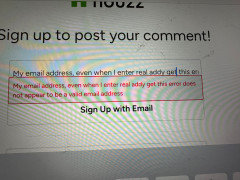
    the screenshot above is what I get /got when tried to respond to your post on using my iPad.


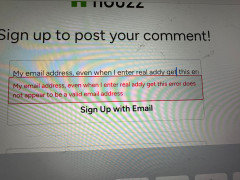
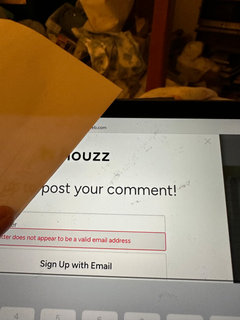
    None of the various sign in options would work. I kept hetting error responses.


    I will try to send one.

  • last year


    See what I get back?


  • last year

    I feel like Charlie on the MTA, except I cannot get on (properly) with iPhone and no longer AT ALL w my iPad.


    Did someone say I was a Commie Pinko or anarchist? Did the Orca say I put a salmon hat on her? (news item)


    I don’t know how I can fix this. Thanks so much, Food, for your time and kindness.


    BTW, W ipad i tried gardenweb and houzz. Neither worked see above photos of the repeated error messages.


    I wii TRY to reach ”Emily” if she still wirks gir Houzz. I think that is a catch 22 since I cannot sign in.


    Frustrating


  • last year
    last modified: last year
  • last year

    The exact same thing is happening to me, only on 1 device (my tablet) though. I can't sign in and nothing I try is working - just keep getting the exact same "sorry we can't find any results" message that you shared above.


    It doesn't allow me to reset my password, it doesn't allow me to sign in - literally no matter what I try, either the little dots just spin in perpetuity, or I get the same "sorry" message. I've tried every trick I know (updating, shutting down, clearing cookies, blah blan blah....)


    Fortunately it hasn't kicked me out on my laptop. Yet anyway.

  • last year

    Wondering if firewalls, adblockers or other protocols may be the cause?

  • last year
    last modified: last year

    I got a note and directions and links for resetting my password. I hope I can now get a different one because I will never remember the jumble that the system created for me.


    So thanks again Emily and the Houzz Gardenweb staff!

  • last year

    A reboot yesterday fixed the YouTube problem that occurred on one of my computers. One wasn't affected. I haven't checked the other, it isn't much used except on Fri & Sat evenings.

  • last year

    I spoke too soon. Still getting error messages.

    now cannot sign in with iPhone, and get SORRY page if I try to adjust “My Houzz.”


  • last year

    Via your phone is the only way you can access? No computer in the house?

  • last year
    last modified: last year

    Thanks. I was able to use my iPhone, but now cannot sign in and use the discussions. It is HOUZZ, not me. It would take a lot of detailed explanation and screenshots to illuminate the problem. I can ign in to GW - Houzz with the new PW (password on my iPhone. My little avatar shows up. But when, from HOUZZ page, I click to use “discussions” my avatar disappears and I am no longer logged in/signed in.

    Right NOW, I am using my iPad, and while with the password reset I can sign in and post to this forum, HOUZZ and GW are still acting buggy. For example, Just now, if I go to the very top right hand corner of this page and click on ”My Houzz,” I cannot use some of the features.

    I go to “Edit Profile and Settings,” I get the Sorry Page again.

    See screen shots (below) from a few minutes ago.


    See how I got the SORRY page? It also give the Sorry page if I select ”Your Uploaded Photos.”

    This is an error in the Houzz software.

    ETA — I terestingly, all the Your Houzz menu options give me the Sorry page with the exceptions of Win $100 or Your Order (revenue pages).

  • last year

    When Houzz sends me an option to reset my password, they send me a form, they assign me a very very long password that looks like

    ”abunch-lowr-letrs2”


    Is there a way for me to choose my own strong PW characters? A lots of places allow this.


    What If I want to review my photos or past comments? No way to get to them, get SORRY PAGE.


    I have spent/wasted hours on this because of some programmer. DH’s colleague used to kid that some big (the big) software company hird 3rd graders to program. Less expensive in the short term.

  • last year
    last modified: last year

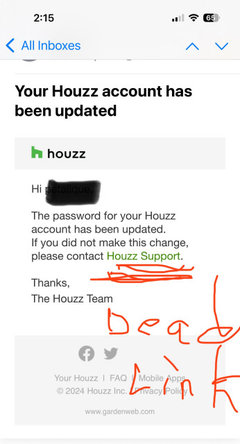
    Here is something I don’t understand, in a message, they offer me an apparent link in hypertext, in green. But there is nothing HYPER about it. Just green colored text and no link active. What the?? See?


    see that green text? I might as well be trying to click on a piece of paper from a typewriter. Go figure. I mean, how difficult is it to hyperlink text?

    I can contact them again, and again have them Re-Set my password, but that won’t remedy their buggy site software.

    Already, I can look at my list of passords. Funny.


    I have about seven (7) GW -Houzz passwords in every combination and permutation


    email accts, names and reset passwords for GW -Houzz:


    user name 1 at GW ——— password xxx

    username 1 at Houzz ——— password xxx2

    email name at GW ————password xxx3

    email accoun name 1 at Houzz ——— password xxx4

    a different email account name at Houzz ——-password xxx5

    no user name on email account at Houzz ————- password xxx6

    ~~~

    This is about how it looks. Obviously, those are NOT real passwords.

    I bet I can text or email or post to the Houzz bot and have them reset my email repeatedly, by it isn’t likely to fix their program.

  • last year

    As a retired programmer, I have a wild guess. I would bet that half of their off-shore programmers have no idea that gardenweb exists until they change some HOUZZ code without testing it across both websites. I have had the experience of them trying to drag me from gardenweb to houzz. Most likely crap testing of their changes. Maybe they want gardenweb to go away? Probably not, probably just cheap code. Keep reporting it.

  • last year

    And this is what I'm afraid of. I can't get into "Your Houzz" now. Will I have to reset my password to get into "Your Houzz" and then have to reset my password again to get into Kitchen Table and Home Decorating Conversations. What a run around.

  • last year

    Even after re-setting my PW, I still could not get into ”My Houzz.”

    I had to do a work-around after going elsewhere, trying different things.

  • last year

    Is there a fix to this? somehow I was able to post 2 weeks ago and I get notifications of replies to the post, and i can view it if I follow the email link...but I cannot start a new discussion or even log in without getting the "sorry..." I'm trying this here for help but doubt it will let me post it.

  • last year

    Well, it let me post that-but can't login to my profile or post a new discussion or do anything else without getting the sorry message. I can't even find a way to access customer service help.