

I wonder if Ebay or its sellers sell email addresses
2 years ago
last modified: 2 years ago
Featured Answer
Sort by:Oldest
Comments (20)
 2 years ago
Related Discussions
Any one sell or know of adenium sellers on eBay?
Comments (17)I just received an order from Durham Botanicals last week. Great looking plants and he has several varieties. You'll have to tell him what you want and he can verify if he has it. He wants orders of 6 or more as a minimum. I got together with two people from work to order. You can email him at - chris@durhambotanicials.com. I am very happy with the quality of the plants. He has two different variegated adeniums too. I have attached a pic of several we purchased from Chris. He is also on facebook in the adenium groups. I'll take pics of the five I purchased tonight and post them. Lonnie This post was edited by printmaster on Wed, Jul 9, 14 at 6:58...See MoreNice.... Photos being Being Used By eBay Sellers!
Comments (23)As a web designer who specializes in horticultural websites, I have experience with this situation! This is a big issue with web designers. Images are very easy for thieves to find. All they have to do is search Google Images. It helps if you don't put the name of the plant near the picture because then the Google Image spider doesn't know its name. But a plant without a name? Very unlikely. You can complain to the company that hosts the offender's website and they should insist that the stolen image(s) be removed or they will cancel their hosting. I can't imagine that working very often. E-Bay has a host of workers who are working to keep up the reputation of E-Bay. So by all means complain to them!!!! Printing your name on the image would help, as it takes some effort to remove it. I use a "no right click" script on every webpage. It means that people cannot simply right click and save the image. However this only works for websites. I have noticed that there is at least one image hosting website that does not allow right clicks. At this moment I cannot think which one it is, but do a Google search for "image hosting" or "photo albums" and test for yourself. I am not sure, but I am under the impression that the "no right click" script stops the Google Image spider for grabbing the image for its index. Since I have set up pages with this script I no longer see the pics in Google Images. One of the reasons I stopped blogging is because there is no way to protect my images. An image-laden website that I do a lot of work for has had numerous images stolen before I put the "no right click" script in place. Since then none of the new images have been stolen. The worst thing about having images stolen is that if the viewer sees an image on two commercial sites, then how are they supposed to be able to determine who the thief is and who took the original? So both sites can potentially look bad. It would also be worth it for many of us to contact this forum and ask if images can be protected when placed on the forums here....See MoreEbay question for ebay mavens. Selling first item.
Comments (31)Red, I didn't see your response. Yes it seems a lot of people do like the Priority shipments. I just don't need to pay more to have things here fast. Shipping fees are a drag as it is! I bought from the UK quite a bit a few years ago and they would always ship air, understandably I guess because of the slowness otherwise, and the possibility of things getting lost in a winding transit. But, it was quite a bit more expensive, so I'd go parcel post most of the time. Usually didn't take all that long. Added to insuring items, it just really adds up. And when you haven't even seen the item firsthand, well, it's just a lot of money on extras. Yes, it does look like some of her buyers have noticed the post on the package is quite a bit lower than what they were charged. So she may have thought I was questioning her too. Well, I have no control over her packaging and handling charges, but can request slow mail and no insurance! :) And dang! I did manage to get old. I'm not sure when that happened!...See MoreiVillage selling email addresses
Comments (6)Just because a company says they don't onsell your address doesn't mean their staff don't do it on the sly. I once registered for a hot mail with Excite.com and within 24 hours I had 200 spams. Now someone passed my address on. Most of these companies like say iVillage rely on your curiosity and "You never know, I must open it because it may be something I want" attitude. I suppose most of you out there know about tracking cookies or tracking software loaded into your computer without your knowledge. So you unsubscribe. So what, you may still be sending info back to that site unless YOU remove the offending cookie/software. I have 2 spyware removers, 2 antivirus programs, a mail washer and a firewall and I still removed a trojan only the other day. The reason for two of each is what one misses the other may find. The trojan got in embedded in an email from a well respected manufacturer. A simple rule of thumb. Turn Preview Pane off permanently and If you don't recognise the sender SHIFT Delete it without opening it. Doug....See More- 2 years ago
 2 years ago
- 2 years ago
 2 years ago
 2 years ago
 2 years ago
 2 years ago
- 2 years ago
 2 years ago
- 2 years ago
- 2 years ago
- 2 years ago
- 2 years agolast modified: 2 years ago
- 2 years ago
- 2 years ago
- 2 years ago
- 2 years ago
- 2 years ago
Related Stories

GARDENING FOR BUTTERFLIESGardening for the Bees, and Why It’s a Good Thing
When you discover how hard bees work for our food supply, you may never garden without them in mind again
Full Story
ORGANIZINGOrganizing Secrets: It’s the Little Things
Get these 8 small areas under control for a major boost in overall tidiness at home
Full Story
HOUZZ TV FAVORITESHouzz TV: See What It’s Like to Live in a Glass House
Tour a couple’s midcentury modern Illinois home, where floor-to-ceiling views of nature are all around
Full Story
FUN HOUZZEverything I Need to Know About Decorating I Learned from Downton Abbey
Mind your manors with these 10 decorating tips from the PBS series, returning on January 5
Full Story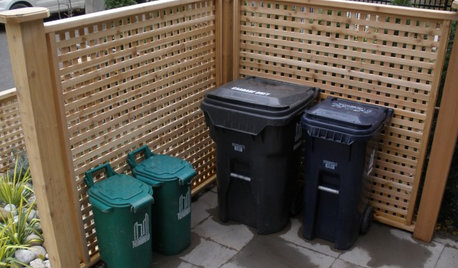
THE POLITE HOUSEThe Polite House: What Can I Do About My Neighbors’ Trash Cans?
If you’re tired of staring at unsightly garbage way before pickup day, it’s time to have some tough conversations
Full Story
SELLING YOUR HOUSE10 Tricks to Help Your Bathroom Sell Your House
As with the kitchen, the bathroom is always a high priority for home buyers. Here’s how to showcase your bathroom so it looks its best
Full Story
SELLING YOUR HOUSEA Moving Diary: Lessons From Selling My Home
After 79 days of home cleaning, staging and — at last — selling, a mom comes away with a top must-do for her next abode
Full Story
SELLING YOUR HOUSE10 Low-Cost Tweaks to Help Your Home Sell
Put these inexpensive but invaluable fixes on your to-do list before you put your home on the market
Full Story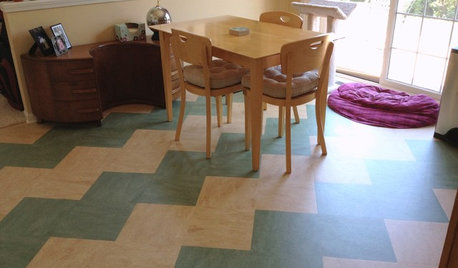
REMODELING GUIDESLinoleum, the All-Purpose Flooring Wonder
Dashing in a rainbow of colors, able to be cleaned with ease and courteous to budgets everywhere, linoleum is a super choice for floors
Full Story
MOVINGThe All-in-One-Place Guide to Selling Your Home and Moving
Stay organized with this advice on what to do when you change homes
Full Story

carolb_w_fl_coastal_9/10