

Trying to play a DVD
4 years ago
last modified: 4 years ago
Featured Answer
Sort by:Oldest
Comments (8)
 4 years ago
 4 years ago
Related Discussions
no sound when trying to play a short video on line
Comments (11)I use this Firefox add-on: https://addons.mozilla.org/en-US/firefox/addon/easy-youtube-video-downl-10137/?src=search That's just the one I stumbled on and suits my limited needs, so I stick with it, there may be better for all I know. The reason I wasn't quick to mention it is that, if I remember correctly, it tried to tempt/trick me into upgrading to an "ad-supported" version when I first installed it, and maybe even every time it updates. I don't really remember, but I got the feeling it was baiting me into installing something I didn't want, and I didn't really like that. The regular version works great for what I use it for though. I can download the video as an "flv" or "mp4" in any bitrate it's available as. As for the higher bitrate audio that they want me to upgrade to receive, I don't need that anyway. I can always strip the audio out of the video if I need it. :)...See Moreconnecting headphones to DVD player
Comments (23)oh well you have every type of connection on there you could get and you only need ONE! IF you have an HDMI cable that goes from your TV to the DVR player that is it that is all you need disconnect all those other cables! the HDMI is video and audio all in one cable that is the advanatage of HDMI one cable and the highest quality. The other options are only to be used if you are using devices that do not use HDMI. So plug the HDMI cable to either the DVR or the DVD depending on which one you want to use, then use the the red and white RCA jacks on the tv (it does not matter if there is a yellow one beside it that yellow is for video not audio so you will use the red and white only) plug your headphones red and white male cords in to those red and white female out jacks on the tv. That is all! leave all other cords out of the equation. As long as all of your devices that you want to connect to the tv have HDMI use that. IF your tv did not have HDMI then you would use the 3 colored ones yellow white and red that carries video on yellow and right and left audio on the red and white. Ok try that just the HDMI cable and your head phones. BE sure that the source input on the tv is set to HDMI if that is what you will be plugging the DVR or DVD into, if the source input is not selected on the tv you will not be getting the signal. This statement right here is very baffling -a 3-prong (yellow, red & white) from the TV (video out) to the three middle (audio out) jacks on the DVR. you state you are going from tv out to DVR out you can not go from out to out there has to be an IN for anything to work. But you do not need those cables so remove them completely from the equation. HDMI out from DVR to HDMI cable IN on the tv period. Headphones base unit red and white male plugs into the TV red and white female audio out jacks. Period...See Moresony dvd/vcr combo--no sound on dvds suddenly
Comments (2)Perhaps you have turned the sound to OFF. Go through the setting on the menu or display, and see if the sound is ON or OFF. I have turned mine off before, and that's why I mentioned it to you....See MoreDVD player playback error
Comments (1)I had a Phillips DVD player and returned it. It would only play DVD's that were coded "1" (US). I have many Euro DVD's, Germany, Holland, Former Checzk Republic and they played great on my old DVD player (LG) which did not have a "code detector" in it. Try a DVD that you know is code 1 (US)., and thank Hollywood for the freaking code detector!!! Gary...See More- 4 years agolast modified: 4 years ago
 4 years ago
- 4 years ago
- 4 years agolast modified: 4 years ago
- 4 years ago
Related Stories

ENTERTAININGBefore You Host, Play Guest
To find out if your guest room is comfortable, try staying in it yourself
Full Story
LANDSCAPE DESIGN10 Hardscape Materials That Play Well With Gravel
Try any of these foolproof path-and-patio combinations to achieve an integrated look in your landscape
Full Story
PLANTING IDEASGreat Garden Combo: Play With Foliage Patterns in a Border
Splashes, spots and stripes: Confidently mix things up in your border planting with our 4-step recipe
Full Story
GARDENING GUIDES15 Ideas to Try in Your Garden This Year
These gardening stories were tops among Houzz readers. Which ideas might you try this year?
Full Story
COLORPattern Play: Mix Prints for a Traditional-Modern Look
See how to layer florals, stripes and geometrics for a contemporary bedroom or living room
Full Story
ORGANIZINGThe Family Home: Toy Storage That's Child's Play
Make toy organization and pickup a breeze with designated bins and boxes throughout the house
Full Story0
BEDROOMSNew This Week: 3 Bed, Nightstand and Wall Combos You’ve Got to Try
Whether you prefer moody, minimalist or sunny, these 3 bedrooms uploaded to Houzz recently are exercises in stylish harmony
Full Story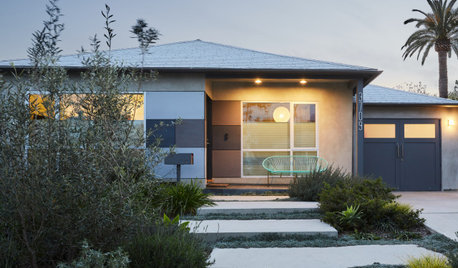
MODERN HOMESHouzz Tour: Playful Modern Makeover for a 1950 Bungalow
Architects found on Houzz give a creative Los Angeles couple a smart new layout and fun colors
Full Story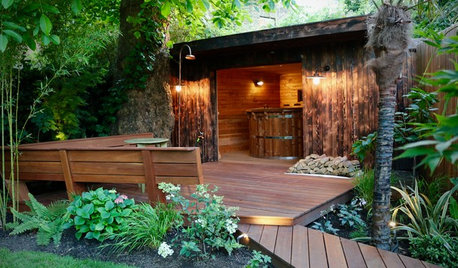
LANDSCAPE DESIGNYard of the Week: Tropical Haven for Playing and Socializing
This zoned, verdant family retreat in the shade features a new backyard studio, central lawn and secluded sauna cabin
Full Story
HOUSEPLANTSPlay Up Some Fiddleleaf Figs for a Lively Indoor Tune
Strike a dramatic chord in a minimalist scene or a country note in a rustic setting — fiddleleaf fig plants harmonize with any style
Full StorySponsored
dadoes