

How do I get rid of Norton and McAfee expiration notices?
6 years ago
Featured Answer
Sort by:Oldest
Comments (24)
 6 years agolast modified: 6 years ago
Related Discussions
OT How do you get those iVIllage videos to stop
Comments (6)Check the tomato forum. There was a discussion over there and someone listed how to get rid of the ads. I can't remember the exact post but I'll try to find it. It worked for me!! Found it- Try this: I don't know if there's some additional mozilla thing that will get rid of the ads you're still getting, but this will block them: (copied from another thread here) "The Universal Solution: (if you have a PC) This will work on Windows systems for all browsers; IE, FireFox and Netscape. The Windows operating system provides a system-level method to block specific IP addresses before they even get to the browser. To effect this solution you need to edit a Windows system file called "HOSTS". This file is located in the directory: Windows XP: C:\WINDOWS\SYSTEM32\DRIVERS\ETC Windows 2K: C:\WINNT\SYSTEM32\DRIVERS\ETC Windows 98: C:\WINDOWS Open the file in Notepad. Cut the following from this post and paste it to the end of the file. 127.0.0.1 amch.questionmarket.com 127.0.0.1 a820.g.akamai.net 127.0.0.1 iv.doubleclick.net 127.0.0.1 i.ivillage.com 127.0.0.1 m.2mdn.net 127.0.0.1 tste.ivillage.com 127.0.0.1 img-cdn.mediaplex.com 127.0.0.1 ads.vmirror.com 127.0.0.1 cmhtml.ivillage.overture.com 127.0.0.1 ads.pointroll.com 127.0.0.1 xml.ivillage.overture.com 127.0.0.1 cmls.overture.com 127.0.0.1 cm.ivillage.overture.com Close and re-open your browser and all the ads will be gone. Unfortunately, iVillage may in the future buy ads from a new source. In this event the new ad source will have to be added to the list. " o...See MoreWhich Norton Internet Security Should I Get?
Comments (7)I use the Norton Internet Security Suite. I like the firewall and the Antivirus seems to work well. The AntiSpam feature never worked. They said it's because I used AdAware and Spybot. They said they are not compatible, therefore, I must get rid of them. I refused (I am very happy with them). As a result, I will not renew this subscription when it expires. I will probably use MS One Care as I have it on my older machine and it seems to do a good job and it's cheaper. Jane...See MoreProblems after downloading Norton
Comments (21)zep, you got off free and clear, not I, not the first time probably won't be the last. Oh well can't please them all. LOL and yes I do have resources to back it up. Help! My computer is slow! a highly regarded MVP posts about registry cleaner use. Mark Russinovich (Author of the "Bible", Windows Internals, co-founder of Winternals and Sysinternals, and since both companies were bought by Microsoft, now a senior Microsoft employee) "I haven't and never will implement a Registry cleaner since it's of little practical use on anything other than Win2K terminal servers and developing one that's both safe and effective requires a huge amount of application-specific knowledge. Will using Registry Cleaners speed-up my system and make it more reliable? It will have no effect on system speed. There is an excellent chance it will make your system less reliable." And the extremely well know Fred Langa Are software registry cleaners of any use? Fred Langa started with a standard PC, imaged it, and ran 10 registry cleaners. He ran each three times on an image: Highest number of items that needed to be "fixed": 800 Lowest number of items found to be "fixed": 59 "Does not this suggest that what needs to be fixed is not at all certain? The other question it invites is it not possible that those generating a large number of entries are trying to sell snake oil? " And from Bill Castner MS MVP who works on many of the support forums. "Summary of Registry Cleaner Software: Do not bother with this. It it unlikely to help, it can cause harm. There are no end-user benefits from running registry cleaners. Unnecessary entries in the registry do no harm. This should not be a regular maintenance chore. It most certainly if done should not be automated. I hold to the singular distinction I made in the beginning: there are times that a fast registry editor with search is needed to fix a single issue under Expert hands. There is no justification for the regular use of automated registry cleaning tools; and as the results above show, they are of dubious merit as the "fix" for even one-off problems that need solving." Bill Castner MS-MVP, Aumha VSOP & Moderator I could certainly go on for quite some time quoting from each of the support forums, but I won't bother. As DA so wisely stated "The problem is here at the forum we have members of various levels of inexperience who at times overly rely on a member's suggestion or from readings elsewhere." That is precisely why at help forums you MUST be extremely cautious what is suggested, and every support forum I work on goes by the statement that Bill Castner made above. If someone knowingly choses to use such a program they take that risk upon them selves which is fine if they are knowingly entering into it and know the risks involved....See MoreNorton automatic renewal
Comments (5)I personally would not pay that kind of money for Norton. I currently use AVAST free and like it, also very good is MSE by microsoft also free. but that decision has to be one you make. should you decide to get rid of Norton be sure you use a program like appremover to fully rid your pc of it before you put on any new AV program. Norton likes to leave a lot of bits and pieces behind. If your Norton has the firewall with it you will either need to turn on the Windows firewall or use another stand alone firewall like zonealarm free. Since you are still running xp sp2 and have not updated to sp3 you are no longer getting critical security updates since it has past it's support life. IF you went with sp3 you would get updates to windows for a few more years. Using AppRemover I just used it yesterday to clean up a friends laptop and it works great for removing both Norton and McAfee....See More 6 years ago
- 6 years ago
- 6 years ago
- 6 years agolast modified: 6 years ago
- 6 years ago
- 6 years agolast modified: 6 years ago
- 6 years ago
- 6 years agolast modified: 6 years ago
- 6 years ago
- 6 years ago
- 6 years ago
- 6 years ago
- 6 years ago
- 6 years ago
- 6 years agolast modified: 6 years ago
- 6 years ago
- 6 years ago
- 6 years ago
- 6 years ago
 6 years ago
- 6 years ago
- 6 years agolast modified: 6 years ago



Related Stories

LIFEHow to Get Rid of Clothes Moths
Found holes in your favorite sweater? Read on to learn if clothes moths are to blame — and what to do about them
Full Story
KITCHEN STORAGEGet It Done: How to Clean Out the Pantry
Crumbs, dust bunnies and old cocoa, beware — your pantry time is up
Full Story
ORGANIZINGGet Organized: Are You a Piler or a Filer?
Tote out the bins and baskets and learn how to be an organized piler if file cabinets leave you cringing
Full Story
ORGANIZING7-Day Plan: Get a Spotless, Beautifully Organized Kitchen
Our weeklong plan will help you get your kitchen spick-and-span from top to bottom
Full Story
MOST POPULARGet Organized: Take a 10-Day Simplification Challenge
Organizational expert Emily Ley helps us get a jump-start on our New Year’s clear-outs
Full Story
MOST POPULAR5 Ways to Pare Down Your Stuff — Before It Gets in the Door
Want to free up some room around the house? Rethink gift giving, give yourself a shopping mantra and just say, ‘No, thank you’ to freebies
Full Story
FEEL-GOOD HOME12 Very Useful Things I've Learned From Designers
These simple ideas can make life at home more efficient and enjoyable
Full Story
BATHROOM DESIGN7-Day Plan: Get a Spotless, Beautifully Organized Bathroom
We’ve broken down cleaning and decluttering the bath into daily, manageable tasks
Full Story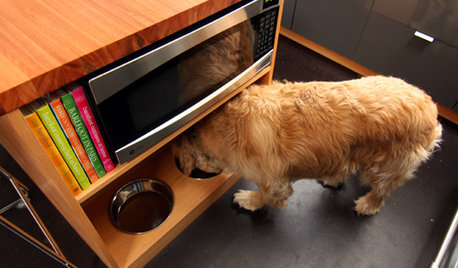
DECORATING GUIDESGet Organized: A Place for Your Pets' Stuff
Live in style with your cat or dog thanks to special places for their food, bed and toys
Full Story
DECLUTTERINGWhen Simplifying, Which Papers to Keep and Which to Toss?
Find out which records you can get rid of when you are decluttering or moving to a smaller home
Full StorySponsored
More Discussions

AlisandeOriginal Author