

I bought a new cell phone
7 years ago
Featured Answer
Sort by:Oldest
Comments (21)
 7 years ago
 7 years ago
Related Discussions
New pictures of my brugs (had to use cell phone to take them)
Comments (7)Thank for all your nice replies. Even with those crappy pictures I took. They really do look much better. We've had some warm days and cool nights, around 50 degrees. About two weeks ago I finally experienced what the lack of water can do to a potted brug. OMG! I walked outside and the leaves were as wilted as can be. I panicked like crazy. I came in to get water as fast as I could. I have never seen a plant react so fast to getting water. I went in to get more water, and by the time I came back out I could already notice a difference. It was amazing. I am so hoping that I get to see the other bloom. I already seen one bloom earlier when I bought these, and they looked bad in my opinion. However, it still produced one single fully opened beautiful white bloom. Now it has about 15-20 buds/pods on it, and the one I haven't seen bloom has just as many. I hope we'll get enough warm weather so I can at least see what it looks like. I think when I purchased it the tag said pink, but what color pink I don't know. The white was beautiful. I walked over to it each day and just admired it. I was in heaven. I only wish I had gotten around to getting these in the ground. They looked bad to me when I first got them and even with all the advice I got here I just didn't think I could do anything to make them look any better. In my zone with enough time to get a good root system they could have survived the winter. However, it's to late for that now. I just have to hope that I can continue to care for them in their dormant state and keep them going. I am so proud of them. Thanks to everyone here who offered advice. Some of it I took, and most of it I forgot. *LOL* I have taken in so much information about brugs since August I feel my brain is overloaded and cannot remember half of it. Either way, Thanks to all and especially Karyn. I hope you'll all guide me through the winter as well with these potted brugs....See MoreTransfering cell phone contacts to new smart phone?
Comments (6)I believe both do have bluetooth but I never learned to use it. I will check it out. owbist; I always forget about youtube. However, I didn't see anything useful in your list. Remember, I had essentially succeeded in making a sim card transfe, but the data was not complete. The one on point post from your list also indicated incomplete data fields. I actually found that my transfer was worse than I originally thought. It only transferred the contact name and lost both the fact that the next contact was identical and thus a subset, but also lost any indication of the type of phone (work, home etc) and listed ALL entries as 'mobile'....See MoreNew tip for using cell phone :o)
Comments (13)I think I've told this story here before, but.... My DS#2 was working at the local feed store and while loading feed, he accidentally dropped his cell phone into the bed of a truck. Once he realized his phone was gone, he borrowed a co-workers phone and called me all upset. It was a new, expensive phone and he didn't know what to do. So I told him I would try calling the phone and maybe he or someone else would hear it. By this time the rancher whose truck the phone had fallen in was at his place standing at the back of his truck. My DS had a bird singing ringer for when I called him. So when I tried calling, the rancher only heard a bird singing. So DS had a friend call his phone. He had his ringer set as a rooster crowing when this friend called him. So the rancher started hearing the rooster crow. He was really puzzled then as he knew he didn't have any chickens on his place. Finally he found the phone and the next time I tried calling it the rancher answered. He was laughing so hard because by then he had figured out what had happened. DS was soooo glad to get his phone back!...See MoreI need a new cell phone
Comments (9)Lots of choices! To answer your questions more directly, you want an unlocked phone if at all possible. An unlocked phone can be moved to a different carrier if you have issues with your current carrier's service where you need to use the phone. Unlocking also can let you move to a carrier offering a lower-cost plan. Some phones can be unlocked by the carrier after you pay for a number of months of service with them. These might be an option if you know you'll be happy enough with that carrier for as long as you need to use them. In your price range, it will be hard to find even a recent iPhone. If you're looking at smartphones, you'll be considering Android phones. Or you'll be looking at "feature" phones (the old non-smart kind). There may still be a few Windows Phone models that look like screamin' deals. Don't do it -- Windows Phone is a great OS but it is a technical dead end. You could buy a refurbished phone; that will save some money and some potential grief. Several manufacturers sell refurbs at their Web sites; carriers do, too. Usually this is a recent-model phone which has been cleaned up and batteries replaced so it is, effectively, a new phone for you; they carry the manufacturer's usual warranty. You also could buy a used phone, but, in your situation, I don't recommend it. For one, smartphones often are tied to cloud storage provider accounts and/or bought on purchase contracts which must be satisfied before the phone can be moved to another account. Many sellers don't clear things up appropriately. Second, phones live hard lives. Buying a phone someone else has used for a couple of years exposes you to however they stored or dropped the phone and/or abused the screen and battery. Paying to fix that negates much of what you save in buying a new phone. And you likely will have no warranty recourse on a phone that old. I'm not really familiar with the Android smartphone landscape (we're an Apple house). Features you could look for: removable battery; slot for additional memory; the quality of the camera (if you plan to take pictures with it); a bright screen that renders colors accurately. Consider screen size -- bigger screens are nice to look at but it makes the phone harder to stow in a pocket or even for those with smaller hands or limited mobility to use. If you can, find out if the phone you're considering will get future Android operating-system and security updates (no phone will be supported forever, but the older the phone and the smaller the manufacturer's phone business, the less likely they'll bother accommodating updates). Good luck!...See More- 7 years ago
- 7 years ago
 7 years ago
- 7 years ago
 7 years ago
 7 years ago
 7 years ago
 7 years ago
 7 years ago
 7 years ago
 PRO7 years ago
- 7 years ago
 7 years ago
- 7 years ago
 7 years ago
- 7 years ago
 7 years ago
- 7 years ago
Related Stories

HOME TECH6 Sound Solutions for the iPhone Home
Listen up: An iPhone and one of these stylish audio systems let your music look as good as it sounds
Full Story
FUN HOUZZEverything I Need to Know About Decorating I Learned from Downton Abbey
Mind your manors with these 10 decorating tips from the PBS series, returning on January 5
Full Story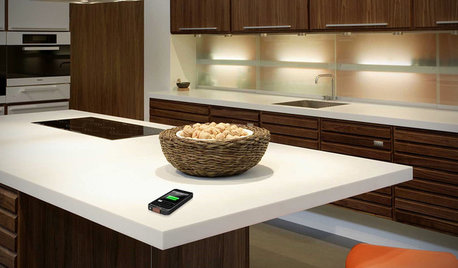
HOME TECHComing Soon: Furniture That Charges Your Phone
Countertops, tables and home appliances with wireless charging capability mean less clutter — and zero effort powering your phone
Full Story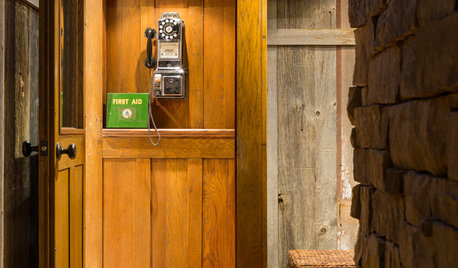
VINTAGE STYLEDial Into Old Phones for Decor With Character
Give a nostalgic nod to the past with vintage telephones, working or not. Booths and sawdust optional.
Full Story
LIFEWhat I Learned While Cleaning Out My Junk Drawers
A homeowner finds some surprises on her journey to junk-free bliss
Full Story
HOME TECHSmart Phones Hold the Keys to Front Doors
Knock, knock. Who's there? A brand-new generation of hardware and app combos that let you play doorman from anywhere
Full Story
LIFEWhat I Learned About Moving a Loved One to a Retirement Home
Setting up an elderly family member’s apartment in an assisted-care facility is a labor of love for this Houzz writer
Full Story
HOME TECHTurn Your Smart Phone Into a Home Security System
Monitor your home a less expensive way by putting your phone and some new gadgets to work
Full Story
DECORATING GUIDESThe Dumbest Decorating Decisions I’ve Ever Made
Caution: Do not try these at home
Full Story
HOME TECHSwitch On the Phone-Controlled Home
Lock your front door from afar, let your thermostat set itself and more when you use your phone as a control device
Full Story
JoanMN