

HP 7520 printer issue
7 years ago
Featured Answer
Sort by:Oldest
Comments (10)
 7 years ago
Related Discussions
Printer not printing in colors
Comments (3)Marie - I have a HP printer that takes the seperate ink tanks (although not the same ones as you) - when I run it out of ink, I have the same issue. Or if I have not used the printer for a while. To open the Toolbox - go to your start menu on your computer. That is the big "windows" button on the bottom left of your toolbar. Select ALL PROGRAMS and navigate to HP Solution Center. When that is open - choose "Settings" and then look for "Printer Toolbox" - When you get to the Toolbox - first "clean the printheads" - then "align the printheads" That usually fixes it for me. Sometimes I have to clean the printheads twice to get it printing good again. I am also able to access this from the buttons on my printer. There is a menu button on mine....See Moreprinter issues
Comments (1)seems printer might go into sleep/power save mode? and that might have something to do with scanner issue. maybe not. i can press button on printer for scan and than i can somehow get access to the scanner function on the computer. so, i put it on shelf. am using another printer my son had who is home for awhile. but he will leave in the next couple of months so i will be back to the bad printer....See More2003 HP printer won't accept paper
Comments (9)A shot in the dark here. It's an old HP fix-it. Shut down your system. Disconnect printer from system. Unplug printer from the wall for sixty seconds. (If it is plugged into a surge suppressor/power strip unplug it from the strip.) Reconnect printer to system. Plug printer back in directly to wall. Turn on printer and let it configure. Boot up system. Cross fingers. Print. The thought process is some HP transformers are fussy and don't like an unstable electrical supply; particularly through power strips/surge suppressors (two different things in actuality) In their fuss they can drop settings, handshakes and configurations. DA...See MorePrinters
Comments (13)I am wondering about your statement, "Needs aligning often". I have an HP Photosmart 7520 and it holds alignment very well. I have run 1000 pages through it without needing realignment. Mine was trouble free until after the 10,000 th page when apparently, the photo-black jets partially plugged. It leaves 4 light streaks across the ink swatch on the test page. It still prints credible photos, but I'm sure there will be more trouble ahead since I can not get those jets cleared. It is possible that the contacts on the back of the print head are dirty and maybe keeping a couple of jets from firing, but clogged jets are more likely. I like the printer well enough and the mechanisms seem free of play, that I may buy a new print head and install it. The other alternative is to buy a new printer since HP practically gives these away in order to rake in sales of the cartridges. However, this model is not available anymore and I like its size, very good print, photo printing, speed, and features and that it leads me to consider replacing the print head....See More 7 years agolast modified: 7 years ago
- 7 years ago
- 7 years ago
- 7 years agolast modified: 7 years ago
- 7 years ago
Related Stories

TRENDING NOWThe 10 Most Popular Home Offices So Far in 2020
See how soothing colors, hardworking built-ins and lots of style create inviting, modern work-from-home spaces
Full Story
DECORATING GUIDESEdit Keepsakes With Confidence — What to Let Go and What to Keep
If mementos are weighing you down more than bringing you joy, here's how to lighten your load with no regrets
Full Story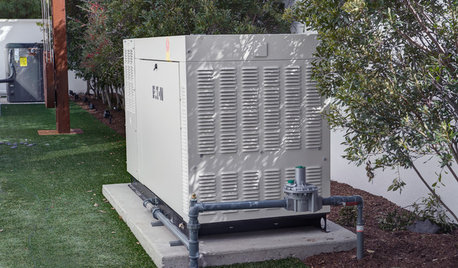
DISASTER PREP & RECOVERYMore Power to You: How to Pick the Right Generator
If your home's electricity goes, don't let it take your necessities with it — keep systems running with this guide to backup power
Full Story
Elmer J Fudd