

Need to Purchase a DVD Recorder/Player
7 years ago
Featured Answer
Sort by:Oldest
Comments (9)
Related Discussions
dvd recorder that supports windows media
Comments (1)I don't know much about computers so this is a stab in the dark. The Sony RDR-VXD655 supports JPEG playback. Sony's customer service number is 1-800-222-SONY. Here is a link that might be useful: RDR-VXD655...See MoreWould like your opinions about Blu-Ray DVD Players
Comments (10)I am sorry i seem to have been a bit misinformed i was surer i was right ,but the older 1.0,and 1.1 should still play futur discs it will just lack the full use of special features,i just read this article on cnet. (The easiest way to avoid all these headaches is to buy a Profile 2.0 player, which is currently the most future-proof option there is. In particular, we recommend the PS3--not only is it the best Blu-ray player according to our reviews, but it also has traditionally been updated with new features before other Blu-ray players. Additionally, because the PS3 has such a fast processor inside, we've found that special features just work better, with faster load times and smoother playback. If you're the kind of person that never fiddles with special features and you've found a great deal on a Profile 1.1 player, there's no reason not to buy it as long as you know what you're giving up. Profile 1.1 players should have no problems playing back future Blu-ray movies, you're just won't be able to get additional content online. Profile 1.0 players are increasingly rare these days, so unless you find a fantastic deal, you can probably find a Profile 1.1 player for a similar price.) for some morer info check out cnet for yourself ,again sorry for the bad info,will not happen again!...See MoreDVD recorder recommendations. unique needs
Comments (0)Folks, I have some unique needs, although you've probably heard them all before. Here is the info: 1) I get my TV input via Cablevision. 2) I think I want a DVD recorder with a Hard drive that will also make DVDs. 3) I also want to make DVDs from video that I shoot with a SONY HC-42. Can I edit that video on my computer? 4) I want to be able to show the DVDs on the TV that the recorder is hooked to as well as another TV as well as my laptop which has a DVD-ROM Module. 5) I only have 2.75 inches of height available on a shelf for the DVD recorder 6) I also want recommendations for a combo DVD/VCR player for the other TV. 7) It's all for occasional use. I'm not a big fan of TV nor music and I think Tivo is waste of money for my sporadic use. Does all this make sense and can you offer some suggestions. Thanks.... and have a wonderful holiday season. Spedprof...See MorePlease explain camcorders that record to a DVD
Comments (6)First off let me say that I prefer Mini DV camcorders to the direct to DVD type. If you plan on editing you video then a Mini-dv will end up giving you a better quality result because it will stay uncompressed until you are done and ready to author the DVD. In the DVD camcorders you get MPEG compressed video on the disc so any editing will uncompress and then recompress resulting in lower quality. To answer your questions: 1. The mini dvd's are either DVD-R or DVD+R discs these differ not in the content on the disc from normal DVD's but in the actual disc itself. The recordable disc's both mini and full size use a color changing dye to record the bits of data while a normal dvd is a pressed layer. Most newer DVD players and DVD-ROM drives in PC's will read either format with no problems. However you can go to Video Help.com and look up your DVD Players, others have put in feedback about what type's of disc your player works with. 2. The CCD is the electronic device that actually converts the incoming light signal to the electronic format, the number value attached is typically a resolution number, the higher the resolution (pixel count) of the CCD the higher quality the captured visual information can look. There are higher end models that employ three CCD's to give an even higher resolution image. 3. Both digital camcorders (a sony and a panasonic) I have owned had this feature, its name varies by manufacuterer. 4. Nope no adapter is typically required. If you look closely at the tray there is normally an indention to hold the smaller disc's, this has been a standard back to the mini CD. 5. Sound sync issue you experienced is likely due to the way you captured the video/audio. You dont say much about it so I can only speculate. In any case the MiniDV and the DVD camcorders should not have this issue is setup properly. You can also go the videohelp website for tips on how to capture analog video and convert if you are still interested in that for you old tapes. 6. Dont know check the manufacturers specs for their camera. Are you certain that the Panasonic was mini VHC (VHS-C)?? If its miniDV then I think you need to reconsider a new camera and look at how you edited and converted the video to DVD, it should not have the problems you described. Here is an excellent camcorder buying guide at Cnet.com...See More- 7 years ago


Related Stories
LIFESimple Pleasures: Put Your Records On
It’s cool to just relax on a recliner, delving deeply into tunes? Now that’s music to our ears
Full Story
LIFEHouzz Call: How Are You Handling the Record-Breaking Cold?
Share your tales, strategies and photos for everything polar vortex
Full Story
DECORATING GUIDES5 Ways to Organize Your Home Electronics
Always losing your phone charger? Tired of digging for that missing DVD? Try these ideas for managing your favorite home gadgets
Full Story
HOME TECHHow You Should Be Storing Your Old Home Movies
Don’t let those precious recordings deteriorate. Here’s why you should preserve them and how to do it
Full Story
HOME TECHNew Strategies for Hiding the TV
Its easy to be discreet when you've got cabinets, panels and high-tech TV hiders like these
Full Story
Disco Fever Hits Home Again
Add a dash of Studio 54 glitz with sparkling tile, tables, lights, and Diana Ross on the stereo
Full Story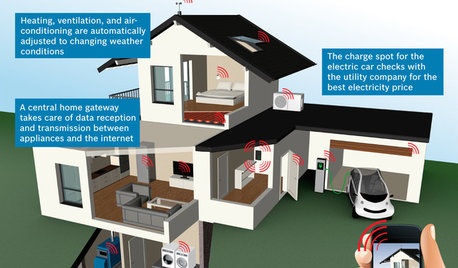
THE HARDWORKING HOMECES 2015: Inching Toward a Smarter Home
Companies are betting big on connected devices in 2015. Here’s a look at what’s to come
Full Story
HOME TECHTote Your Tunes to Any Room With a Portable Wi-Fi Sound System
Free your home's music setup from wires with Wi-Fi speakers that let you take high-quality audio anywhere
Full Story
HOUZZ TOURSMy Houzz: Peeling Back Layers in a 1908 Home
Hidden fireplaces, buried hardwood and covered beadboard resurface thanks to a Mississippi couple's DIY efforts
Full Story
MEDIA ROOMSContractor Tips: Tune In to a Top-Notch TV Room
Outfit your media room with plenty of bells and whistles for optimal television viewing
Full Story

gardengal48 (PNW Z8/9)