

wi-fi enabled appliances
7 years ago
Featured Answer
Sort by:Oldest
Comments (40)
 7 years ago
 7 years ago
Related Discussions
Another WiFi ?
Comments (6)To secure the connection, you need to set up both the router and the computer to use some sort of security. The two main types of wireless security are WEP and WPA. WEP is older and less secure, so if both router and computer support WPA, you should go that route. The router should have some instructions with it to tell how to secure it and that should include step by step instructions for setting up the computer, also. If it's not secure, what that means is that anybody within range of the router can connect to the router and share your internet connection (and possibly get access to your computer depending on how yo've got everything set up)....See MoreHelp needed with WiFi thermostat
Comments (11)Update on my original post. I did buy the thermostat from Lowes which is part of their home automation system called Iris. I originally liked it, although to get all the advantages I had to get their service at $10/month. I could track my temperature usage using my iPhone or my desktop computer. Then, about a year later, they discontinued the model of hub and sent me a new one (for free). I am very dissatisfied with the new service, it won't work with the desktop computer. But, most of all, their service is very poor. When I call, it may take an hour or more on hold before I get someone, and the most that person will give me is "I don't know". Before I switched hubs, I needed another WiFi thermostat for my new vacation home, so I got another Iris one, this time with the same, lame hub. Same problems and, in addition, the thermostat itself failed with no compensation from Lowes. The heating installer recommended a Honeywell 9000 series, which he got and installed. It works very well, so when I needed another Tstat for another zone, I got another and installed it myself (the box says "Pro", but I had no problem). Honeywell has a nice free service (mytotalconnectcomfort) which keeps track of my heating and if the tstat fails to connect, I get periodic messages telling me so (usually this is caused by either a router/cable-supplied internet failure or a power failure). I'm thinking about replacing my Iris tstat at my primary residence with the same model Honeywell, just to get the peace of mind of knowing that it's working. The 9000 series Honeywell cost $215, but they have many look-alikes at Home Depot and Lowes for about half that price, and I don't know what the difference is. I would like to have this new one on the same Honeywell as the ones I already have. Any input here?...See MoreI'd like to purchase a Wi-Fi+ cellular (hotspot enabled) table
Comments (12)mtv, many mobile carriers treat a cell-functioning iPad just the same as if it were another phone on your plan. So, two phones = 2 times Z, where Z is the monthly per device charge. If it's 2 phones and an iPad, it's 3 times Z. Others may charge a fee for any month in which a smartphone has been used as a hotspot (since doing so avoids the fee to enable another device). I have Verizon service with a multi-user family plan and there's no added charge when using my Android phone as a hotspot. I know because I use it once in awhile. There used to be a charge but that was some years ago. It may vary from one plan to another, from one carrier to another, it's something to check....See MoreSmart/Wi-Fi connected laundry?
Comments (17)I have LG front loads which I love - bought them for the features but not the wifi connectivity, though it offers that. Not long ago I installed the app just to see what it might do (planned to uninstall because of security issues). The app was useless, no real features that I'd ever find remotely useful... and when I walked 2 ft away it dropped out. I did (for fun) attempt to access the app while standing in front of them, and it was too buggy to work. Personally, I'd buy for other features and read reviews, never wifi connectivity. I uninstalled the app as I'd planned. Karen, consider what you might use it for... if you're not home, would you be comfortable adding to the drying time - or concerned about overheating your clothes or dryer? Why start a washer if you aren't home - no one is there to load it and mine is very quiet. Do you just want to know when the cycle finishes? I thought that might be handy but honestly, mine makes a tune when done, and I hear it anywhere pretty much unless I'm working in the yard - and I don't carry my phone there. If I'm not at home, I can't pull the clothes out anyway and put them in the dryer. My dryer also makes a tune, but sometimes I need to remove and untangle clothes. Some offer diagnostics if experiencing an issue, but these same diagnostics are on my front panels. I don't wish to start or stop drying or washing via wifi, so basically, I don't see a good use for such a thing, even without the possible security issues....See More 7 years agolast modified: 7 years ago
 7 years agolast modified: 7 years ago
 7 years agolast modified: 7 years ago
 7 years ago
- 7 years ago
- 7 years ago
 7 years ago
- 7 years ago
- 7 years agolast modified: 7 years ago
 7 years ago
 7 years ago
- 7 years ago
- 7 years ago
 7 years ago
- 7 years agolast modified: 7 years ago
 7 years ago
- 7 years ago
 7 years agolast modified: 7 years ago
- 7 years agolast modified: 7 years ago
 7 years ago
- 7 years ago
- 7 years ago
- 7 years agolast modified: 7 years ago
- 7 years ago
 7 years ago
- 7 years ago
- 7 years agolast modified: 7 years ago
- 7 years agolast modified: 7 years ago
 PRO7 years ago
- 7 years ago
- 7 years agolast modified: 7 years ago
- 7 years ago
- 7 years ago
- 7 years ago
- 7 years ago
- PRO7 years ago
 7 years ago
Related Stories
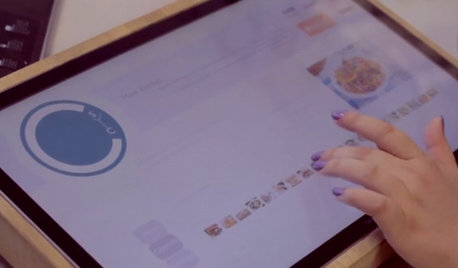
HOME TECHCook Smarter With New Wi-Fi Kitchen Gadgets
Whip up meals with high-tech help, thanks to a phone-connected oven and teakettle, plus a web-surfing cutting board
Full Story
HOME TECHWi-Fi: What It Is and How to Make It Work Better in Your House
As more devices rely on this technology in the home, it’s good to be prepared
Full Story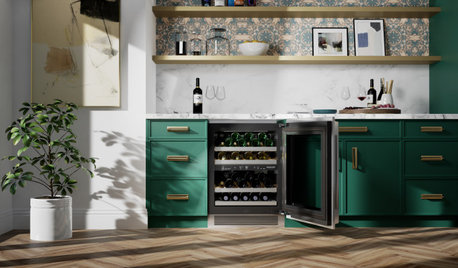
TRENDING NOW6 Trends in Kitchen and Laundry Appliances for 2021
Steam functions, drink systems and hygiene elements are featured in products introduced at the recent KBIS trade show
Full Story
FARMHOUSESMy Houzz: Eclectic Vintage Charm in a Family’s Texas Farmhouse
See how this family of 3 created a Wi-Fi- and TV-free weekend home that has a country music theme
Full Story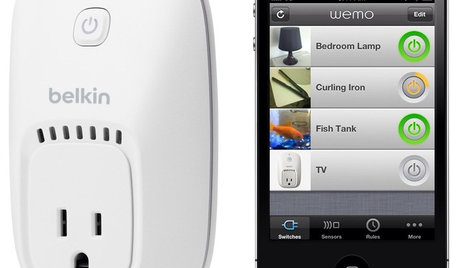
HOME TECHOn the Internet, Nobody Knows You're a Lamp
Home appliances and devices are poised to get on the Internet and start messaging one another. Here's why that'll be great for you
Full Story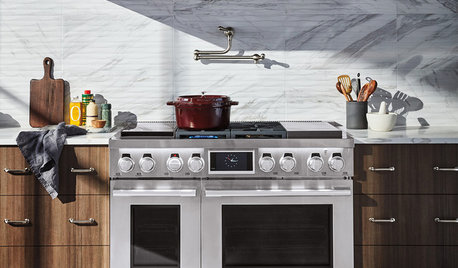
KITCHEN DESIGNThese New Products Aim to Make Your Kitchen Smarter
The latest appliances use home assistants, apps and sensors to help you shop, prep, cook and communicate
Full Story
TRENDING NOW10 Kitchen Design Trends From New Products Coming in 2021
See the appliances, fixtures and features that stood out amid a flurry of introductions timed to the KBIS trade show
Full Story
MOST POPULARHow Bluetooth 4.0 Will Change Remote Control
Manage lights, TV, refrigerators and more through your phone or tablet when the latest wireless technology rolls into all your home devices
Full Story
ARTNew Digital Art Frame Gets Put to the Test
Our writer sets up the EO1 at home, then invites artist friends over for a look — at images of their own work. See what they have to say
Full Story
MORE ROOMSHome Tech: Getting Rid of Wires Without Sacrificing Sound
Wireless home technology still isn't perfect, but new products are giving audiophiles choices
Full Story
functionthenlook