

New Win 10 desktop questions.
9 years ago
Featured Answer
Sort by:Oldest
Comments (17)
Related Discussions
Time for a new desktop
Comments (19)It's totally a personal decision, but I agree you can easily drop down to a 1tb hard drive and be good unless you are storing large video files. I just bought a new desktop mine has 10 gb ram and 1tb drive with a quad core AMD processor, is an HP and I paid under $500 for it from Staples com. I love it, it came with windows 7 but I qualified for the $14 upgrade to 8 if I want to. I am not planning on it. I plan on adding a second hard drive into the case that I have my Linux on. I know there's still several very good sales at staples if you would consider other than Dell. What ever you do enjoy it. And the monitor should work just fine on any pc. Most do come with wireless built in but I would certainly check out the specs information on any of them. If it mentions b/g/n that pertains to the wireless feature....See MoreWin 8 upgrading to Win 10?
Comments (17)Thanks for the responses. We have a Win8 sitting on a shelf collecting dust for 2 years. Never use it anymore. We also have 4 XP's and a Win 7. I've used Win 7 (hubbys machine), but prefer XP. I don't know if I'm resistant to change, I like to think I'm not. But I think Win 8 is dumb and would take me a lot of time to navigate it. I've used it. Did not try classic shell. Hate all the icons and not finding the frequently used places hidden. I don't like the disappearing tool bars. I just think its dumb and regret ever buying it. I don't see any reason for MS to change things around which takes precious time to figure out. Things like Add/Remove, various other settings...it all takes time out of your life to play around when you have work to do. You can buy a new car, it might have added extras and new things which take time to learn. But, no matter what car it is, when you open the door, put the key in the ignition, move the transmission to D, it goes. You can drive around and worry about learning the 'extras' later. You can press on the gas pedal and it goes. To have to learn another operating system and where MS decided to hide things, call them by other names is ridiculous. Same with their Office Programs. They are expensive and complicated to use. Yet they change them around ever few weeks. Why? I do a lot of work on my computers. I don't like having to learn all over again when I have things to do. I didn't like Visa at all, but had to deal with it. I kept my XP because I had Office 07 and I could put together a bunch of letters and newsletter quickly. I gave Vista away and went back to XP exclusively. I wonder if Apple changes their Macs every 3 years? Have no idea but am getting tempted to take a look at their computers. That's my rant, sorry if I seem to be the only one who is very upset with Microsoft for all this nonsense. Jane...See MoreCan I upgrade to Win10 from installation DVD
Comments (23)Well, I replaced my pre-November ISOs with the newer ones. . A couple paragraphs from http://www.zdnet.com/article/microsoft-reverses-course-restores-downloads-of-windows-10-november-update/: ---------- "The Windows 10 media creation tool, which allows Windows users to download installation files for clean installations and upgrades, will once again allow anyone to obtain build 10586, a full installation package that incorporates the November Update. The biggest benefit of the new installation files is that it allows Windows 10 to be activated using a product key from Windows 7, Windows 8, or Windows 8.1." ---------- If I'm reading that right, that would explain why my older ISOs would not accept my Windows 7 key when doing a clean install. Also, again if I'm reading correctly, the newer ISOs should accept any valid 7, 8, 8.1 key. The dark blue/purple image I posted above was obtained through a search. The screens I was getting are the white ones. Why the difference? I don't have a clue. This is a more recent image using the 64 bit ISO I just downloaded: Clicking "I don't have a product key" allows me to continue with the install....See MoreTransfer Programs to New Win10 Computer?
Comments (7)I should have given more detail. The Win7 is probably not legitimate. I bought the old desk top several years ago on craigslist. It appeared to have been used in a business environment. It had/has Win7 Ultimate, but it was originally an ME machine. It also had MS Office. After ~1 year, I got messages that the MS Office needed renewing. Eventually, I went to my computer guy, who I guess has purchased bulk copies of various office sweets etc and also upgrades and retires old computers, presumably/perhaps moving their liscenses. He got Office reset. Last year, I had a problem needing his help and he told me that there were now indications that the Win7 ultimate was potentially not legal, but that he didn't have any copies of Ultimate. I'm not sure why he didn't set up a normal Win7 that I assume he has. A month or two after this, I began getting the Windows not real messages with the black screen....See More 9 years ago
 9 years ago
 9 years ago
- 9 years ago
 9 years ago
- 9 years ago
- 9 years ago
- 9 years ago
- 9 years ago
- 9 years ago
- 9 years ago
 9 years agolast modified: 9 years ago
- 9 years ago
- 9 years ago
Related Stories
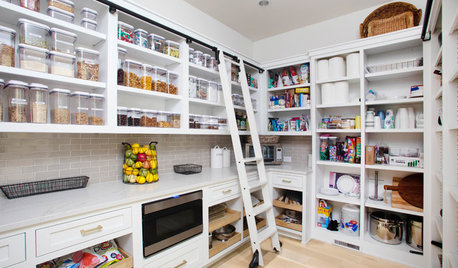
KITCHEN DESIGN9 Questions to Ask When Planning a Kitchen Pantry
Avoid blunders and get the storage space and layout you need by asking these questions before you begin
Full Story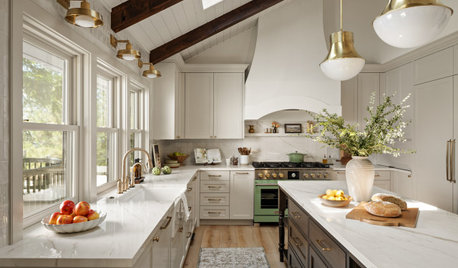
WORKING WITH PROS8 Questions to Ask Yourself Before Meeting With Your Designer
Thinking in advance about how you use your space will get your first design consultation off to its best start
Full Story
REMODELING GUIDESConsidering a Fixer-Upper? 15 Questions to Ask First
Learn about the hidden costs and treasures of older homes to avoid budget surprises and accidentally tossing valuable features
Full Story
REMODELING GUIDESSurvive Your Home Remodel: 11 Must-Ask Questions
Plan ahead to keep minor hassles from turning into major headaches during an extensive renovation
Full Story
EXTERIORSCurb Appeal Feeling a Little Off? Some Questions to Consider
Color, scale, proportion, trim ... 14 things to think about if your exterior is bugging you
Full Story
WORKING WITH PROS12 Questions Your Interior Designer Should Ask You
The best decorators aren’t dictators — and they’re not mind readers either. To understand your tastes, they need this essential info
Full Story
MOVINGTips for Winning a Bidding War in a Hot Home Market
Cash isn’t always king in a bidding war. Get the home you want without blowing your budget, using these Realtor-tested strategies
Full Story
SMALL HOMESMicrounits Are Coming to NYC. See the Winning Design
Say goodbye to only arm-and-a-leg Manhattan rents. This plan for small prefab units opens the door to more affordable housing
Full Story
KITCHEN DESIGN9 Award-Winning Kitchens from KBIS 2013 to Drool Over
See top-rated designs from this year's Kitchen and Bath Industry Show and get details about the designers' visions
Full Story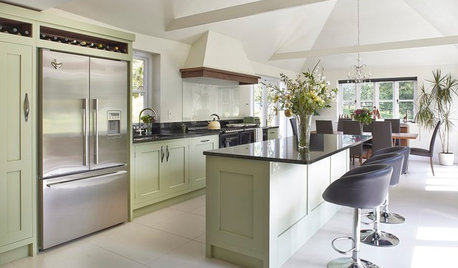
COLORBeyond White: With Tints, Everybody Wins
Light colors with just a trace of pigment add a subtle ambience. Here’s how to use tints to set a mood without darkening your space
Full StorySponsored
azinoh