

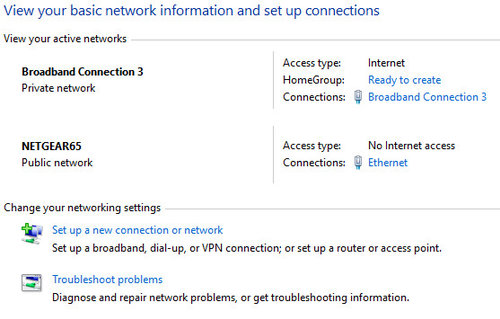
No Wifi Connection
9 years ago
last modified: 9 years ago
Featured Answer
Sort by:Oldest
Comments (14)
Related Discussions
Home Automation - Ube
Comments (4)buzzyng - I started looking tinto zwave as well, and jumped ship for this project. I am backing my entire system with an HAI panel and integrating these switches - along with all of my other sensors - doors, windows, etc. I am probably then going to throw in some zigbee locks. I am going to look to use haikuhelper or even the Ube app itself to put everything together. With Ube being so new, I figured it will take some effort. As I said in my old post from the Electronic boards, I had a chance to talk to Utz, the Ube CEO and talk about their goals and pick his brain. They have a much larger picture in mind than just these switches - he actually offered to call me after I had a bunch of questions for him via KickStarter....See MoreDVD Blu-Ray Plyr with wi-fi connected to old tv. I learned here.
Comments (2)Ellie, Go for you. I took the liberty of tagging the other threads here for you. Now members will have a single portal to all four of your same topic threads, and you will only have to keep one alive if need be. One thread is historically the best way to go. First thread: http://ths.gardenweb.com/forums/load/comphelp/msg0705045516743.html?35 Second thread: http://ths.gardenweb.com/forums/load/comphelp/msg0713354729000.html?4 Third thread: http://ths.gardenweb.com/forums/load/comphelp/msg070451503251.html?7 DA...See Moreinternet connectible television
Comments (5)Wow $300 difference - something's not right here! I'm not saying not to go with the Blu-ray or media player route, which work work just fine, but there must be some other difference between the two television models. The cost of incorporating the internet capability, along with the added retail premium, is no where near that. There has also been a substantial push from Walmart/Sams Club for product, both television and Blu-ray, to include internet capability since Walmart acquired Vudu a year or so ago. Companies such as Vizio and Funai (licensee of the Philips and Magnavox brands in the US) have definitely been increasing internet capability in their products. This also has been bringing down the added cost. If you'd like to post the brand and model numbers, maybe we could shed some more light on the difference....See MoreWhich Thermostat to select
Comments (6)What thermostat do you currently have, and how is it wired to the 59TN6A furnace? The Infinity thermostats use a 4 wire connection (power, ground, and 2 data connections). If that is what you currently have then you will need additional wires if you want to use the Honeywell or the Carrier Cor thermostats. If you want better fan and humidity control then spending the extra money on the Infinity thermostat makes sense. When you buy a communicating furnace it is always best to buy the manufacturer's communication thermostat....See More- 9 years ago
 9 years ago
- 9 years ago
 9 years ago
- 9 years ago
- 9 years agolast modified: 9 years ago
- 9 years ago
- 9 years ago
- 9 years ago


Related Stories
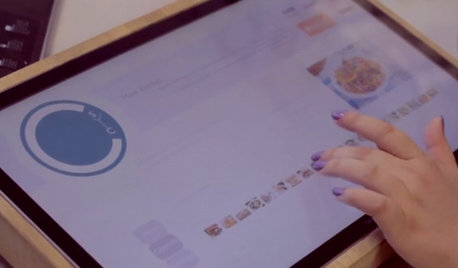
HOME TECHCook Smarter With New Wi-Fi Kitchen Gadgets
Whip up meals with high-tech help, thanks to a phone-connected oven and teakettle, plus a web-surfing cutting board
Full Story
HOME TECHTote Your Tunes to Any Room With a Portable Wi-Fi Sound System
Free your home's music setup from wires with Wi-Fi speakers that let you take high-quality audio anywhere
Full Story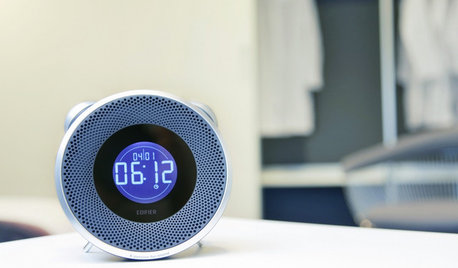
HOME TECHWake Up to the New World of Connected Alarm Clocks
Use your smart phone to enhance your alarm clock, to get more music and better sound than ever before
Full Story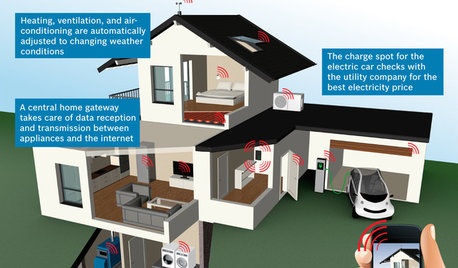
THE HARDWORKING HOMECES 2015: Inching Toward a Smarter Home
Companies are betting big on connected devices in 2015. Here’s a look at what’s to come
Full Story
KITCHEN DESIGNRelocated Colonial Kitchen More Than Doubles in Size
Putting the kitchen in a central location allows for a big boost in square footage and helps better connect it with other living spaces
Full Story
HOME TECHTurn Your Smart Phone Into a Home Security System
Monitor your home a less expensive way by putting your phone and some new gadgets to work
Full Story
INSIDE HOUZZInside Houzz: Introducing the Latest Houzz App for Android
Take advantage of the Houzz app’s updated look and feel, including full-screen photos and easier navigation
Full Story
DECORATING GUIDESHow to Create a Room With a Magnetic Personality
Are you feeling the pull of a magnetic-paint project? Here’s how to get started and what to expect along the way
Full Story
HOME TECHRenovating Homeowners Are Split on Smart Home Tech
Nearly half of those we surveyed are putting so-called smart tech in their homes. Just over half are not. Where do you stand?
Full Story
DECORATING GUIDESImpress Your Guests: 8 Tips for Gracious Guest Rooms
Offer concierge-style luxury on a bellhop's budget with these ideas to turn a spare bedroom into a first-class, guest-ready retreat
Full StorySponsored
User