

Lost all sent emails on AOL
9 years ago
last modified: 9 years ago
Featured Answer
Sort by:Oldest
Comments (11)
 9 years ago
Related Discussions
Cannot forward one email to AOL
Comments (5)I checked the computer help forum and didn't see it there, so . . . Did it have an attachment? If so, is it possible that you're exceeding the size limit at AOL? Is there some sort of virus scanner at AOL that may be stripping the email out because of the attachment? Do you have a SPAM folder on AOL, or SPAM filtering that could be incorrectly identifying it as SPAM? Can you temporarily turn off the SPAM filter at AOL? Is there any message from Google that gives any indication as to why it didn't go to AOL?...See MoreStrange message from AOL email....
Comments (3)I looked at the "full header" and it's a page of stuff. How can one determine if it's a concern? I do know not to click on hyperlinks like that but I worry about all her other friends who write to her who don't know that. What advice can I give her other than to send an email to everyone who might contact her today/tomorrow etc and alert them? She did say she just deleted about 1,000 emails, could that have anything to do with it? Is this just a random act and not likely to happen again or might it continue to happen when I email her? I don't know WOT but will look into it and most likely install it as I trust any advice you give. Thanks, Ginny...See MoreAnyone use free aol email?
Comments (10)I was just reading all of AOL Help on " image challenging". "Why do I have to take the image challenge multiple times? If youâÂÂre prompted to retake the image challenge multiple times a day and arenâÂÂt able to send emails even after you clear your cache and cookies, you might have a more serious issue: A worm or virus might have infected your computer. First, we recommend you perform some basic computer hygiene, starting with running a virus scan. For downloads of reliable antivirus software, visit AOL Internet Security Central. If the virus scan comes back clean but you still donâÂÂt pass the image challenge, check when your antivirus software was last updated. If it hasnâÂÂt been updated within the past 29 days, try updating the software again. If youâÂÂre not able to update the software, contact your softwareâÂÂs vendor for further support. Next, we strongly recommend you reset the password for your AOL account to maintain the privacy and security of your account. A virus isnâÂÂt the only reason you might have to take multiple image challenges. If you frequently send emails to a lot of people at the same time, you might be asked to pass the image challenge more than once. ItâÂÂs also possible AOL received spam complaints from people receiving your emails. (Maybe you sent one too many pictures of cute kittens?) We encourage you to send emails only to recipients who confirmed they want to receive your emails. You can do this by asking your recipients individually and confirming he or she would like to remain on your mailing list."...See MoreAOL Emails problems with Firefox - 2 problems
Comments (17)Terry - that was great - thanks. It completely did what I wanted to achieve. I can easily see if I've gotten new email on my other account without switching software, etc Now a new problem occurred yesterday - before I made those changes - and I have no idea what I may have done to cause it. probably something I did in experimenting with all these different email issues. I had my firefox set up to send links in emails (from my AOL address). But now I'm trying to send my mother a link (for the emergency microsoft update from 2 days ago) - and when I'm in Firefox (and the computer forum thread is open - or any web page is open) - and I go to File - then click send link - it brings up an email form (with my screen name in AOL as the sender - so that party's working) - but a whole mishigosh of info (the link info, perhaps) appears in the space where I should be entering the email address I'm sending it to. I have no idea why that is happening. If I cut and paste that info into the body of the email - and send it to myself to test it - it doesn't appear to be a link to get me to the webpage I want). Seems to me that the webpage link should be referred to in the subject line - and supplied in the body of the email - not some mess of information occuring in the send to line. I tried going to FF tools - applications- and mail to . I have several options to choose from - use AOL software (this appears twice - once with the AOL triangle with "default" in parentheses and once with what looks like a mail page form), and once it says use AOL mail. I think I've tried all three and it still doesn't work. And before I started trying to change my email settings this week, I think there was only 1 or 2 AOL options for mail application in Firefox. Okay - so now I checked all three. On use AOL mail, it gives me the gibberish (somehow related to the webpage I'm trying to send a link for) in the to: line. If I choose use AOL software (default) - with the mail form logo - it goes to AOL software - sets up the email correctly with the information about the link in the subject line - and the to: field blank for me to fill in the recipient. But it wants me to sign on or the send button is faded and I can't click it. If I choose use AOL software (with the AOL logo - not the email logo), it takes me to the AOL software page and says this file may not be supported by AOL. AOL will try to send it as a text file (and if I choose to try, it will tell me the file is too big). So I do I email somebody links? Thanks. Lynn....See More- 9 years ago
- 9 years agolast modified: 9 years ago
 9 years ago
- 9 years ago
- 9 years ago
 9 years ago
 9 years ago
 9 years ago
- 9 years ago
Related Stories

HOUZZ TOURSMy Houzz: It All Started With a Rug
One floor covering from Kazakhstan inspires a whole global vibe in a traveler’s San Francisco apartment
Full Story
LIFESimple Pleasures: Put Pen to Paper
Note writing a lost art? Not when you have a nice selection of papers, a dedicated spot and the right frame of mind
Full Story
LIFELife: How to Make It Through the Holidays if You’re Grieving
Winter holidays can be hard for those who have lost loved ones, but simple actions and kindnesses can help
Full Story
PRODUCT PICKSGuest Picks: Letter Writing in Modern Style
Resurrect the lost art of letter writing with unmistakably current desk accessories, stationery and pens
Full Story
MOST POPULAR9 Real Ways You Can Help After a House Fire
Suggestions from someone who lost her home to fire — and experienced the staggering generosity of community
Full Story
MOVINGRelocating Help: 8 Tips for a Happier Long-Distance Move
Trash bags, houseplants and a good cry all have their role when it comes to this major life change
Full Story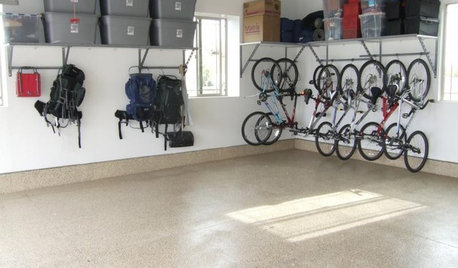
MOST POPULARGarage Cleaning Tips for the Overwhelmed
Don’t let this catch-all space get the better of you. These baby steps can get you started
Full Story
WORKING WITH PROSWhat Do Landscape Architects Do?
There are many misconceptions about what landscape architects do. Learn what they bring to a project
Full Story
WOODWORKING7 Must-Have Measuring Tools for Woodworking
Whether you're a newbie DIYer or building cabinets from scratch, using the right woodshop tools makes all the difference
Full Story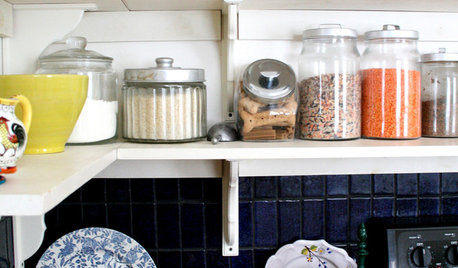
KITCHEN DESIGNDisplaying Kitchen Supplies — Hot or Not?
Do some kitchens just beg for a cozy row of canisters and gear for all to see? Have a look and let us know what you think
Full StorySponsored
More Discussions

millworkman