

SanDisk Flash Drive problems
10 years ago
last modified: 10 years ago
Featured Answer
Sort by:Oldest
Comments (7)
 10 years ago
 10 years ago
Related Discussions
help with usb flash drive
Comments (15)Here is from a page I found that may help you. I will include the link as it has a couple of pictures for you: Copying files to a flash drive on a PC: Open My Computer and see which drives are shown. Most computers, for example, have a hard disk such as a C: drive and a few removable storage devices such as a floppy drive, a CD-ROM drive, and perhaps a zip drive. Insert the flash drive into the USB port and watch to see where the USB flash drive appears. Most will appear as removable storage, but some will instead appear as hard drives. Note the name Windows is using to refer to the flash drive ("Removable Disk (G:)," for example). Open My Documents or the location from which you want to transfer files to the flash drive. Select the files or folders you want to save to the flash drive by left-clicking on them. To select more than one, hold down the CTRL key while you click and select all of the files you wish to save. Right-click on the file(s) or folder(s) you selected, then select Send to, then select the name you saw appearing in My Computer for the flash drive ("Removable Disk (G:)," for example). When the copying is finished, do not immediately remove the flash drive from the USB port. Instead, left-click on the Remove Hardware icon located in the System Tray. A window containing a list of the USB devices will appear. Left-click on the Safely Remove Mass Storage Device line that matches your flash drive (for example, Safely Remove Mass Storage Device - Drive(G:)). When you see the following message appear in the bottom left toolbar, it is, as it says, safe to remove the flash drive from the USB port; you may close the message or ignore it, as it will close itself automatically: Of course, you want to use the instructions for XP, as that is what you are running. Ignore the Mac stuff. Here is a link that might be useful: How to Use a USB Flash Drive...See MoreUSB Flash Drive For Photo Backup?
Comments (3)Gene, I never noticed or heard of that before. If these pictures are special to you may I recommend multi-copies over various media with a disk and a thumb drive at a minimum. The estimated life cycle of storage media is still in its infancy stage and are only approximations/estimates/guesses. No one really knows what the future may bring. So why not give yourself a little insurance by doing so. You may consider free on-line storage also. DA...See MoreiTunes & USB Flash Drives
Comments (1)this is the best place I have found for answering any questions regarding anything ipod or itunes related. The Ilounge forums. http://www.ilounge.com/ go there click on forums and ask, they will probably be able to help you. I avoid all things ipod and itunes related!...See MoreFlash drives and windows 98???
Comments (2)Verbatim has some 98SE flash drivers... If you laptop can burn a CD... there ya go, hopefully. Here is a link that might be useful: http://www.verbatimcorp.com/downloads.cfm...See More 10 years ago
- 10 years agolast modified: 10 years ago
 10 years ago
 10 years agolast modified: 10 years ago
Related Stories

LANDSCAPE DESIGNProblem Solving With the Pros: An Abundant Garden Stretches Its Means
Swaths of resilient, eye-catching plants thrive with little care or resources in the landscape of a Pennsylvania farmhouse
Full Story
HOUSEKEEPINGProtect Your House From Winter Water Damage
Avoid costly repairs by learning to spot potential problem areas before water damage is done
Full Story
ARCHITECTUREHouzz Tour: A Most Unusual Trailer in Texas
With an air-conditioned bathroom, screened porches and a sleeping loft, this riverside trailer site has it all
Full Story
GARDENING GUIDESBackyard Birds: Northern Cardinals in the Snow, and Other Red Birds
Brilliant crimson feathers make these friends stand out in a crowd
Full Story
GARDENING GUIDESNew Ways to Think About All That Mulch in the Garden
Before you go making a mountain out of a mulch hill, learn the facts about what your plants and soil really want
Full Story
FUN HOUZZ31 True Tales of Remodeling Gone Wild
Drugs, sex, excess — the home design industry is rife with stories that will blow your mind, or at least leave you scratching your head
Full Story
GARDENING AND LANDSCAPINGHouzz Survey: See What Homeowners Are Doing With Their Landscapes Now
Homeowners are busy putting in low-maintenance landscapes designed for outdoor living, according to the 2015 Houzz landscaping survey
Full Story
ARCHITECTURE15 Smart Design Choices for Cold Climates
Keep your home safe and comfortable in winter by choosing the right home features and systems
Full Story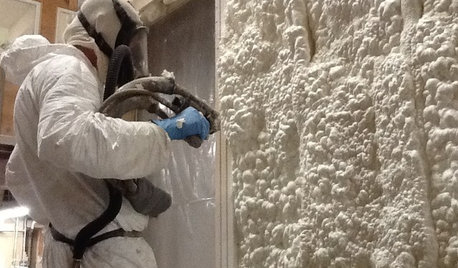
MATERIALSInsulation Basics: What to Know About Spray Foam
Learn what exactly spray foam is, the pros and cons of using it and why you shouldn’t mess around with installation
Full Story
ORGANIZINGOrganizing Secrets: It’s the Little Things
Get these 8 small areas under control for a major boost in overall tidiness at home
Full StorySponsored

Leading Interior Designers in Columbus, Ohio & Ponte Vedra, Florida
Elmer J Fudd