

Is my Netgear Wireless Router Working?
10 years ago
last modified: 10 years ago
Featured Answer
Sort by:Oldest
Comments (16)
- 10 years ago
Related Discussions
Problem connecting laptop to Wireless G Router
Comments (7)fwiw WPA is the security most would use. One passphrase of 20 charatures is recommended by most to make it virtually unhackable. That security is to keep others out of your router or off your internet connection. Many people screw up writing down passphrases on paper and/or retyping it in. Can't connect complaints usually blaming it on other things are frequently solved by whoops, my passphrase was entered wrong. Copy & Paste passphase is virtually foolproof. But requires a bit of though. Dont push the OK button until you've pasted it onto notepad or something. WEP is ok, but there are programs Johnny Jr next door might use to gain access in a few minutes. One of those four WEP keys is designated the primary key with a bullet or check box... that checked key you would copy/paste into your computer for the passphrase or key. You're not going to be automatically given a key in your home. Maybe at work when login & security is handled off a server. When you do credit cards and other secrets online usually its on a secure web page and those web pages are encryped so mr bad guy & neighbor are not able to see anything except googlygoop....See MoreHelp with wireless router and memory order
Comments (10)This is what he got me - from the box: SMC Networks Wireless Cardbus Adapter "Supports blazing wireless communcation at up to 108 MBPS." Advanced Wireles Security, includes Wi-Fi Protected Access. For Home and Small Office Networking. "Share your existing cable connection with multiple computers by addind a high performance Barriade g Router with USB Print server" Don't know about the last part, I could live without the print server, I just want to be able to work and browse in other rooms in the house besides my basement where the cable connection is. As for the memory card - I went to the "Crucial" RAM Scanner Web site as recommended by Zep516 on a previous post that I found through the search menu. I clicked on the Crucial System Scanner, and it said: Maximum Memory Capacity: 1024MB Currently Installed Memory: 256MB Available Memory Slots: 1 Number of Banks: 2 Dual Channel Support: No CPU Manufacturer: GenuineIntel CPU Family: Mobile Intel(R) Celeron(R) CPU 2.40GHz Model 2, Stepping 9 CPU Speed: 2392 MHz Each memory slot can hold DDR PC2700,DDR PC3200 with a maximum of 512MB per slot.* So I couldn't remember the exact number of what I have, but what I have is 256 MB of currently installed memory and one empty "slot."...See MoreNo signal from Netgear Wireless Adaptor
Comments (5)fwiw My experiences with the plug in usb WiFi adapters, they all seem to have much lower receive and send power than the internal types. They struggle with distance I think is their main problem for some uses. Here Im using a little tiny Trendnet/Realek usb mini adapter, sticks out maybe 1/2 inch. Has 100mw rx 200mw tx, with no antenna, and that's = very weak. It works flawlessly though in my use, even in full energy savings mode - I bought it to experiment with two channels and it matches my Trendnet wifi/dsl-modem/router, and only cost ten bucks delivered.. Actually it worked out so perfect for here that I use it full time as its weakness in send/receive signal is such that it doesn't see but just one neighbor, where as if I actuate my internal wifi it sees a dozen ssid's at any given moment . It is mostly line of sight here to the router here which I keep that router set at 12% transmit power to actually appreciate in my mind I have as fast as possible network speeds without bothering neighbors signals. My iverizon dsl 7.1mb is way under the 120 to 150mb windows says is available - so do I need it :) But if I were streaming to a tv or moving backup files around.. maybe 2 channels then would really be appreciated and actually useful. I don't think I've had a single dropout since I uninstalled the TrendNet install and let Microsoft automatically discover new hardware and install with their version of the realtek wifi driver. Windows has all the necessary built in programming for managing it....See Morewireless router for dummies?
Comments (17)follow the directions given with the router you do not change any cords till the cd tells you to take that step. Leave your desktop as you have had it, put the cd in the desktop cd drawer, run the cd follow the instructions it will tell you and show you exactly how and when to change the cords it will lead you through step by step, READ the instruction pamphlet that came with it that tells you what the cd does. When it tells you to set up a password for the router do it and write it down then tape that to the bottom of your router along with the name you give the SSID for your wireless network, you will at some point have to select to choose WPA2 for your method of security it is generally set there default, then it will give you a long WPA password you can accept that or create your own just keep that one it is more secure than one you create, be very very sure you write it down as it is caps and lower case and put that on the paper under the router. That is the key anyone in your house that wants to get on the wireless will need to enter into their laptop to connect, so that laptop will detect the wireless and then will ask for the password that is the one you just saved so you will enter that into the box and then it should connect if all is correct. On my linksys it asked during the set up if I wanted to print out all that info and yes I did and it also asked if you want to put a text file on your desktop with the info sure let it do that too you can delete it at any time if you no longer need it. Just take it one step at a time do not change anything till you have the cd in the machine and it tells you to. depending on the router you bought you can go to the company website and look up the model number and they all have a pdf manual on line with directions and pictures also. If you tell us which router you got someone might know more specifics of that particular one....See More- 10 years ago
 10 years ago
 10 years ago
 10 years ago
- 10 years ago
- 10 years agolast modified: 10 years ago
- 10 years ago
- 10 years agolast modified: 10 years ago
- 10 years ago
- 10 years agolast modified: 10 years ago

Related Stories

MORE ROOMSWhere to Put the TV When the Wall Won't Work
See the 3 Things You'll Need to Float Your TV Away From the Wall
Full Story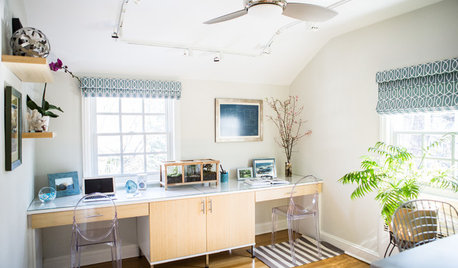
HOME OFFICESNew This Week: 3 Home Offices That Know How to Work It
We look at the designers’ secrets, ‘uh-oh’ moments and nitty-gritty details of 3 great home offices uploaded to Houzz this week
Full Story
DECORATING GUIDESCheat Codes: 9 Designer Shortcuts That Work
Embrace these favorite pro tricks for quick style
Full Story
HOME OFFICES9 Hacks for a Clutter-Free Home Office
Use these clever ideas to transform a chaotic study into one that’s more conducive to working
Full Story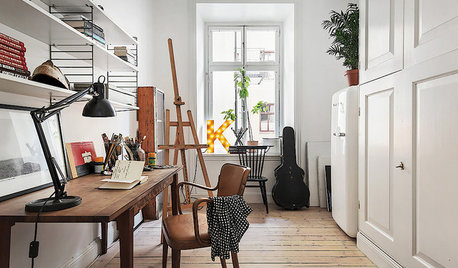
HOME OFFICES13 Decorating Tricks for a More Pleasurable Home Office
Use these suggestions to keep your work-from-home life from feeling like just another lousy day at the office
Full Story
DECORATING GUIDES10 Feminine Workspaces for Hardworking Women
Glam, girly or with a powerful palette, these home offices and workspaces give working girls and women the designs they deserve
Full Story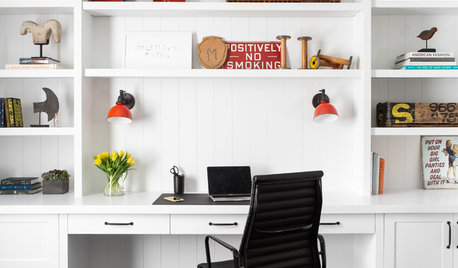
REMODELING GUIDESKey Measurements to Help You Design the Perfect Home Office
Fit all your work surfaces, equipment and storage with comfortable clearances by keeping these dimensions in mind
Full Story
HOME OFFICESPhoto Flip: 95 Deskscape Dazzlers
Whether you work from home or just need a stylish space in which to pay the bills, these office spaces make the grade
Full Story
HOME TECHHome Tech: There's an Easier, Affordable Future for Home Automation
Say goodbye to the headaches and high price of current systems, and hello to home automation products for the masses
Full Story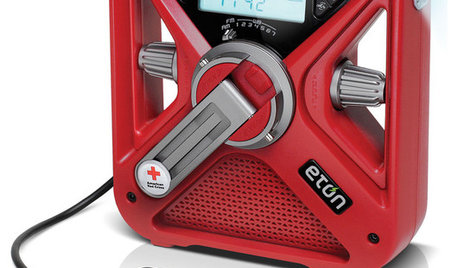
HOME TECH7 Ways to Charge Up and Connect After Disaster
Products and tips for communicating and keeping essential items running till the power's back on
Full StorySponsored
More Discussions

azinoh