

Microsoft 10
10 years ago
Featured Answer
Sort by:Oldest
Comments (11)
- 10 years ago
Related Discussions
Runaway NDSTray.exe, time for W10 Upgrade?
Comments (3)Thanks, I have used the Task Manager to terminate it, but I had trouble finding it listed in any "startup" list. I used "msconfig" to gain access to Start Up and didn't find NDSTray.exe. On the Windows 10 side, I received the 1.5T Western Digital USB HDD, really small, hard to believe so much data can be stored in such a small space without creating a "black hole" Ha! The 1.5T is formated NTSF so I went right to making an Image of subject W7 Toshiba. This took about a hour, size about 70 GB, small potatoes on the 1.5T storage. I then figure why not also do a customized W7 backup... the W7 backup remembers (can identify) that the backup it created on the Flash Drive isn't available... so now I have to figure out how to make W7 forget about an old backup it did. Welcome advice, but will search the web later. I have multiple uses for the 1.5 T, one is the Toshiba W7, another is a Gateway W8.1, another is an XP. All of these want NTSF, still it seems like a good idea for me to partition the space to something like 100 GB for W7, 200 GB for W8.1, and 50 GB for XP. Then I would allocate something like 100 GB for reformatting by Linus so I can use that space for a boot device for Ubuntu, Xubuntu for the XP machine. I might as well split up the other NTSF into a couple other devices for future use. I was disappointed to learn the Image has all the information buried under the Restore cloak. That is I couldn't find any way to use the file manager and look inside the Image for stuff, say My Pictures for an example. So I open another folder and started copying all the "stuff" in W7 the I would like to simply access, oh yes, I also used W7 to create a Transfer which can be used to move from one computer to a new one. Or to a new OS, but I assume the Microsoft W10 upgrade will take the necessary steps to transfer my applications (those that work, will look up Palm Desk Top to see). Still, having lots of space I make a Transfer, it too cloaks the information below is administrative software. We live in interesting times, old saying but more true with each passing year I observer after observing many passing years....See MoreSneaky Microsoft, Hidden Download for Windows 10 (thanks to Grandms1)
Comments (29)To each his/her own, edlincoln. For me, I have two stopping points. The first is my use of several OLD/discontinued peripherals that I use on several PCs. Drivers are no longer updated and sometimes drivers made for earlier versions of Win won't install on later instances. Available for Win10? I don't know or care, happy with things as is. The second stopping point is that I have an all-in-one Sony Vaio that I like a lot with a similar problem, Sony has exited the PC business and no longer makes or sells PCs. So, no updates for drivers. On this PC, I first got the standard "Update to Win 10" MS popup that every PC is showing, and then later a different popup said something like "Don't upgrade to Win10, there's no video driver available for what you have". There's no reason to struggle. I have Win 8 on 3 PCs, and I've added Classic Shell to all. It's fast and stable. I like it a lot. I won't hesitate when the time comes to buy new PCs with Win10 but what I have works fine as is, I see no advantage to upgrading....See MoreMicrosoft and Windows 10
Comments (52)I got a new hard-drive and more RAM in my laptop. At the same time, it was upgraded to Win10. I use Opera and Google. I would use the Edge, except that it's not compatible with AdBlockPlus. I wouldn't be without ABP. I'm trying to upgrade the desktops to Win10. It took a couple of hours to (we thought) install on hubby's computer, but when it was done, it was still on Win7. So I don't know what it was doing all that time. We'd check on it, and it was installing (85% done, etc). I'm going to do it on my desktop to see if I have any problems. He did it from Microsoft's site, so I don't know why it didn't install....See MoreHeld Hostage by Microsoft!!
Comments (9)I'm currently using a legal copy of Microsoft Office 2007 on a one year old Lenovo PC with Win 10 and it works fine. I've encountered none of the issues the OP mentions but I don't use passwords on my PCs or on my files. On other PCs, I have Libre Office and so long as MS file formats are chosen, all files are mutually compatible. Open Office WAS at one time a popular free open source office suite, active development for which ceased years ago (maybe 2010 or 2011?). Developed first by Sun, then transferred to Oracle, there was some political baggage that pretty much brought it down. LibreOffice began life as a development fork from Open Office and is the only one of the two that has a continuing active development effort and regular updates. Neither program has a "staff". This is fully open source software. Development is done part time by volunteers around the globe who do so for the fun of the project alone....See More- 10 years agolast modified: 10 years ago
 10 years ago
- 10 years ago
- 10 years ago
- 10 years ago
- 10 years ago
- 10 years ago
 10 years ago
- 10 years ago

Related Stories

COLOR10 Color Combos You Never Thought Would Work
Orange and blue? Purple and green? Yes and yes. Unlikely pairings can look great if you do them right
Full Story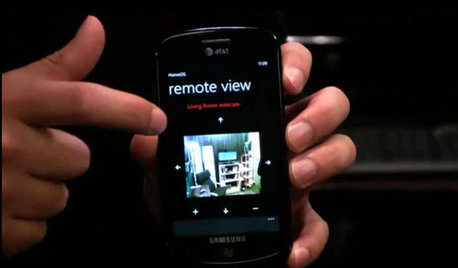
HOME TECHDoes Your Home Need an Operating System?
New technologies hope to unify the lawless frontier of home-automation products. Would they work for you?
Full Story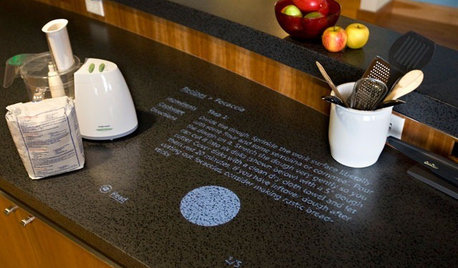
HOME TECHComing Soon: Turn Your Kitchen Counter Into a Touch Screen
Discover how touch projection technology might turn your tables and countertops into iPad-like devices — and sooner than you think
Full Story
THE HARDWORKING HOMEFrom Awkward Corner to Multipurpose Lounge
The Hardworking Home: See how an empty corner becomes home to a library, an LP collection, a seating area and a beloved string bass
Full Story
TRAVEL BY DESIGNTravel Guide: Seattle for Design Lovers
Pioneers of the past and high-tech titans of the present make for an eclectic mix of architecture, museums, hotels and eateries
Full Story
HOME TECHPicture This: Your Digital Photos Deserve Frames Too
Decorate with family memories — and swap them out in an instant — with frames made just for showing and sharing digital photos
Full Story
BATHROOM DESIGNFloor-to-Ceiling Tile Takes Bathrooms Above and Beyond
Generous tile in a bathroom can bounce light, give the illusion of more space and provide a cohesive look
Full Story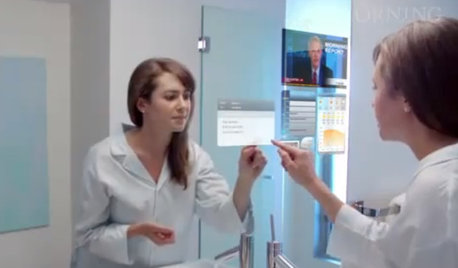
KITCHEN DESIGNMagic Mirrors Emerge From Fairy Tales
Amazing advancements in computers, interfaces and glass point to a future in which smart surfaces are commonplace in the home
Full Story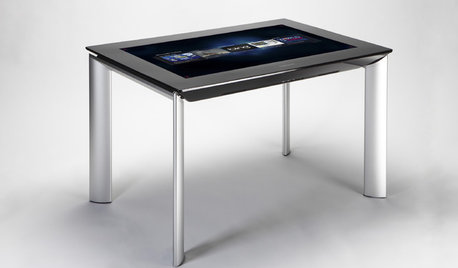
MOST POPULARGet Ready for the Smart Coffee Table
Intelligent tables with touch screens are reaching the consumer market, with all the power of personal computers and more
Full Story
MOST POPULARHow to Create an Inventory, Whether You're Naturally Organized or Not
Documenting your home items is essential, even if disaster seems unimaginable. And it may be easier than you think
Full StorySponsored
PKponder TX Z7B