

PC screen keep wanting to shrink every once in awhile
10 years ago
Featured Answer
Sort by:Oldest
Comments (9)
 10 years ago
- 10 years ago
Related Discussions
Shrinking Bulbs...
Comments (22)A thought or two on putting bulbs in pots outside in the summer: I do put most of mine on concrete but some rest on a mix of soil and gravel. I haven't seen much difference between the two. Both will get bugs in the soil but mostly they are not doing much if any damage with at least one minor exception. Pill bugs get in and make a home in the bottom of the pots and they don't seem to bother much and I don't pay much attention to them. If you repot in the fall, they will fall off as you pull the plant out of the soil. They might have a tiny nitch where they group together. I had one pot only that had something like a slug in it. It had eaten the roots for a distance of an inch to 1 1/2 inch and seemed mostly harmless. The exception was three pots that had earth worms. They (the worms) had balled up when I checked. In each case the roots were somewhat separated from the soil and had not developed as well as the other pots. The bulbs had grown but not as much as the others. Now on screens and stuff. I think intimate contact of the potting soil with the concrete or soil is important. It acts as a wick and thus you know that water will not sit in the bottom of the pot. The intimate contact drains away any excess water in event of a heavy rain or frequent rains. I don't use a special soil, only good potting soil from Lowes. I don't recall any bulbs ever rotting with this system. I think the bugs will come on the concrete as well as the soil if the pot is sitting directly on the surface. If I was not setting the pot directly on the surfaces, I'd put in a wick to make sure the pot drained if there is excess moisture. I put out about 100 pots of amys in the summer....See MoreNo Signal PC crash
Comments (13)Thank you everyone... I am happily excited about getting my old PC back downstairs here where I am set up in my kitchen and do some trouble-shooting approaches to try and get my computer up and running ! I never in 5 years had one second of a problem with the HP brand , so that is what I bought this time ! My first 1-2 years of learning computer navigations, I started each subject line here in this forum with: "How Do I "save", "find"" get this on my search'" or fill in the blank, etc. ?The first time I ever suggested a possible fix to a query,and I was on the "helping" end of the line, was such a really cool feeling ! Yea ! I was thinking this evening about why my kids answer to my PC crash was "Throw it out. There is no fix for this...you have lost everything and it cannot be retrieved" is they are from the generation who easily disposes of everything! Their lives are so rushed ( THEY scheduled it that way) and they think anything that would require some dedicated time, is impossible. Their kids are rushed around from one sport to the next ( even some 2 or 3 per day !), they eat on the run, sentences are never finished and they plunge into deep sleep at the end of their day, and 6 hours later get up and do it all over again! I will keep you posted and will be trying the UBUNTU steps . I did have a faint beep on the old PC and mentioned that as a possible signal for Diagnosis and heads were shaken "no, it absolutely does not having anything to do with this" I mentioned the anology of my furnace having different sequences of beeps to help determine what part of the furnace system is having a problem....Ahhh, well. Patricia...See MoreLG washer shrinking clothes on cold! Please help!
Comments (102)@penny g I now have a first-hand LG service reference (meaning I am onsite) with a friend who bought a 2012 LG refrigerator via Facebook Marketplace several days ago upon moving to a house from an apartment. Immediately upon connecting to power, it runs but doesn't cool. Either a) the compressor is bad internally and not pumping refrigerant (freon) or b) all the refrigerant has leaked out. Someone worked on it previously per evidence of a tap valve on one of the compressor lines and those service taps may leak. He contacted LG service online either Saturday evening or Sunday afternoon. Later Sunday received confirmation of the contact. Monday received a confirmation of a service tech coming the next day Tuesday (today. Tuesday morning confirmation of between 1p and 5p. Tech arrived at 2:30p on Tuesday ..... Sunday --> Tuesday timeframe. The tech advised that LG extended the warranty to 10 years due to known problems with the compressor but unfortunately can't do the repair at no cost because 1) it applies only to the original owner with sales receipt in-hand, 2) some other service had already done a repair evidenced by a refrigerant tap valve on one of the compressor lines. He said they would do it at full cost (which means the required parts for a 9yo unit are available) but that the cost is too high to justify....See Morefor those who are using win8 on your pc
Comments (11)I am making note of ravencajun's very helpful sites. My computer with Windows XP crashed last week and I had to buy a new one - I live in Toronto - and yes, I bought one that unfortunately has Windows 8. Windows 8 is not compatible with our paid for by the month security - found out that the hard way - and finally spoke with someone at Rogers who knew this - they all don't. I spent hours on the phone with HP in India and then the same with Microsoft. I also bought the Student Microsoft 2013 package that has Word, Excel, PowerPoint and OneNote - but it came with a KEY number - not discs. I have successfully loaded Microsoft Office Professional (with discs) on my last 2 computers so was not expecting a major problem - but I have one. You can only use the key once and it didn't take I know it has something to do with my e-mail address. The computer store where I bought the sucker told me to enter my e-mail address and carry on when I was setting up the computer. I did so, but my password was all lower case and this would not work with the new set-up so I made up a new one (apparently you can change it - but guess what - it won't let me). The person at the Rogers, our Internet/Cable company instructed me to uninstall the Norton anti-virus so that I could re-install our monthly paid for anti-virus that we buy from them. Well, it doesn't work with Windows 8 but he didn't know this. I called Best Buy - couldn't help. So I called HP and they took control of my computer and downloaded Defender. I knew not to try and load the Microsoft office until I had an anti-virus program installed. The HP fellow tried to install it and realized after I had typed in the key that it wasn't going to work. Apparently, according to Microsoft - he transferred me to him - this happens a lot - the e-mail/password problem - ends up corrupting something and you can't reload - so now the Microsoft fellow has sent my file to the appropriate dept. to be fixed and I am to expect a call from India within 3 days. Someone had better be able to fix this because the program cost me $139.00 plus our Cdn. taxes. Then Microsoft loaded on a Hotmail e-mail - but I noticed he did it via the temporary Outlook. While I love Outlook I have not purchased it and do not need it. So when I open up Internet I get the MSN - bing business and I have to sign in with my original Rogers e-mail with the new password that has 2 capitalized alpha characters. But I want my home page to be Rogers - we have Rogers Internet. When I am lucky enough to find it I can enter my e-mail using my original password - so something is still very iffy. The 'charms' as they are called on the first page drive me nuts. I only use my computer for e-mail, Internet and some Word - plus a few of the necessary accessories to keep the computer "healthy'. I do not shop on e-Bay, Amazon, etc., I don't play games, play music or watch TV. I use it like a fancy typewriter. I know there must be a way to increase the font size and the size of the screen. At the moment everything is probably in 8 point with 2 inch margins. I have always kept my fonts large and I didn't have the margins. it isn't a problem with my vision - at almost 63 I still have 20/20 but I see no point in straining my eyes just to see the darned computer. So - I HATE IT! I haven't hooked up the Brother laser printer I bought as yet. My old printer - a Canon - that cost about $60.00 used the dreaded inkjet cartridges - and even though I would tell it not to print in colour - and I do know how - it ignored me. Of course you can't print unless there are colour and black cartridges in the printer - so there I was with $51.34 worth of 2 cartridges - the colour is very expensive - plus our taxes on hand - and I was 6 days late in being able to return them. I knew the old printer would not work with the new computer so I was printing out what I could while I was crashing. It was kind of awful - non-responsive mode for an hour at a time. I have no plans to try and reload anything on to the new computer just in case there is something wrong with the data. Then there was the old computer. I deleted what I could but couldn't manage to get rid of the stuff that I really wanted to - as in my name, registration, Outlook Express etc. - so I took off the side panel, took out the likely pieces of hardware - gave them a soaking and took the hammer to them and then put the side piece back on before I took It to the store's recycling department. So I am not a happy camper. Every time I try to do something basic it backfires, so I will definitely look at raven's websites - and I guess I had better see if that darned new printer will work. Best Buy sold it to me with the computer so it had better work - and I will be having something to say to them about the Microsoft Office package. Sorry for the rant, but you got me on Day ONE! I keep trying to load a toolbar that has something on it to allow me to change the font but so far that hasn't worked....See More- 10 years ago
- 10 years agolast modified: 10 years ago
- 10 years ago
- 10 years ago
Related Stories

FURNITUREHouzz Flip: 50 Comfy Chairs Every Dad Will Want to Sit In
Relax into Father’s Day with this collection of inviting recliners and lounge chairs
Full Story
FEEL-GOOD HOMEThe Pros and Cons of Making Your Bed Every Day
Houzz readers around the world share their preferences, while sleep and housekeeping experts weigh in with advice
Full Story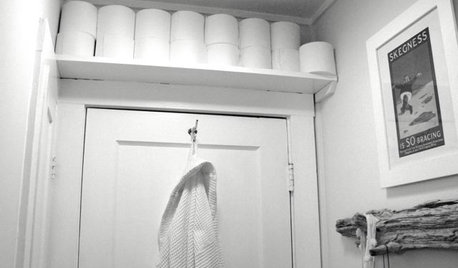
BATHROOM DESIGNBathroom Storage: Where to Keep the TP?
The Houzz community steps in with 19 tidy toilet paper storage solutions
Full Story
LIFEHow Your Landscaping Can Keep Burglars Away
Prevent home break-ins with strategic landscaping and good practices instead of menacing — and maybe less effective — measures
Full Story
REMODELING GUIDESThe Case for Waiting to Remodel
We know, you're excited to make your home match your vision. But your vision may change once you've lived there awhile
Full Story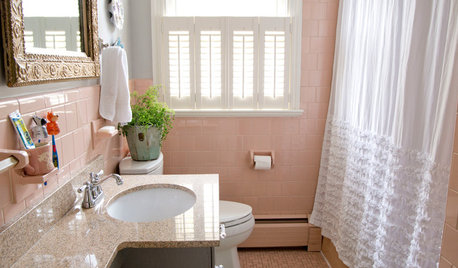
BATHROOM DESIGNHouzz Call: Have a Beautiful Small Bathroom? We Want to See It!
Corner sinks, floating vanities and tiny shelves — show us how you’ve made the most of a compact bathroom
Full Story
KITCHEN DESIGNLove to Cook? We Want to See Your Kitchen
Houzz Call: Show us a photo of your great home kitchen and tell us how you’ve made it work for you
Full Story
WORKING WITH PROS17 Things Color Consultants Want You to Know
Dithering over potential palettes for your home? A color pro might be the way to go. Here's how it works
Full Story
HOUZZ TOURSMy Houzz: Wasting Not, Wanting Not in a New Portland House
Salvaged and secondhand elements make for a home that's earth conscious, thrifty and beautifully personal
Full Story
KITCHEN DESIGNThe Most Popular Kitchen Storage Ideas of 2015
Maximizing every inch, keeping necessities close at hand and finding room for technology top Houzzer favorites
Full Story
Richard (Vero Beach, Florida)