

You all know better than to open unknown E-Mail attachments, right?
10 years ago
Featured Answer
Sort by:Oldest
Comments (8)
Related Discussions
e-mails.......
Comments (8)Oooh yeah, that sounds like a virus to me -- one that, upon opening the e-mail message or clicking a link within it, resulted in a sudden explosion of Internet browser windows opening, and so fast that you couldn't close them as quickly as they were popping up. I experienced that years ago. Make sure you get your machine scanned with an anti-virus software. I personally would recommend PC Tools' Spyware Doctor if you're looking into purchasing an anti-virus software right away if you don't have one already. I really do not want to freak you out. But I would be careful about using your computer right now, and if you see it start to respond more slowly than usual, or if anything else seems off, shut it down and have a professional take a look at it for viruses. Some viruses will gradually slow down your machine as they take over. I'd like to also mention, if you're ever on the Internet and you suddenly get a random pop-up on your screen warning you that a bad file or virus or Spyware or malware has supposenly just been detected on your computer and "click here to scan your computer now" -- and it's not an alert from your anti-virus program -- don't click it because that kind of alert window indicates that a virus has already infiltrated your computer, and clicking to do the fake scan will only further release the virus into your computer system. Instead, in that type of a case, shut your computer down manually as fast as you can and get it in to a shop for a professional to look at (while the computer is on, if it's infected with a virus, the virus can go about spreading). Don't even click "no" or try to close the window; manually shut off your computer. I mention it because my mother made this mistake once (clicking on a fake Windows alert to run a fake virus scan) when she wasn't very familiar with anti-virus software, and it was one nasty virus that almost destroyed her machine. I hope you can find a great anti-virus program, and once you have it, never click on something not from that specific program to do a scan. Even if it looks to be an alert from Windows. Unfortunately, there are creeps in the world who create viruses meant to trick people. This post was edited by teatree on Fri, Mar 15, 13 at 3:15...See MoreE-mail Program Recommendations
Comments (31)bugsybanks : Finally get back to this . . . . re : "Regarding the change to IMAP, I have 3 e-mail addresses set up through my server on the desktop and all 3 are now POP3 on that computer. Do I delete each account and then recreate it as IMAP? Will I lose the e-mails that have been saved under Local Folders? " One thing . . . my "Local folders" only contain Trash & Outbox. All my other Inboxes, etc. are within separate acct folders. I.E., each other acct. contains an Inbox, Drafts, Sent, etc. - outside of "Local Folders." Anyway, there's a good chance that after you create an IMAP acct., the email that you have already downloaded using POP mail, and deleted from the server - won't show up in the IMAP Inbox. You'd have to import them back in. Just to be safe, I would export all your email first so that you have it as backup. Then make new accts as IMAP. See if everything looks correct, or if you need to import anything from the backup you just made. Finally, delete the POP accts. There is a really handy addon tool for TB : ImportExportTools https://addons.mozilla.org/en-US/thunderbird/addon/importexporttools/?src=search (That page looks complicated, but the use of the tool is not) The two different ways to export using that tool are - (and you get to the choices by right clicking on "Inbox" or any other folder) : 1) "Export folder" (w/ or w/o structure) This makes an Mbox file of everything that you export. It makes for just a few simple files that aggregate everything within the respective folders. So you will end up w/ one Inbox file, one Drafts file, etc. "Structure" just means you will keep the nested structure of the folders. The disadvantage is that you can't read them later w/o importing them back first (using ImportExportTools). 2) "Export all Messages" (and choose "eml" format here) This exports each email as a .eml file - and you can identify and read each one separately later after exporting. So if you export 500 emails, you'll get 500 .eml files. You can batch import them though using ImportExportTools. And you can read them just by clicking on them individually. There's no harm in exporting both ways if you like. Just create separate folders so you can keep it all straight. Play around with it a bit until you get the hang of it. For all the people recommending this way to do email or that - this debate has been going on for years. There are advantages and disadvantages to each - it really depends on your needs. I wouldn't say that any one of them is "unusual" as someone commented - what's unusual to one is likely normal to someone else. Personally I use them all, and all for different purposes - no one method seems to work for every purpose. I do use web based email for the most part though. Hope that helped. -Kent This post was edited by kbarb on Mon, Oct 20, 14 at 0:42...See MoreOpening e-mail
Comments (10)Absolutely do not open any e-mail from an unknown source. I would even like to take it a step farther and suggest never open a forward even if you "know" the sender. Forwards have always been a classic way of sharing viruses be they generated from a user's compromised Addressbook or generated in the wild. If there is a need to accept forwards from certain individuals ask them to delete the fwd from the subject line before doing so. By doing this it will show you that the e-mail is intended and valid. If you are using OE or Windows Mail turn off the preview pane. This suggestion has been recommended for years now as critters began being delivered in the code of the e-mail and jpg pictures long ago. DA...See MoreOffensive e-mail? Help me understand this!
Comments (58)"To make a short story long :) my point is this thread has been to identify my personal responsibility in this situation. Have I contributed to the negativity? Was I showing condescension in the email without realizing it? What are my obligations to stay in contact with my sister? Have I been insensitive? Have I been TOO sensitive? In other words, is there any chance that changing myself would make it possible for me to have a harmonious relationship with her?" This implies that you still think her reactions are based substantially on your actions -- which, in a typical relationship, they would be. Normal people interact. So normally, there's reciprocity, a give and take. Kindness is met with kindness, hostility with hostility. Conversations meander down a natural path directed more or less equally by both people. But narcissists don't work that way. They have their own agendas and scripts based on their own needs, and if you don't follow their scripts, you are 'breaking their rules' and will always be punished - get a negative response. Narcissists use other people to meet their own needs, and the number one rule for dealing with a narcissist is this simple: If you aren't useful (as a source for whatever the narcissist needs), you are useless! (with all the scorn that word implies) "I accept that she is that way and try to refrain from making judgments. I simply separate myself from the situation since it serves no good purpose to remain engaged." Perfect! Just remove yourself emotionally from the interaction. Pleasant but superficial responses are generally safe. Some benign flattery every so often. But no soul-searching conversations, no striving for a deeper emotional connection, no revealing of sisterly secrets......See More 10 years ago

Related Stories
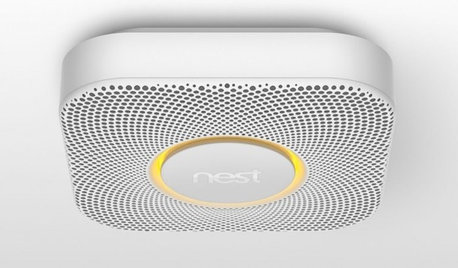
HOME TECHBetter, Smarter Smoke Detectors Push All the Right Buttons
No more bashing in that smoke detector with a broomstick at 3 a.m. — if you haven't already yanked it out. Welcome the new, civilized breed
Full Story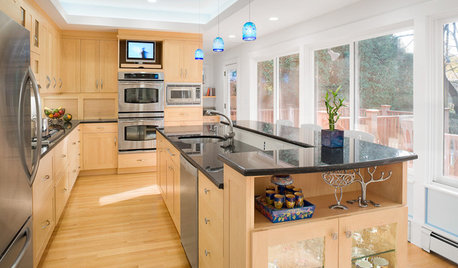
UNIVERSAL DESIGNHow to Light a Kitchen for Older Eyes and Better Beauty
Include the right kinds of light in your kitchen's universal design plan to make it more workable and visually pleasing for all
Full Story
DECORATING GUIDESHow to Get Curves in All the Right Spaces
Use the softening effect of curves to enhance and define your indoor and outdoor areas
Full Story
MOST POPULARWhat to Know About Adding a Deck
Want to increase your living space outside? Learn the requirements, costs and other considerations for building a deck
Full Story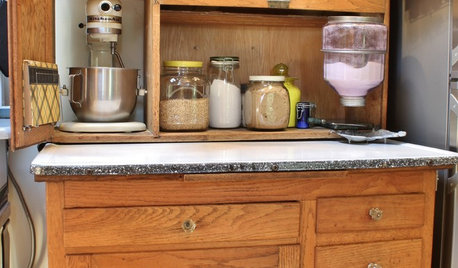
ANTIQUESMust-Know Furniture: The Hoosier Cabinet
This freestanding cabinet handled all the kitchen bustle in the early 20th century, earning it the motto ‘Hoosier saves steps’
Full Story
DECORATING GUIDESIs an Online Decorator Right for You?
For a professional look at a lower price and from the convenience of home, e-decorating may be the perfect solution
Full Story
ENTRYWAYSPorte Cocheres Steer Driveway Style in the Right Direction
More than a carport, these covered structures attached to a home provide protection beautifully
Full Story
SMALL HOMES28 Great Homes Smaller Than 1,000 Square Feet
See how the right layout, furniture and mind-set can lead to comfortable living in any size of home
Full Story
MOST POPULAR19 Kitchen Projects Every Homeowner Should Know About
Could your kitchen use a new sink, a backsplash, updated hardware, better organization, a good cleaning? Here's how to get started
Full Story
MOST POPULARThree Magic Words for a Clean Home and a Better Life
Not a natural tidying and organizing whiz? Take hope in one short phrase that can change your life forever
Full Story


bob_cville