

USB Device not recognized
10 years ago
Featured Answer
Sort by:Oldest
Comments (10)
 10 years ago
 10 years ago
Related Discussions
USB Error Code
Comments (7)@DA To tell you the truth I am not sure why the 30 min, I only discovered those instructions from a Google Search, when I first saw it I said to myself. "It only takes 8 minutes for the Suns light to reach earth at 93Million miles away." Electrons move pretty quick!!!!!!!! Memory (Ram) is cleared out on a reboot so I don't think that's it. The only other device that could store a voltage would be a pretty big capacitor on the machine, if there was a big capacitor it would most likely be in the power supply circuit. Caps that big are unheard of in the desktops Laptops we use today. Could it have something to do with the BIOS Battery??????????????????...See MoreMore on my post 'Computer won't recognize digital camera'
Comments (5)I know this is a long time coming. But I remembered this question when I ran across the following information recently. If you have XP Home, Go to your control panel, Double Click the Scanners and Cameras folder to open Connect your camera and turn it on then Right-click on the Camera Icon Left Click on Properties Left Click on the "Events" Tab in the Camera Pop-Up Window There you can either set a program such as "Microsoft Scanners and Camera Wizard" or put a check in "Prompt for which program to run". Which will open that options menu you speak of. There are two other choices there that are pretty well self explanatory. Make sure you click on "Apply" and "OK" If you Use Kodak Easy Share programs below is some other information about seeing your camera in My Computer. For a Windows XP operating system, it is not possible to see the camera as a drive letter when EasyShare software is installed. You can mount the camera as a drive using the Windows imaging acquisition (WIA) driver. To change from the Kodak driver to the WIA driver, do the following: Connect and turn on the camera. In the Transfer window, click Cancel. On the desktop, right-click the My Computer icon, and then select Properties. Select the Hardware tab, and then click Device Manager. Click the + sign in front of Universal Serial Bus controllers, and then select the Kodak camera. Select the Driver tab, and then click Update Driver. Select Install from a list or specific location, and then click Next. Select Don't search. I will choose the driver to install, and then click Next. Select Digital Still Camera, and then click Next. Click Finish. Hope this helps Arlene...See MoreUSB not recognized but "nothing plugged in": solved
Comments (1)Nice to know. Thanks...See Moreusb hub
Comments (6)Forgot to answer one of the other questions. It is a powered hub. I can plug my flash drive directly into the usb and it see it fine. It just doesn't see the hub. It didn't come with any software or drivers. I called tech support and the said to plug it directly into the wall and not the surge protector. I had to uninstall the unknown device and unplug/plug the usb cable back in. My computer recognized it as a "generic hub." Now, I'm back at square one. It appears to be an intermittent problem....See More- 10 years ago
 10 years ago
- 10 years ago
 10 years ago
- 10 years ago
- 10 years agolast modified: 10 years ago
- 10 years ago

Related Stories

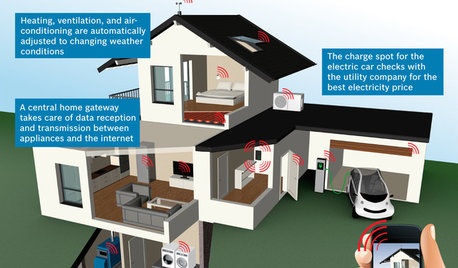
THE HARDWORKING HOMECES 2015: Inching Toward a Smarter Home
Companies are betting big on connected devices in 2015. Here’s a look at what’s to come
Full Story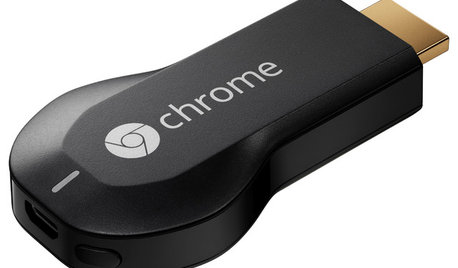
HOME TECHNow Playing in Homes Everywhere: TV, the App
It's easier than ever to beam streaming content from mobile devices to your TV screen
Full Story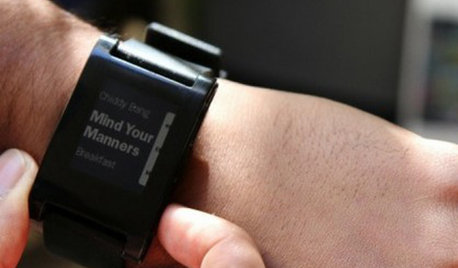
MOST POPULARHow Bluetooth 4.0 Will Change Remote Control
Manage lights, TV, refrigerators and more through your phone or tablet when the latest wireless technology rolls into all your home devices
Full Story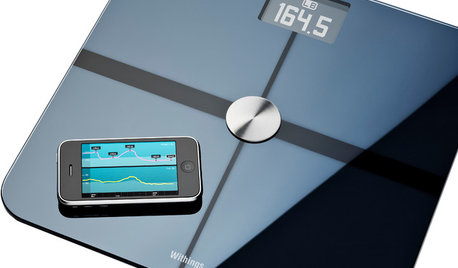
HOME TECHGadgets Help You Watch Your Health at Home
See the crop of new devices that can monitor your body's vital signs and environment for health, fitness and fun
Full Story
HOME TECHTech to the Rescue: How to Get Stolen Gadgets Back
Catch any crook who dares steal devices from your home with recording and tracking technology that's easy to use
Full Story
HOME TECHHello, It's Your Houseplant Calling
Or even tweeting. Today's apps and gadgets let plants communicate in better ways than with a show of withered leaves
Full Story
ORGANIZINGConquer Clutter With Drawers: 14 Inventive Solutions
Organize, neaten and hide all your stuff with drawers in unexpected spots or outfitted with extra-special features
Full Story
LIFE10 Things Night Owls Know to Be True
Love being up while the world slumbers? Prefer a really late bedtime to an early night? These observations on night owl life may ring true
Full Story
REMODELING GUIDESConsidering a Fixer-Upper? 15 Questions to Ask First
Learn about the hidden costs and treasures of older homes to avoid budget surprises and accidentally tossing valuable features
Full StorySponsored
zep516